
Mohamed Halawa
Design a Print-ready Ad in Adobe InDesign. Want to learn how to make an ad that could go into a magazine?
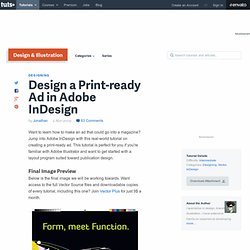
Jump into Adobe InDesign with this real-world tutorial on creating a print-ready ad. This tutorial is perfect for you if you're familiar with Adobe Illustrator and want to get started with a layout program suited toward publication design. Final Image Preview Below is the final image we will be working towards. Want access to the full Vector Source files and downloadable copies of every tutorial, including this one?
Step 1 Make a new document by going to File > New > Document. Click More Options if need be then enter 1/8 (0.125) inch for the Bleed. The purple line is the margin (highlighted below) and is automatically set at 0.5. Leave all the other options as they are and click OK. Step 2 This is what your document will look like. Step 3 Add a headline to the page using the Type tool (T). Step 4 Access the Character Palette by pressing Command + T. Did You Know? Step 5 We'll align the text to the center of the page. Step 6 Step 7. Formatting Typography and the Use of Styles in Adobe InDesign. After working for a couple agencies as an Art Director, I noticed many entry level designers and old pros alike still use InDesign very inefficiently when it comes to typography and formatting.
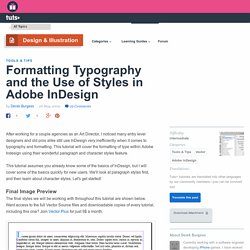
This tutorial will cover the formatting of type within Adobe Indesign using their wonderful paragraph and character styles feature. This tutorial assumes you already know some of the basics of InDesign, but I will cover some of the basics quickly for new users. We'll look at paragraph styles first, and then learn about character styles.
Let's get started! The final styles we will be working with throughout this tutorial are shown below. Create a new one page document with half inch margins to begin with. You should now have a 8.5 inch by 11 inch document with half inch margins, giving you a 7.5 inch by 10 inch live area to work with. Using the Type Tool, lets create a 7.5 inch by 10 inch type box. You have two options when it comes to creating a type box. Now onto the Indents and Spacing tab. Write a winning graphic design proposal for your business. Back To Article Search by Nigel Gordijk When a potential client approaches you to see if you can handle their projects, how do you prove yourself without resorting to creative output?

The answer is to write an informative and insightful project proposal. Before you begin working for a potential client you need to win their confidence by proving you're capable of meeting their requirements. Sometimes this is a formal process where the client has issued a Request For Proposal (RFP), which means that you'll be competing against others to win the project. Here, I'll be discussing my method for handling the individual approach.
Front cover This may sound obvious, but make sure that the cover clearly features your organization's name (and logo if it has one), the title of the project and the date of the submission. Copyright Statement When you hand over the result of your carefully considered hard work, make the client aware that you don't want it to be shown to a third party. THEINSPIRATION.COM l THIS IS WH▲T INSPIRES US. The Fundamental Elements of Design.
Getting started.