
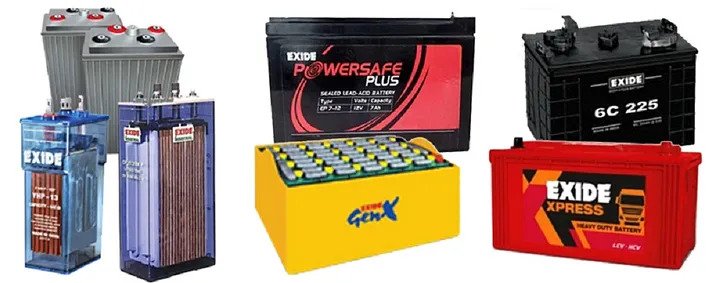
Power issues usually do not arrive with a warning. It can be a quick dip, a sudden spike, or unstable voltage that resets a switch, freezes a server, or ruins an update mid-way in a small server room, that can turn into lost data, downtime, and hardware wear that builds up quietly. Even short interruptions can cut remote access or stop monitoring. Reliable protection comes down to correct sizing, tidy installation, and a runtime plan that fits your real needs. The goal is to keep only the truly critical devices steady and give your team a calm window to respond when supply gets rough. In this article, this guide will walk through the practical choices that make backup power dependable.
Why stable input matters for critical equipment
Servers, storage, network gear, and access systems do not just need electricity; they need steady power. When input quality is poor, problems show up as random reboots, failed updates, and faults that are hard to reproduce. A setup rated 10 kVA UPS can suit compact rooms when the protected load stays focused and the electrical basics are handled properly. Good earthling and a clean distribution layout reduce everyday glitches and make troubleshooting far less frustrating.
How to size load and runtime in simple steps
Start by listing only what must stay on, not everything plugged in. Add the watt ratings, then keep a sensible buffer for surge and near-term growth. Next, decide what you want the runtime to do: a safe shutdown window or a bridge until supply settles. A battery bank chosen for 10 kVA UPS battery support should consider room temperature and airflow, because heat and dust reduce performance over time. Do one controlled test after setup so the runtime is confirmed, not assumed.
How to compare proposals without overspending
It is tempting to compare quotes by the final number, but scope is where the real differences hide. Check site survey, cable sizing, bypass needs, commissioning tests, and what support looks like after handover. Separate capacity cost from autonomy cost, because runtime choices can move the budget quickly. If someone brings up a 20 kVA UPS price as a benchmark, use it to ask better questions, not to buy bigger by default. Oversizing will not fix weak wiring, crowded panels, or poor ventilation.
Installation and upkeep habits that boost reliability
Treat this list like a checklist you return to, not a one-time setup task. Reliability improves quietly in the background when these habits stick.
How to scale protection across mixed areas
As sites grow, it helps to protect the server room at the right rating and keep office loads separate. A plan built around 1 kVA UPS for desktops can cover a router and workstation without pulling server-room backup capacity into desk equipment. This separation also makes upgrades easier later, because load records stay clear and changes do not ripple across the whole setup.
Conclusion
A well-planned backup system keeps small server rooms stable during voltage dips, short outages, and unexpected fluctuations. When sizing is accurate, runtime goals are realistic, and installation is done properly, critical equipment stays safer, and downtime becomes less common. The bigger win is avoiding messy restarts and the hidden damage that follows poor power quality.
MEGHJIT POWER SOLUTIONS LLP supports UPS systems, batteries, voltage stabilizers, inverter and charger setups, and related infrastructure services with a practical, site-focused approach. Their team helps with assessment, installation guidance, and ongoing service support so facilities can stay consistent even when the supply is unreliable.
FAQs
List must-run devices, total their watts, and add a small buffer for surge and near-term growth. Convert to VA using power factor and confirm circuits on site. Check breaker capacity and cable condition too. This avoids overload alarms and rushed wiring changes that create safety risks.
Pick a runtime based on your response plan. For a safe shutdown, 10 to 20 minutes is common. If you rely on a generator, include startup and stabilisation time. Validate results with periodic tests, because heat, dust, battery age, and load changes affect real runtime.
Keep ventilation clear, control dust, and check terminals and indicators on a schedule. Perform controlled tests so alarms and shutdown steps are familiar. Replace ageing batteries on time. Review logs for repeated events, and tighten loose connections early. Regular service reduces emergency downtime and keeps performance stable.