
ASP.NET Web Configuration Guidelines. The topic you requested is included in another documentation set.

For convenience, it's displayed below. Choose Switch to see the topic in its original location. ASP.NET enables you to specify configuration settings that affect all Web applications on a server, that affect only a single application, that affect individual pages, or that affect individual folders in a Web application. You can make configuration settings for features such as compiler options, debugging, user authentication, error-message display, connection strings, and more. Connection String Syntax. The value of a keyword must be specified as a string.
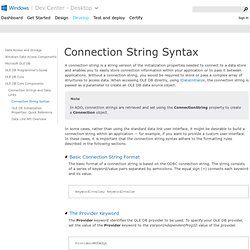
The value depends on the property being set and the value that the OLE DB provider expects. Short Property Values The Data Link API uses a shortened, "friendlier" version of the property values defined in the OLE DB specification. The short value of a property is derived by removing the prefix from the documented property value and replacing any underscores with spaces. For example, the OLE DB specification defines the following values for the Cache Authentication (DBPROP_AUTH_CACHE_AUTHINFO) property: The prefix "VARIANT_" is removed and the short values are TRUE and FALSE.
In connection strings, the short property values are case-insensitive, so the values can be made more readable by using True and False. Cache Authentication=True Another example is the Prompt (DBPROP_INIT_PROMPT) property, for which the OLE DB specification defines the following values: Prompt Complete CompleteRequired NoPrompt Prompt=Complete. Catch exception when calling stored procedure : SqlConnection Stored Procedure « ADO.Net « C# / CSharp Tutorial. Adding a Controller. Note: An updated version of this tutorial is available here that uses ASP.NET MVC 5 and Visual Studio 2013.

It's more secure, much simpler to follow and demonstrates more features. MVC stands for model-view-controller. MVC is a pattern for developing applications that are well architected, testable and easy to maintain. MVC-based applications contain: Models: Classes that represent the data of the application and that use validation logic to enforce business rules for that data. We'll be covering all these concepts in this tutorial series and show you how to use them to build an application. Let's begin by creating a controller class. Name your new controller "HelloWorldController". Clarification on the Failover Partner in the connectionstring in Database Mirror setup. - Tips and tricks from a Developer Support perspective. There is a common misunderstanding on how the Failover Partner keyword in the connectionstring works in a database mirror setup.This is my attempt to clarify a bit on this.

From the documentation we can see the following: “Failover Partner - The name of the failover partner server where database mirroring is configured.”This then suggests that what is given in “Failover Partner” in the connectionstring is the server that will be connected to when a failover occurs. This is not the whole truth.What happens is that when you successfully connect to the primary, then the SQL Server will send the failover partner to the client which will then cachethis failover partner on the client side. And this is what will be used when a failover occurs.
This is somewhat confusing and should possibly be better documented. But I will try to illustrate this by example. PRINCIPAL: Server_AMIRROR: Server_B And our mirrored database is called MirroredDatabase. Getting Started With LinQ To SQL Tutorial With C# Code Examples. Here, I will discuss about basic LinQ to SQL tutorial overview, then how to get started very quickly with its usage on our C#.NET based applications(This can be used in both desktop and web applications in the exactly same way).

Besides, I will also discuss about using ‘select’ query in linq to retrieve data and traverse through the query results(in case of multiple result objects). To understand this tutorial properly, You should have handy knowledge on c# and have visual studio 2008+(.NET Framework 3.0+ ) to successfully able to run LINQ To SQL examples. What Is LINQ To SQL? Full meaning of LINQ is ‘Language Integrated Query’, which replaces the traditional sql query execution process. Moreover, it doesn’t only applicable to manipulate database results, but it can also be used to manipulates array/list collections. Lesson 01. By Joe Mayo, 8/1/04, updated 1/12/09.

Unit Testing Framework. To help provide a clearer overview of the Unit Testing Framework, this section organizes the elements of the UnitTesting namespace into groups of related functionality.

Elements Used for Data-Driven Testing Attributes Used to Establish a Calling Order Attributes Used to Identify Test Classes and Methods Assert Classes and Related Exceptions. TSQLUnit. 3 Tier Architecture Using ASP.NET. 3-Tier architecture is one of the most popular approaches in software development.

Tier Vs Layer. Building COM Objects in C# Introduction The topics covered in this article are: Creating a simple COM object in C# (use the COM Interop property).
Build and Deploy a .NET COM Assembly. In this article I'll build a .NET COM assembly following the recommended best practices, and show you how to deploy it with a Visual Studio Setup and Deployment Project.

I'll also show you two types of client for the COM object (early binding and late binding) and discuss the advantages and disadvantages of each. Sometimes I'll use terminology from traditional COM, because COM client programs still behave the way that COM clients have always behaved. I won't go into too much internal COM detail because this article is primarily about .NET classes as COM classes, but I'll provide some explanation of that traditional behavior because (for example) a C++ client program is still dependent on it.
Calling Managed .NET C# COM Objects from Unmanaged C++ Code. Download source - 5.21 Kb Preface. Mapping a different file extension for ASPX Pages in IIS 7.0 - CarlosAg Blog. Today I read a question in one of the IIS.NET forums - although I'm not sure if this is what they really wanted to know - I figured it might be useful to understand how to do this anyway. Several times users does not like exposing their ASP.NET pages using the default .aspx file extension (sometimes because of legacy reasons, where they try to minimize the risk of generating broken links when moving from a different technology, to preserve the validity of previous search-engines-indexes and sometimes for the false sense of security or whatever).
Regardless of why, the bottom line, to map a different file extension so they behave just like any other ASP.NET page requires you to add a couple of entries in configuration, especially if you want those to be able to work in both Pipeline Modes "Classic and Integrated". The following Web.Config file will enable this to work for both Pipeline Modes: So what does this actually do? COM Interop Part 1: C# Client Tutorial (C#) COM Interop provides access to existing COM components without requiring that the original component be modified. When you want to incorporate COM code into a managed application, import the relevant COM types by using a COM Interop utility (TlbImp.exe) for that purpose. Once imported, the COM types are ready to use. In addition, COM Interop allows COM developers to access managed objects as easily as they access other COM objects. Again, COM Interop provides a specialized utility (RegAsm.exe) that exports the managed types into a type library and registers the managed component as a traditional COM component.
At run time, the common language runtime marshals data between COM objects and managed objects as needed. Asp.net - How do I process .asp extensions using the .Net handler. Converting ASP to ASP.NET. Sql stored procedure test suites. Classic ASP vs. ASP.NET. Introduction This article explains the difference between the Classic ASP and ASP.Net and also focuses on the new features in ASP.NET. Let's discuss the differences between these two in detail: Process Isolation.