Unclouded. The revolutionary tool to explore, analyse, manage and clean your cloud and device storage.
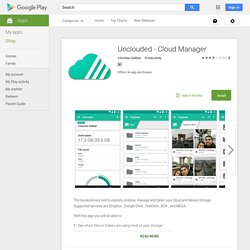
Supported services are Dropbox , Google Drive , OneDrive , BOX , and MEGA. With this app you will be able to: DODOcase VR App Store (beta) - Android Apps on Google Play. ➢ VR Video (2D/3D Player): Play all movies from an IMAX player in VR➢ VR YouTube: Stream any youtube videos in IMAX VR➢ 3D VR YouTube: Stream 3D youtube videos in IMAX VR➢ FullDive Camera : take pictures and video in VR ➢ FullDive Gallery : store and access your pictures, videos, and photosphere in VR➢ FullDive Market : access all VR applications in the market➢ FullDive Browser : browse Facebook, Google, and everything else in VR FullDive VR app only works with Google Cardboard Virtual Reality Headset and its full feature can be accessed using our own FullDive Wear headgear, which is coming up soon.
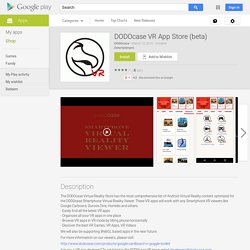
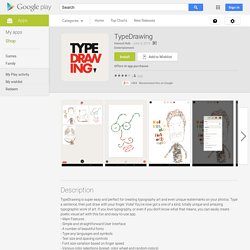
You will have lots of fun exploring virtual reality by using this app! TypeDrawing - Android Apps on Google Play. Get creative with realistic paint without the mess and expense!
Explore a packed toolbox of intuitive, natural painting tools like oils and watercolors that let you experiment with color blends and textures on a realistic canvas. ArtRage places the tools of a real art studio at your fingertips and is perfect for anyone who loves drawing. Try out the Pencils for sketching, the Oil Tube for impasto, and Felt Pens for a Copic marker effect. ArtRage doesn't just place color on your canvas. It keeps track of how much paint there is and how wet it is, so you can blend color under the brush as you paint, or lay down thick lines of pigment for smearing with the Palette Knife just like the real thing. GMD Gesture Control Updated To v8.0 With Material UI And Lollipop Support [Root Only] Most rooted users already know about GMD Gesture Control—it's a way to control the device and launch apps with on-screen gestures.
![GMD Gesture Control Updated To v8.0 With Material UI And Lollipop Support [Root Only]](http://cdn.pearltrees.com/s/pic/th/gesture-material-lollipop-104941954)
If you're not rooted, it's the kind of thing that might make you want to try. This app has just gotten a big (and much anticipated) update to v8.0 with a new design and support for Lollipop. Here's the full changelog for the v8.0 update. Xperia Z3 and Z3 Compact get official Android 5.0.2 Lollipop build 23.1.A.0.690 [FTF links] Sony has just confirmed the roll-out of the official Android 5.0 Lollipop upgrade starting with last year's flagship smartphone Xperia Z3 and its compact version -- the Z3 Compact.
![Xperia Z3 and Z3 Compact get official Android 5.0.2 Lollipop build 23.1.A.0.690 [FTF links]](http://cdn.pearltrees.com/s/pic/th/compact-official-lollipop-104060254)
The lucky Xperia owners to receive the new Android version are from Nordic and Baltic countries. Sony has also announced other Z series devices such as Xperia Z, ZL, ZR, Tablet Z, Z1, Z1S, Z Ultra, Z1 Compact, Z2 and Z2 Tablet will receive the update in around two weeks time. The Android Lollipop firmware brings along the following features for the Xperia Z3 and Z3 Compact. [Guide] Test waterproofing without water! Did you ever wonder if your device is really waterproof but do not want to find that out by dunking it in water?
![[Guide] Test waterproofing without water!](http://cdn.pearltrees.com/s/pic/th/waterproofing-without-xperia-103637758)
Here is a test which uses just the phone and it's service mode (or any barometer app). 1. dial *#*#7378423#*#* 2. go to "Service Tests" 3. go to "pressure sensor" 4. slightly compress the phone using your thumb and index finger by pressing on the display and back SLIGHT PRESSURE.
No Berserker mode please! Xperia Z3 and Z3 Compact get Root and ClockworkMod Recovery. The Sony Xperia Z3 (D66XX) and Xperia Z3 Compact (D58XX) have received ClockworkMod-based Recovery and Root just in time for the release of both handsets.
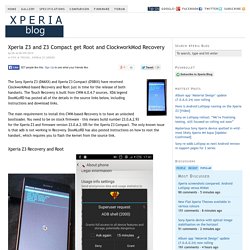
The Touch Recovery is built from CWM 6.0.4.7 sources. XDA legend DooMLoRD has posted all of the details in the source links below, including instructions and download links. Get Android Lollipop's New "Smart Lock" Feature on KitKat. [PORT][02172015][BETA-2][WIP] ColorOS Camera… Best Android Apps that aren't in the Play Store. : Android. Top 5 apps for mobile photographers. Google's Android Studio 1.0 Makes Building Apps Easy.