
How to Code a WordPress 3.0 Theme from Scratch. With the release of WordPress 3.0 came the implementation of many new features to the popular content management system.
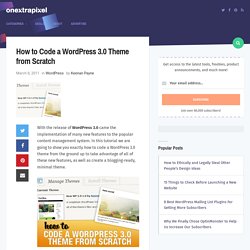
In this tutorial we are going to show you exactly how to code a WordPress 3.0 theme from the ground up to take advantage of all of these new features, as well as create a blogging-ready, minimal theme. Setting Up the Work Station To get started with this tutorial we should set up a server on our computer using either XAMPP or WAMP (usually if working on a PC), or MAMP if you are working on a Mac. All of these tools allow for a local testing environment for WordPress and can make it so that you don’t have to constantly transfer files through FTP while working on a project. In terms of code editing I would highly suggest Notepad++. Getting the Necessary Folders and Files Ready In the folder containing your WordPress installation, go to wp-content/themes/ and create a folder named “New 3.0 Theme”.
Step 1 – Style.css Step 2 – Header.php Step 3 – Adding Custom Navigation. PSD to Wordpress Theme / Template, Convert PSD to Wordpress Service. Before Converting PSD to WordPress or Joomla - Is Your Choice of CMS Right? Converting PSD to WordPress or PSD to Joomla!

Is one of the mainstreams in the design-to-HTML/CSS slicing market now. But sometimes customers of these services don’t exactly understand which of the content management systems (CMS) is the most appropriate for their website and business goals. There is a great variety of CMSs on the Web now, though some of them have already gained general acceptance. WordPress, Joomla! , Drupal, Magento are definitely among the leaders today, at least amid the free open-source CMSs.
Content Management Systems – Definition in Brief Many websites have a lot in common, in particular, one and the same groups of functions: menus, contact and order forms, on-site search, user registration and authentication, comments, spam protection, news feeds, as well as image galleries, product catalogs, etc. Moreove, CMSs help to: Choosing CMS: Step 1 – Define the Requirements. Upload direct u PSD / lay-out voor de omzetting naar WordPress. Mooi!

Wilt u ook “Proud” zijn dat uw website wordt “ge-powered by WordPress”? U heeft zelf al een lay-out gemaakt of laten ontwerpen en wilt hier web-bestanden van maken. Het gebruik van WordPress maakt het beheren van uw website eenvoudig, en bovenal zoekmachine vriendelijk omdat we een uitgebreidt SEO, Speed en Security plugin-pakket installeren. De prijzen per project zijn erg afhankelijk van de designs, daarom vragen we graag een screenshot of direct het PSD file ter inzage.
Hieronder kunt direct uw PSD, AI, of JPG bestanden uploaden en naar ons toesturen, wij zullen de files bekijken voor de slicing / basing opdracht naar WordPress Theme. Wij zijn mobiel en al onze smartphones zijn voorzien van de PSD viewer App, waarmee we PSD’s kunnen openen. PSD to Wordpress. Wordpress Themes. Design to Wordpress. Zet uw photoshop ontwerp om naar een Wordpress template. Convert PSD To Wordpress. At Xhtmljunkies, we convert your PSD to compliant, cross-browser compatible WordPress theme with best web standards and requirements and assures 100% satisfaction guarantee.

We have expert’s team provides premium quality psd to wordpress, psd to CSS/XHTML, PSD to CSS to WordPress Theme Coding Service at best price ranges. Our wordpress themes show great compatibility. Our dedicated and devoted wordpress developers and wordpress programmers provide well organized templates with top quality and professionalism. What you get from our PSD to WordPress Service? Custom Button ImagesLayer basedHand-coded W3C Valid XHTML/CSSCross Browser CompatibilitySEO Friendly URLOptimized code for search enginesA fast and reliable service Recent Projects At Xhtmljunkies we offer support as well as maintenance facilities to the applications you have chosen from us. SportNewsPvm Coded, How To Plan A Web Layout For A WordPress Theme. To create a basic WordPress theme the essential steps, in my personal approach, are four: sketch, PSD template, (X)HTML/CSS layout and, finally, WordPress code.In this post will learn how to make a web layout (xhtml/css from a psd template) that will become a WP theme (the third step).

If you want to learn the basic techniques to make a PSD template, you can read Create a Nice Web Portfolio Design with a Watercolored Background in Photoshop. For our purpose we’ll use SportNewsPvm template, the reasons for this choice are explained below. Why SportNewsPvm template can become a WP theme We’re going to take a look at the relevant elements you need when you develope a template that will be used for a WordPress theme.
In this case we have a preset target: a sport magazine with a weekly updates. The SportNewsPvm layout was thought to accomplish this goal. In this way, with this kind of structure, we are trying to consider all the needful containers for the main components of a WordPress theme.