
30 Exceptional CSS Navigation Techniques. We’ve seen innovative ways in which designers and developers have used CSS to innovate upon its shortcomings.
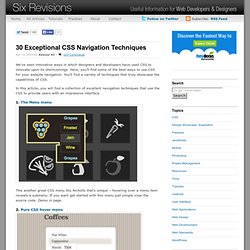
Here, you’ll find some of the best ways to use CSS for your website navigation. You’ll find a variety of techniques that truly showcase the capabilities of CSS. In this article, you will find a collection of excellent navigation techniques that use the CSS to provide users with an impressive interface.
Accordion v2.0 Demo. What's new in v2.0?
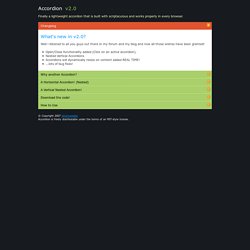
Well i listened to all you guys out there in my forum and my blog and now all those wishes have been granted! Open/Close functionality added (Click on an active accordion). Nested Vertical Accordions Accordions will dynamically resize on content added REAL TIME! ...lots of bug fixes! Uhm... Haha! Oh, by the way, not only does this script handle vertical accordions, but horizontal as well! Download Get it here Accordion v2.0 Include the files You need to include accordion.js but it requires prototype.js and effects.js (like I said this is for scriptaculous!).
The Markup Pretty much anything will work, so its really up to you. <h2 class="accordion_toggle">Title Bar</h2><div class="accordion_content">... The important thing here is that it need to be the title element then the content element and so on, nothing in between, just like every other accordion.
Animated Content Tabs with CSS3. In this tutorial we are going to implement some simple CSS3 content tabs using radio buttons together with the :checked pseudo-class and sibling combinators.
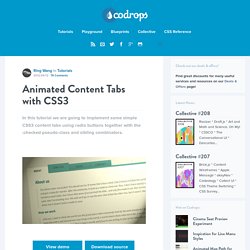
View demo Download source Content tabs are a very common and familiar element in web design, and often their turn out to be pretty useful. So, in this tutorial we are going to implement some simple CSS3 content tabs using radio buttons together with the :checked pseudo-class and sibling combinators. Note that the CSS3 properties will only work in browsers that support them. The Markup We will be using input elements to connect to the division with the class content. Every input element has a value, and we can always make an input selected by default by adding the checked attribute. The CSS The first thing we need to do is to define some dimension and hide the inputs by setting their opacity to 0: The inputs will be covering the labels. Next, we will make the labels look like tabs by defining some neat style for them.
JavaScript - Tabs + Accordion. This is not a WordPress plugin.
It you choose to use it as such, integration and usage is entirely up to you. Benefits You can use the same, simple HTML markup for both Tabs and Accordion. You don’t have to learn how to integrate and use two different products, which saves you time. It is lightweight, because the majority of underlying code for Tabs and Accordion is shared. Features For more info about the features, go to the info page. Responsive Accordion is completely responsive. Responsive Switch Where Tabs hit the big screen very well, Accordion is more compact and fits the smaller devices. Themes. Two-tier navigation with some JQuery ~ Adam LiptrotArchive ~ Adam Liptrot. I came across an interesting job at work recently with a new navigation menu.
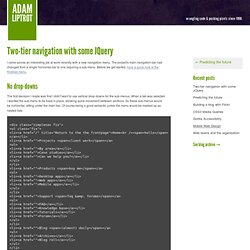
The project's main navigation bar had changed from a single horizontal bar to one requiring a sub-menu. Before we get started, have a quick look at the finished menu. No drop-downs The first decision I made was that I didn't want to use vertical drop-downs for the sub-menus. When a tab was selected I wanted the sub-menu to be fixed in place, allowing quick movement between sections. <div class="simplenav fix"><ul class="fix"><li><a href="/" title="Return to the the frontpage">Home<br /><span>hello</span></a></li><li><a href="">Projects <span>client work</span></a><ul><li><a href="">By area</a></li><li><a href="">Case studies</a></li><li><a href="">Can we help you? The basic stuff With a fixed sub-menu you need to have a way of showing the sub-menu for the given tab.
So far so good. Hover goodness Ok, so this is what we want from our hover interaction : We'll accomplish items 3 - 5 with some jquery. Comments. 30 Exceptional CSS Navigation Techniques. Mouseover Tabs Menu. Note (March 25th, 13): Menu optimized for consistent mobile browsers experience.
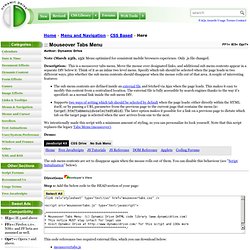
Only .js file changed. Description: This is a mouseover tabs menu. Move the mouse over designated links, and additional sub menu contents appear in a separate DIV below it. Think of it as an inline two level menu. Specify which tab should be selected when the page loads in two different ways, plus whether the sub menu contents should disappear when the mouse rolls out of that area. The sub menu contents are defined inside an external file and fetched via Ajax when the page loads. We intentionally made this script with a minimum amount of styling, so you can personalize its look yourself.
Demo: The sub menu contents are set to disappear again when the mouse rolls out of them. Directions Step 1: Add the below code to the HEAD section of your page: This code references two required external files, which you can download below: You should also download the demo external menu contents file for testing purposes: