
Untitled. Published April 6, 2005 Updated May 31, 2005 Blogs are like personal telephone calls crossed with newspapers.
They're the perfect tool for sharing your favorite chocolate mousse recipe with friends--or for upholding the basic tenets of democracy by letting the public know that a corrupt government official has been paying off your boss. If you blog, there are no guarantees you'll attract a readership of thousands. But at least a few readers will find your blog, and they may be the people you'd least want or expect. These include potential or current employers, coworkers, and professional colleagues; your neighbors; your spouse or partner; your family; and anyone else curious enough to type your name, email address or screen name into Google or Feedster and click a few links. Grub's Distributed Web Crawling Project. Zeal.com - Share your knowledge. Set the standard. Add a Url. Submitting a Site to The Open Directory Project. The Open Directory Project is a web directory of Internet resources.
A web directory is something akin to a huge reference library. The directory is hierarchically arranged by subject - from broad to specific. The ODP is maintained by community editors who evaluate sites for inclusion in the directory. They are our experts, and all submissions are subject to editor evaluation. We care a great deal about the quality of the ODP. To keep the ODP running smoothly and to assist us in exercising our editorial discretion, we have set up policies for submitting sites for our consideration. You should take a few moments to understand these policies and the steps to suggest a site before you begin. Step One Determine whether a site is appropriate for submission to the ODP: Do not suggest mirror sites.
Step Two Do a quick search in the directory at www.dmoz.org (the home of the Open Directory) to be sure the site isn't already listed. Step Three Identify the single best category for the site. Google Tutor & Advisor » Blog Archive » Voyeur Heaven: finding interesting video, sound and image files in unprotected directories. We’ve all got a little voyeurism in us.
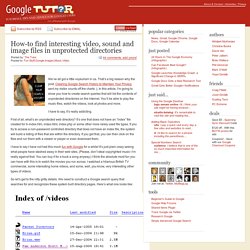
That’s a big reason why the post, Clearing Google Search History to Maintain Your Privacy sent my visitor counts off the charts :). In this article, I’m going to show you how to create search queries that will list the contents of unprotected directories on the internet. You’ll be able to play the music files, watch the videos, look at photos and more. How To. DVD Ripping Guides by KalEl. Free Tutorials and Free Online Courses. Dec 1 Dressing for Success Written by David Samson, in Category Blog First impressions are sometimes our only impressions.

It may be important to judge a person based on their …Read More Nov 24 Building Relationships for Success Written by Francis Patterson, in Category Blog Humans are social creatures by design, so taking advantage of our natural tendencies can lead to increased opportunities …Read More Nov 17 Building Your Career Path: 5 Minute Tips to S Written by David Samson, in Category Blog It’s important in today’s employment era to be aware of how to appropriately plot your own career path. …Read More Nov 10 Improving Your Sales Skills: 5 Minutes to Suc Written by Gary Jackson, in Category Blog One of the most crucial skills in today’s business world is the ability to sell.
Computer Maintenance – Computer Maintenance Tips – Help for Windows XP. Read these 11 Computer Maintenance Tips tips to make your life smarter, better, faster and wiser.

Each tip is approved by our Editors and created by expert writers so great we call them Gurus. LifeTips is the place to go when you need to know about Computer tips and hundreds of other topics. Blue Files and Help For Windows XP Computer maintenance tips: Here is some help for Windows XP. Okay, we all know that sudden changes to a PC's settings may be a sign that something's wrong: perhaps a virus or spyware program has infected the PC, or your computer needs a PC health check to detect system errors. Disk Cleanup With Windows XP Temp files, downloaded Internet files, and old, unused files can take up room on your system, so regular disk cleanup and computer maintenance should be part of your regular computer maintenance. Error Checking with Windows XP Update Your Spyware Programs and AntiVirus Programs.
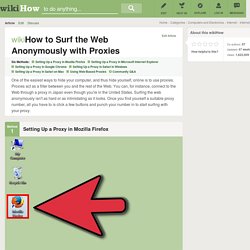
Surf the Web Anonymously With Proxies. Steps Setting Up a Proxy in Mozilla Firefox <img alt="Image titled Surf the Web Anonymously with Proxies Step 1" src=" width="728" height="546" class="whcdn" onload="WH.performance.clearMarks('image1_rendered'); WH.performance.mark('image1_rendered');">1Open Mozilla Firefox.
How to Bypass BIOS Passwords. Step by Step Make RSS Feeds. Step by Step Make RSS Feeds Everyday more and more websites, news services and blogs are adding RSS content.

RSS is a method of syndicating content.The concept of aggregating content in one central location or repository is very appealing. Consumers have become tired of push technology, RSS allows users the flexibility to regain control of their content. RSS feed creators provide content without forcing it on consumers. How to Obscure Any URL. How to Obscure Any URLHow Spammers And Scammers Hide and ConfuseLast Updated Sunday, 13 January 2002 NOTICE: the IP address of this site has changed of late, and I've been unable to set aside time for the rather large task of revising this page.
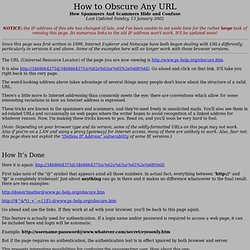
Its numerous links to the old IP address won't work. It'll be updated soon! Since this page was first written in 1999, Internet Explorer and Netscape have both begun dealing with URLs differently, particularly in versions 6 and above. Some of the examples here will no longer work with those browser versions. The URL (Universal Resource Locator) of the page you are now viewing is It is also Go ahead and click on that link. The weird-looking address above takes advantage of several things many people don't know about the structure of a valid URL.
Tutorials & Guides.