
Classroom Guide Education 9.3. Teachers Test Drive Google's Classroom. Google Classroom is still a few weeks away from its full-scale rollout, but some teachers already have their hands on the work in progress.
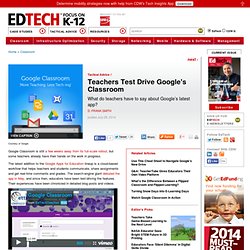
The latest addition to the Google Apps for Education lineup is a cloud-based workflow that helps teachers and students communicate, share assignments and get real-time comments and grades. The search-engine giant debuted the app in May, and since then, educators have been test-driving the features. Their experiences have been chronicled in detailed blog posts and videos. EdTechTeacher created a video walk-through of Classroom's features, showing teachers how they can create a class and populate it with the right group of students. Students can then find their class by inputting a six-character classroom-access code.
The app integrates with Gmail and Drive to keep track of all assignments, with subfolders created for each class. Scheffer posted a 15-minute walk-through of the app’s features on YouTube. "It's clean, it's simple. Free iPad Apps for Classroom Management. Workflow Plan: An Integrated Skills Lesson. Edmodo is THE iPad Workflow Solution. The world of iPad workflow just got a whole lot easier.
After months of ‘work arounds’ involving screenshots, Dropbox and pre-tablet technology, the latest Edmodo update has changed the game. Put simply, you can now use the iOS6 function ‘open in app’, to open a document in Edmodo. This allows you to upload a document to your Edmodo library on an iPad. You can then link the document to a direct post, note or assignment within the Edmodo app. Lets look at an example to illustrate how easy this has made the sharing of assignments for a student and an educator.
Once the student has completed their document they should tap on the share and print option in Pages and then tap on ‘open in app’. They should then select open in Edmodo and choose a file type to share – I can recommend the ‘Word’ option as this works well with the Edmodo annotation tool. This will upload the document to the student’s library (Backpack). Like this: Like Loading... How to save, work with multiple apps and share - Mark Anderson. iPad Published on December 17th, 2012 | by Mark Anderson One of the greatest positives of the iPad as a learning tool in education are the many different apps that allow students to create amazing pieces of work which demonstrate their learning.
Not only that, but the productivity tools that go with their day to day activities are vast. Whittling down recently our core apps for students, you’ll see there are tools for taking notes, creating professional documents, presentations, making books, creating screencasts, the whole lot. One of the negatives with the iPad though has been the problems associated with workflow. Some recent developments have really helped to alleviate many of these concerns. Firstly, with the advent of iOS6 came the option to be able to open files within apps in other apps. In fact, this new option has been massive. Above, you can see just some of the options I get upon choosing to open my Keynote presentation in another app. The list goes on… “Save early, save often.” Making your classroom paperless. I’ve found a new tool for the classroom if you want to move to a paperless environment – Showbie.

I’ve been extolling the use of Dropbox for professors and students alike as a way to help classrooms go paperless. Dropbox is a great way to have access to your documents in the cloud. But, what about as a way to have your students get assignments, leave them for you and then access them after you’ve graded them? Showbie, solves the assignment workload problem for me.