
Atif Mahmood
A list of All The Best iPad Apps Teachers Need. Coming to you from the Canadian Maritimes ( Halifax), Educational Technology and Mobile Learning is an educational blog dedicated to curating, reviewing and sharing EdTech tools and mobile apps.
The purpose is to help teachers and educators effectively integrate digital technologies into their day-to-day teaching, learning and professional development. For any questions regarding our website or the content we publish, please contact EdTech admin, editor and blog owner, Med Kharbach at: info@educatorstechnology.com. Med Kharbach is a doctoral researcher and a former teacher with 10 years of classroom teaching experience. Med's research interests include: language learning, linguistics, Internet linguistics, critical linguistics, discourse analysis, new (emerging) literacies, and educational technology. Ipadschools - home. How to use Socrative App - iPads in schools.
iPad As.... iPads have exploded throughout schools and classrooms.
One iPad in the Classroom? – Top 10 Apps. The iPad as a Tool for Collaboration – Great Pedagogy and Cost Effective! Imagine the very typical scene of a class in an ICT suite.

I am sure you would simply visualise each individual student working away at their own computer – such is the basic paradigm of ICT use that we have all internalised. What is typical is snapshot of the near catatonic bliss of individual students disappearing into a virtual world of ICT – their terrain, their world! In my experience as an English teacher, students would often use an ICT room to be researching on the web, perhaps some aspect of the social context of a given text, like researching Great Depression America when we study ‘Of Mice and Men’.
Each ICT room is built to encourage purposeful individual learning; group work is a concept left for our usual classroom spaces. When working with ICT simply putting students in pairs can have a radical impact upon their learning. With any education technology it is important to put great thought into implementation and how it will shape effective pedagogy. 50 resources for iPad use in the classroom. The transition to the more extensive use of technology in classrooms across the West has resulted in the integration of bring your own device (BYOD) schemes, equipping students with netbooks and tablet computers, and lessons that use social media & online services.
Gesture-based technology is on the rise; according to the latest NMC Horizon Report, gesture-based technological models will become more readily integrated as a method of learning within the next few years. The iPhone, iPad, Nintendo Wii and Microsoft Xbox 360 Kinect technology are examples of these kinds of developments, and in particular, resources for Apple products in education are becoming widely available online.
For teachers, some of which are just beginning to use tablets and mobile devices in class, these resources can be invaluable in promoting more interactive classrooms and understanding how best to use and control such products. Tutorials: 1.) iPads for learning: Getting started 2.) 29 iPad Resources, Tutorials, and Guides Every Teacher Should Know about. iPads in the Classroom. Apps for Literacy in Primary Education. Similar with the 'maths' apps, 'literacy' apps such as some of the apps mentioned below are for practising a skill - spelling and reading.

For the iPad to have an impact on the creativity of teaching and learning in literacy don't look in the education section of the apps store, but the apps already mentioned in my previous blogs on Apps for Creativity in Primary Schools and Apps for Teachers.The children don't have to always present their writing in a word style document, for example they could use: publishing apps: Pages, Keynotes. Below is a small sample of 'literacy apps', which can be used to practise spellings, help to motivate reluctant readers and inspire creative writing. My Spelling Test - Create Your Own Test Now! : £0.69 My Spelling Test allows the teacher to create a test, choose the name of the test, add words to the test and for each word you type the word and record yourself saying the word.
SpellBoard: £2.99 Spelly: £0.69 Quarrel Deluxe: £1.99 Disney Comics: FREE. Articles on iPods and iPads. Obviously not exhaustive, but here are a few ‘creative’ ideas for using Apple’s brilliant free piece of software, iBook Author, rather than the traditional ways you might use it. 1 – An obvious use is to write your own iBook about your teaching practice, so that you can share your ideas with the wider education community.
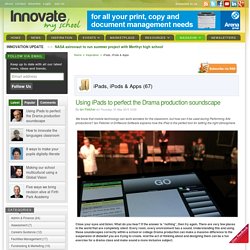
The end result is very professional, and with time spent, the skills needed to use it are not too hard to learn. If you want to extend your book further too, there are lots of widgets you can add in such as the ones in iAd Producer and other third party widgets from other developers. 2 – It would be a really effective way of collecting and presenting the work of an action research group, so that you can publish your findings if appropriate.
The flexibility of the software means that you can present all types of data, as well as embed videos and so on.