
Car Wheels - Rims Photoshop Brushes. How to change the language in GIMP - BEST WAY! Remove the background from hair in GIMP - tutorial (Cut out hair) Get Photoshop Brushes In Gimp. Tutorials. Beginner GIMP Quickies Use GIMP for simple graphics needs without having to learn advanced image manipulation methods.
Simple Floating Logo This tutorial walks through some basic image and layer manipulation techniques. Layer Masks An introduction to using layer masks to modify the opacity of a layer. Basic Color Curves A first look at the Curves tool and adjusting color tones in an image. Photo Editing Digital B&W Conversion Detailed conversion tutorial for generating a B&W result from a color image. Luminosity Masks Using multiple layer masks to isolate specific tones in your image for editing. Tone Mapping with ‘Colors/Exposure’ Using high bit depth GIMP’s ‘Colors/Exposure’ operation to add exposure compensation to shadows and midtones while retaining highlight details.
Programming Basic GIMP Perl Learn how to write simple perl scripts using the gimp-perl module (GNU/Linux users only). Intersperse a portrait with text. 1 nicole_kidman.jpg Open an image of your choice (should show a person).In this tutorial I’ll use the photo of Nicole Kidman that you can download here. 2 Now let’s cut off the image to get only her face.

Select the Crop tool (Shift+C) and drag a selection around her face. 3 Presse Enter to crop. 4 Now convert the photo to black/white by using Colors / Components / Channel Mixer. Check the “Monochrome” box and use the settings from the screen shot. If you use an other image, adjust the settings to conserve the details. 5 Now create a new black layer in front of the layer with her face.Then select the Text tool and enter very much text.
For instance, search the Internte for “Nicole Kidman bio” and copy the text into the text field. The text layer has to be in front of the (just created) black layer.Font size: 16, font family of your choice (I suggest a sans-serif font). The final image may look like this one: News, tutorials, community, contests about GIMP — gimpusers.com. GIMPER.NET - The GIMP Community - Index page. Awesome GIMP Tutorials - Gimpology.com. Gimp-tutorials.net - Gimp , tutorials , brushes , downloads, forum. How To: Make a Realistic Graffiti Appearance in GIMP. Packt.-.GIMP.2.6.Cookbook.2011.RETAiL.eBOOk-rebOOk. Buy Photoshop brushes, Digital Stamps and Design Elements for Commercial Use.
So, in last post we talked about Paint.NET and how to get Photoshop brushes into it.

Now, it’s only fair that we say a word or two about GIMP. Just like Paint.NET, GIMP is also free Image Manipulation Program. It was interesting to notice how Paint.NET had only 1.6Mb. That’s, like, really really small. GIMP seems to be a bit heavier – 17Mb. So, let’s see what’s GIMP‘s functionality when it comes to brushes and how could we use existing Photoshop brushes in GIMP. So, here is the procedure: 1.
Start abrViewer- abrViewer is one beautiful and free application for viewing and converting Photoshop brushes (from .abr file format). 2. And Voila! OK. There are four brushes here in this LITE version. Anyways, that’s all for now, I hope you learned something new and I’m looking forward to see your works, so please, keep’ em coming! Love, Silvia. 25 GIMP Video Tutorials to Help Get You Started. The GIMP is a very powerful, open source digital image editing application that rivals its commercial counterpart – Adobe Photoshop.
Open source alternatives are great not only because they’re free, but because of the helpful community that typically surrounds them. One of the quickest ways to pick up something new is by watching video tutorials. With that concept in mind, I’ve collected 25 awesome GIMP video tutorials geared to get you started, get you familiarized, and get you inspired. If you’re intrigued to try out GIMP after watching some of these videos, you can grab GIMP from their download page.
Basics. Browsing GIMP Brushes on deviantART. How to make a fill-in siggie on Gimp 2.6! - Bearville Insider Forum. 25 Awesome GIMP Brush Sets (Download 1000+ FREE Brushes) On my sort of GIMP vs.
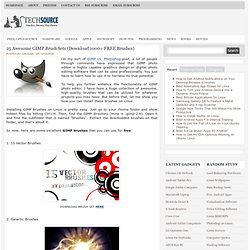
Photoshop post, a lot of people through comments have expressed that GIMP photo editor is highly capable graphics design or digital photo editing software that can be used professionally. You just have to learn how to use it to harness its true potential. To help you further enhance the functionality of GIMP photo editor, I have here a huge collection of awesome, high-quality brushes that can be utilized for whatever projects you may have. But before that, let me show you how you can install these brushes on Linux.