
Android - Refresh progress bar in notification bar. Android Asset Studio. FAQ Android. Il faut afficher la boîte de dialogue, puis lancer votre traitement potentiellement long.

A la fin de votre opération, via un Handler, vous désactivez la boîte de dialogue. Voici un exemple : Gérer une boîte de progression Sélectionnez public class MaClass extends Activity implements Runnable { private ProgressDialog pd; public void launchWait() { pd = ProgressDialog.show(this, "Patientez Forcer le clavier à se cacher InputMethodManager imm = (InputMethodManager)getSystemService(Context.INPUT_METHOD_SERVICE); imm.hideSoftInputFromWindow(myEditText.getWindowToken(), 0); Il est possible d'insérer des images près d'un composant, sans déclarer un nouveau composant de type ImageView.
Afficher une image à gauche d'un bouton Soit vous le faites depuis votre manifest.xml : Soit depuis votre code : @Overridepublic void onCreate(Bundle savedInstanceState) { super.onCreate(savedInstanceState); this.requestWindowFeature(Window.FEATURE_NO_TITLE); setContentView(R.layout.main); } selector_bouton.xml. Android SDK & NDK Part 2: Android talks C++ - Code Xperiments. Corner stamp here.

The Android NDK works in conjunction with JNI (Java Native Interface) which allows connecting Java programs to C/C++. With the NDK, you can compile dynamic and static libraries using the provided cross compilation chain (i.e. a way to create program on a foreign platform or processor). Although not all Android APIs can be accessed yet from the NDK, the most important one is provided: OpenGL ES, the famous 3D API for handheld devices!
In today’s article, I am going to show you how to get a basic NDK project up and running with OpenGL ES 2 and STL support. I am going to explain how to prepare the development environment and how the project files can be personalized. Go to Android SDK & NDK Part 1: Setting-up your environment Chapter 1: The Exodus: from Java to C++Chapter 2: STL & Boost on AndroidChapter 3: Compiling C/C++ libraries with the NDKChapter 4: Android talks C++Chapter 5: Time to run! Special notice: Dynamic libraries are a piece of executable loaded on demand. Android-Developers - [android-developers] Re: Custom layout for MediaController - msg#04556. Website Performance Monitoring Other than enabling/disabling some of the standard buttons, no.
![Android-Developers - [android-developers] Re: Custom layout for MediaController - msg#04556](http://cdn.pearltrees.com/s/pic/th/developers-mediacontroller-24507537)
On Sat, Sep 26, 2009 at 7:35 PM, brooke <brooke.maury@xxxxxxxxx> wrote: > > But is there a way to simply modify the existing one? > > On Sep 26, 7:27 pm, Marco Nelissen <marc... @xxxxxxxxxxx> wrote: >> You could implement your own and make it look however you like. >> >> On Sat, Sep 26, 2009 at 7:19 PM, brooke <brooke.ma... @xxxxxxxxx> wrote: >> >> > Hi Group - >> >> > I'm trying to modify the default layout for the MediaController. --~--~---------~--~----~------------~-------~--~----~ You received this message because you are subscribed to the Google Groups "Android Developers" group. Thread at a glance: Previous Message by Date: [android-developers] Re: How to prematurely stop a long-running SQLite query? That's a nice trick with the indexed column. Android - Customize Media Controller. Custom layout for MediaController - Android Developers. User Interface.
Java Native Interface. Purpose and features[edit] JNI is sometimes referred to as the "escape hatch" for Java developers because it enables them to add functionality to their Java application that the standard Java APIs cannot otherwise provide.
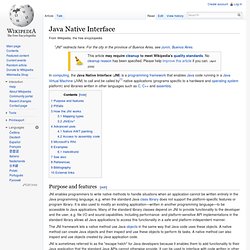
It can be used to interface with code written in other languages, such as C and C++. It is also used for time-critical calculations or operations like solving complicated mathematical equations, because for some classes of problems native code may run faster than JVM code.[2] It is also helpful when you have existing code/libraries in C/C++ which you want to reuse on android. Pitfalls[edit] How the JNI works[edit] In the JNI framework, native functions are implemented in separate .c or .cpp files. JNIEXPORT void JNICALL Java_ClassName_MethodName (JNIEnv *env, jobject obj){ /*Implement Native Method Here*/} The env pointer is a structure that contains the interface to the JVM.
For example, the following converts a Java string to a native string: Mapping types[edit] 3D Game Engine.
Android.mk.