
50+ Web 2.0 Ways to Tell a Story. Alan Levine • cogdogblog.com • cogdogblog@gmail.com All materials at 50ways.wikispaces.com/ Not long ago producing multimedia digital content required expensive equipment and deep levels of technical expertise.

Now anyone can create, publish, and share compelling works with nothing more complex than a web browser. Open licensed media is easy to find/re-use, and combing that with our own content and a set of free tools, means we have powerful ways to express ideas beyond text and bullet points. This session will cover a basic process that can be used to create a story in a web 2.0 tool using images, audio, and/or video. I discovered more than 50 tools for anyone to creatively use. 50+ Ways Presentations. TCEA Region 7 Educating with Edmodo. Text Messaging For Teachers. TodaysMeet. ShowMe - The Online Learning Community. Blogger Settings.
This is a post I had simmering in the back of my mind for a while until this morning when someone asked how I was able to publish posts so quickly.
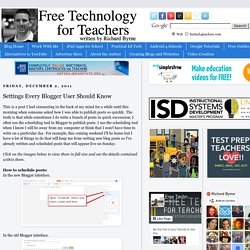
The truth is that while sometimes I do write a bunch of posts in quick succession, I often use the scheduling tool in Blogger to publish posts. I use the scheduling tool when I know I will be away from my computer or think that I won't have time to write on a particular day. For example, this coming weekend I'll be home but I have a lot of things to do that will keep me from writing new blog posts so I've already written and scheduled posts that will appear live on Sunday.
Click on the images below to view them in full size and see the details contained within them. How to schedule posts: In the new Blogger interface. In the old Blogger interface. How to prevent publishing your email address in RSS feeds: I often see Blogger users publishing their email addresses in RSS feeds. In the new Blogger interface. How to back-up your Blogger blog.
Google Info. Examples BYOD policies. Whiteboard programs. IPAD Apps. Glogster EDU - 21st century multimedia tool for educators, teachers and students. EdApps.ca. Ncom_ind_prod_paprpt_ppt. Digital note-taking done right Take note taking to a whole new level by leveraging your iPad to capture handwritten notes, typed text, images, web content, and audio.

PaperPort Notes even allows you to take advantage of the world's leading voice recognition software (Dragon Dictate) to capture your ideas and notes simply by speaking. In addition to the many ways PaperPort Notes enables you to capture information, it also allows you to combine it with other content from the web, your favorite cloud storage system, or even PaperPort Desktop. You won't want to ever attend another meeting or lecture again without it. The results: Increased productivity. Features Features: Tech Specs Tech Specs: Hardware: iPad OS: iOS 4.2 or later. T-Charts Graphic Organizer Printouts. Best Android apps for high school students.
Some say high school is the most fulfilling time of one’s life, while others think it’s all about survival.

Growing up isn’t easy, especially when you realize that there is a high school waiting for you. A few years back, it would have been a nuisance to do research work with the available resources, which weren’t much to talk about (imagine a life without Wikipedia). Nowadays, we no longer require jumping from one library shelf to another to find books for research. If one of your high school best friends has an Android device, then it’s about time you learn the meaning of the phrase, “What are friends for?” In this post we will showcase ten handy Android apps that can help you survive high school. Wikipedia We all know that Google is a student’s best friend, but that’s only because it often redirects him or her to Wikipedia.
Google Translate The Google Translate app for Android allows you to translate text and listen to translations of 60 languages.