
IRC. How to use IRC to get connected with others in the Mozilla project is shown on this page.

Also frequently used IRC channels with descriptions of their general purpose are listed. And some instructions for the non-technical folks on how they can join an IRC chat are given. Getting Started IRC stands for "Internet Relay Chat". It's a protocol for real-time chat sessions. Mozilla runs an IRC server to host channels for discussion of topics related to the Mozilla project.
Community Participation Guidelines The heart of Mozilla is people. Despite our very best efforts, occasionally people do experience behaviors in IRC that are not inline with our Community Participation Guidelines. Pick an IRC client There are several ways to participate in IRC and here are a some common options. Mibbit: web-based chat client.
See also Comparison of IRC clients at Wikipedia. Connect to the Mozilla IRC server The Mozilla IRC server settings are: Mibbit Colloquy Chatzilla Andchat Nicknames Choosing a nickname /names. Build Instructions. This page is about building Firefox Desktop.

The mechanism used to build Firefox OS has its own page. The mechanism used to build Firefox for Android also has its own page. The Mozilla build system, like the rest of the Mozilla codebase, is cross-platform. It uses traditional Unix-style autoconf and make tools to build the various applications (even on non-unix operating systems). Because the Mozilla codebase builds many different applications and has many options, it is complex to use and learn. These build pages are for the projects which use the autoconf-based build system: Firefox, Thunderbird, Mozilla Suite / SeaMonkey, XULRunner, Sunbird, and standalone Composer.
For build information on other Mozilla projects, visit their project or build page: Camino, NSPR, Spidermonkey, NSS, and Directory SDK for C. If you are having build problems, please post questions to the newsgroup mozilla.dev.builds (access via Google Groups). For the impatient Getting started. Simple Firefox build. This page covers the basic steps needed to build a bleeding-edge, development version of Firefox.

For additional, more detailed information, see the build documentation. Build prerequisites Hardware Requirements: Recommended: 4GB of RAM (having only 2GB RAM and 2GB swap may give memory errors during compile) High speed internet Setup: Depending on your Operating System you will need to carry out a different process to prepare your machine. Windows build prerequisites [en-US] Linux and MacOS build preparation [en-US] Get the source Get the latest source code from Mozilla's Mercurial code repository.
Hg clone. Contributing to the Mozilla codebase. This page should guide you through the first steps of contributing to Mozilla.
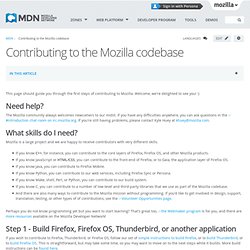
Welcome, we're delighted to see you! :) Need help? The Mozilla community always welcomes newcomers to our midst. If you have any difficulties anywhere, you can ask questions in the #introduction chat room on irc.mozilla.org. What skills do I need? Mozilla is a large project and we are happy to receive contributors with very different skills.
If you know C++, for instance, you can contribute to the core layers of Firefox, Firefox OS, and other Mozilla products. Perhaps you do not know programming yet but you want to start learning? Step 1 - Build Firefox, Firefox OS, Thunderbird, or another application. Simple Thunderbird build. This page covers the basic steps needed to build a bleeding-edge, development version of Thunderbird.

For additional, more detailed information, see the build documentation. Build prerequisites Hardware Requirements: Recommended: 4GB of RAM (having only 2GB RAM and 2GB swap may give memory errors during compile) High speed internet Setup: Depending on your operating system you will need to carry out a different process to prepare your machine. Windows build prerequisites [en-US] Linux and MacOS build preparation [en-US] Get the source Note: On Windows, you won't be able to build the Thunderbird source code if it's under a directory with spaces in the path (e.g., don't use "Documents and Settings"). Note: Parts of the build process also have problems when the source code is in a directory where the path is long (nested many levels deep). Get the latest source code from Mozilla's comm-central Mercurial code repository: hg clone Then, get all the repositories it depends on.