Make a Particle Explosion Effect - Visual Arts - Articles - Articles. What is a particle explosion effect?

When most people see a particle explosion effect in a video game, often times they believe that what they’re seeing is a simulation - some sort of next-generation fluid mechanics, calculated in real-time by a high-powered video card. However, what they’re actually seeing in an explosion effect could be compared to throwing a bunch of photos of flames, sparks and clouds at a movie camera. Whether you’re an experienced video game developer or an avid player interested in game mechanics, we've broken down the process of developing an in-game particle effect into the following bite sized steps. NOTE: Many images link to videos. The beginning of the design for any in-game effect starts with sprites.
How to Create Sprites Step 1: Create an image of mist in Adobe Photoshop or other photo editing software program. Step 2: Using your game engine software, create a sprite emitter, which will generate sprites, or particles. Putting the Sprites in Motion. Julio Juarez. Level Design Memoirs.
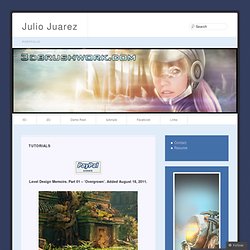
Part 01 – ‘Overgrown’. Added August 18, 2011. This is the first tutorial of the series titled ‘Level Design Memoirs’. The series will show how I approach level design in my environments, and the thought process behind creating the individual assets. ZB Tiling Tut. A wall with uniform bricks running along horizontal rows is a common asset that is easy to create.
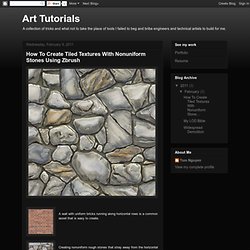
Creating nonuniform rough stones that stray away from the horizontal course, such as rubble masonry, is a more challenging matter. The amount of noodling required to make the rubble masonry wrap and tile seamlessly is enough to drive most artists mad. Within Zbrush's vast array of tool options lies a way to create such a wall quickly and painlessly. We will sculpt a rubble masonry wall as one single tool in Zbrush, departing from the often used method of sculpting individual stones and assembling them into a wall in Maya, Max, XSI, or on your Zbrush canvas. Taking advantage of Zbrush's masking options will make this process fun and painfree. 1.
We start by using Photoshop to create a tileable black and white image of a nonuniform stone wall, delineating the space between each uniquely shaped stone.The mortar lines can be irregular but make sure they are clearly drawn with solid lines. 2. Hit 3. Curved Arch Tut.