
PyOGP. From Second Life Wiki Overview What Is It?
Pyogp is an open source project to explore a suite of python based Second Life client libraries and to produce an automated testing framework. PyOGP is useful for: learning more about Second Life's client-server relationship prototyping client side features quickly writing tests for software which communicates using LLMessageSystem-like messages demonstrating protocol proposals building test suites which validate Second Life simulator and grid functionality Getting Started See PyOGP Client Library Development Sandbox for instructions on the mechanics of working with the PyOGP package suite.
For a more comprehensive overview of working within the structure of classes and event systems in PyOGP packages, take a look at PyOGP Client Library. Chapter & Metaverse. System Dashboard - Second Life Bug Tracker. Setting up an OGP flavored OpenSim. Following the Gridnaut list and hearing word on the street there still seem to be some difficulty installing and configuring and OGP Patched OpenSim installation, so here are a few pointers to get things rolling… Let’s go over the basic necessities: • Gridnaut membership. • LindenLab’s OpenGrid Viewer. • The latest OGP patched Installation.
Gridnaut membership. First join the Mailing list. This will automatically invite you to the inworld Gridnaut group. Remember to join this group on both the maingrid and the betagrid. OpenGrid Viewer. Start the OpenGrid Viewer, you’ll notice a region pulldown menu on the right side. Click on the ‘World’ pulldown menu at the top of the screen and notice the new option called ‘Teleport Region’. If for whatever reason you’re not ruthed but still covered in a cloud, don’t worry it’s a mere glitch in the system. OGP Package. Ok after the initial questions and a load of messages it’ll stop at the region # prompt. Best of Luck!.
Open Grid Public Beta/Open Sim OGP How To. From Second Life Wiki Second Life Wiki > Open Grid Public Beta/Open Sim OGP How To As of 25 August 2008, Open Grid Protocol support has been merged into OpenSimulator's trunk.
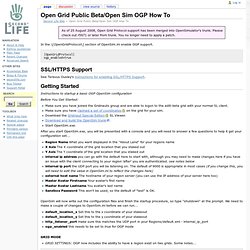
Please check out r5971 or later from trunk. You no longer need to apply a patch. In the \[OpenGridProtocol\] section of OpenSim.ini enable OGP support. [OpenGridProtocol] ogp_enabled=true SSL/HTTPS Support See Teravus Ousley's instructions for enabling SSL/HTTPS Support. Getting Started. OpenSim. Generateur de UUID - UUID generator - opensimulator. Opensim. This is going to be one hell of a geeky post :) Ok, after a lot of bloody experiments (blood was mine, that is), I have the interdomain teleports working.

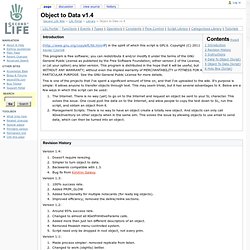
Needless to say, I will need to completely rewrite it, but at now I have a pretty solid proof it works :) So, the first edition of the architecture is below. (when I talk "grid" further on, the standalone setup works exactly the same). Suppose we have a sim in the local grid (LS), where we are, and sim on the remote grid (RS), where we want to get. The RS has the URL, "http(s)://x.x.x.x:pppp/sim/RS-name" - where x.x.x.x is the address of the http listener holding the RS. The process is as follows. Object to Data v1.3. Thanks to DMC Zsigmond for the original documentation shown below, modified for Version 1.4 by Xaviar.
Check List (Parts Required): Generate GUIDs online. Xyzzy xyzzy… » 2008 » March. Tonight i felt like being slartibartfast — yep, the urge to create some fjords, mountain ranges, and islands was just overwhelming. unfortunately, the previous routes to scratching that itch were blocked: using L3DT to generate a nice looking landscape (all by just twiddling a couple of sliders) and then loading the resulting terrain map on to the 4×4 island grid running on my trusted X60. that route was blocked because OpenSim’s new terrain module currently doesn’t do multi-region terrain loads yet — top gear moment!
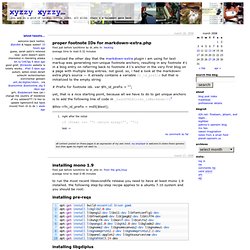
— how hard can it be to split out the terrain map from L3DT into region sized parcels and then just write a nice little script to load them individually? Well, it turns out: not very hard. step-by-step from scratch to finished grid… install wine & then L3DT so, first install wine (didn’t have a need for it on my box until now): # apt-get install wine next, download the development version of l3dt from the bundysoft website, then run the installer through wine:2 next, rename: save. OpenSimulator Project. Sounds boring, doesnt it?
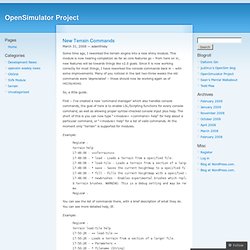
Well, it probably is. But that doesn’t mean I can’t get excited about it, because it’s replacing our old and trusty warhorse of a terrain engine with something that’s less likely to turn your computer into radioactive slag every time someone decides to smooth an area of your sim. There’s some important changes to how Terrain is handled internally in OpenSim – or to be more correct, how it isnt. Previous versions of OpenSim have relied on the internal terrain engine – this has been a problem because you could not replace it easily, and it was tied pretty heavily into the core of OpenSim.
GForge > Projets > OGP Patches > Fichiers > Balayer les releases Frs.