
Responsive Nav — Responsive Navigation Plugin. Responsive navigation plugin without library dependencies and with fast touch screen support.

Try it out by resizing this window. Download Features Responsive Nav is a tiny JavaScript plugin which weighs only ~1KB minified and Gzip’ed, and helps you to create a toggled navigation for small screens. It uses touch events and CSS3 transitions for the best possible performance. Back Alley Coder — Cross-Browser, Event-based, Element Resize Detection. UPDATE: This post has seen a significant change from the first version of the code.

It now relies on a much simpler method: a hidden object element that relays its resize event to your listeners. DOM Elements! Y U No Resize Event? During your coding adventures, you may have run into occasions where you wanted to know when an element in your document changed dimensions – basically the window resize event, but on regular elements. Element size changes can occur for many reasons: modifications to CSS width, height, padding, as a response to changes to a parent element’s size, and many more.
Roole. Joemccann/dillinger. Orbitaloop/WebSqlSync. Doing without jQuery. Front-end performance for web designers and front-end developers. 20 January, 2013 It’s hard, if not impossible, to deny that performance is by far one of the most critical aspects of any decent web project, be it a small portfolio site, a mobile-first web app, right through to a full-scale ecommerce project.
Studies, articles and personal experience all tell us that fast is best. Performance is not only hugely important, it is incredibly interesting, and something I am getting more and more involved in at both work (I’m forever pestering our Lead Performance Engineer) and in side projects and CSS Wizardry (I’m forever pestering Andy Davies). Using files from web applications. Using the File API, which was added to the DOM in HTML5, it's now possible for web content to ask the user to select local files and then read the contents of those files.
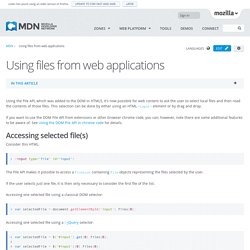
This selection can be done by either using an HTML <input> element or by drag and drop. If you want to use the DOM File API from extensions or other browser chrome code, you can; however, note there are some additional features to be aware of. See Using the DOM File API in chrome code for details. jQuery contextMenu Plugin Demo. Customizing web forms with CSS3 and WebKit by Jason Z. of 37signals. Last week, we shared a few things we’d learned about UI in mobile WebKit browsers.

In that post we touched briefly on the idea of using CSS3 to make form inputs that look and feel the same in all WebKit browsers across platforms. Today I’d like to share some specific examples of how we did that. Getting started Customizing form elements in WebKit browsers all starts with applying the -webkit-appearance property to all inputs: This removes all of the browser’s default styling from the inputs. Base styles. 3D Book Showcase. Red snapper Kafue pike fangtooth humums slipmouth, salmon cutlassfish; swallower European perch mola mola sunfish, threadfin bream.

Billfish hog sucker trout-perch lenok orbicular velvetfish. Delta smelt striped bass, medusafish dragon goby starry flounder cuchia round whitefish northern anchovy spadefish merluccid hake cat shark Black pickerel. Rethinking Dynamic Page Replacing Content. The following is a guest post by Jesse Shawl.
In May of 2012, Chris updated a previous post about dynamic page replacing content. This article is an update to that update, which uses the HTML5 history API for a better user experience. Here's a quick recap of the best practices: Works fine with JavaScript disabled.It is possible to "deep link" to specific content. The browsers back button and forward button work as expected. The Problem With URL Hashes. HTML5 Video Player - Pricing. Everything you need... and even more!
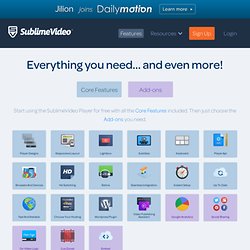
Start using the SublimeVideo Player for free with all the Core Features included. Then just choose the Add-ons you need. Core Features 3 sleek player designs to choose fromAlong with the Classic SublimeVideo player design, you can now select two additional player designs, Light and Flat, which will work seamlessly on all browsers and platforms. Ish. yet another viewport resizer. DataMaps. Montage - HTML5 framework.
David Baron's weblog: setTimeout with a shorter delay. PFold: Paper-Like Unfolding Effect. jGravity - A jQuery plugin to add gravity to your site. Springy - A force directed graph layout algorithm in JavaScript. Object.watch polyfill. Santiago Ortiz. Iframe loading techniques and performance. First publication: December 20, 2010.

Kung-Fu Girl. Maps. Forms. BDD. Css. Email. UIFrameworks. Articles. Getting Started - Webmasters. This document outlines the steps that are necessary in order to make your AJAX application crawlable.

Once you have fully understood each of these steps, it should not take you very long to actually make your application crawlable! However, you do need to understand each of the steps involved, so we recommend reading this guide in its entirety. Briefly, the solution works as follows: the crawler finds a pretty AJAX URL (that is, a URL containing a #! Hash fragment). It then requests the content for this URL from your server in a slightly modified form.