
Minecraft Camp. Getting started - MinecraftEdu wiki. After you have installed the MinecraftEdu, your next steps are to start a server and join it with a MinecraftEdu client. (Please note: you must use a version of the client which has been modified specifically for MinecraftEdu, and not a regular Minecraft client, in order to connect to the server. Otherwise, you may see an error message stating, "Internal exception: java.net.SocketTimeoutException: Read timed out.
") In this page you will find information about how to complete those tasks and more. Required ports See article Ports Starting a Server This tutorial will run you through how to start a MinecraftEdu server and some of the commands in the admin panel of its server tool. Starting a Server on the Macintosh Open the MinecraftEdu Launcher. Click on "Settings" > "Client Settings" and check to make sure the "Client RAM" is set at its default value of 700.
NomadicEducation: Minecraft Lesson Plans. Minecraft allows players to explore, interact with, and modify a dynamically-generated map made of one-cubic-meter-sized blocks. The environment features plants, mobs, and items. Some activities in the game include mining for ore, fighting hostile mobs, and crafting new blocks and tools by gathering resources found in the game.
The game's open-ended model allows players to create structures, creations and artwork on multiplayer servers or on their own single player maps. Game developers seem to be great believers in learning theories and brain research. They recognize that if the brain is not engaged in many ways, people will not play their games. The term "gamification" is described as "the concept that you can apply the basic elements that make games fun and engaging to do things that typically aren't considered a game. " MinecraftEdu collaborate server project for Teachers - The Minecraft Teacher. MinecraftEdu Elfie. MinecraftEDU: Minecraft for the Classroom. It's been almost a year since I first wrote about the work of Joel Levin (aka "The Minecraft Teacher") bringing the 3D world-building game Minecraft into his second-grade classroom.
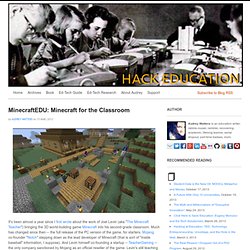
Much has changed since then -- the full release of the PC version of the game, for starters. Mojang co-founder "Notch" stepping down as the lead developer of Minecraft (that is sort of "inside baseball" information, I suppose). And Levin himself co-founding a startup -- TeacherGaming -- the only company sanctioned by Mojang as an official reseller of the game. Levin's still teaching too, but he's also hard at work helping other educators implement Minecraft in their own classes. Currently, that takes the form of MinecraftEDU, TeacherGaming's first endeavor. MinecraftEDU provides one such "mod" that's been designed for classroom use. The mod comes with a lot of other options too, allowing you to maintain the open-endedness of the original Minecraft or alter it substantially. The Minecraft Teacher. Back to school.
Long time no post. So one day I had this idea to use Minecraft in my class. It worked really, really well. It was transformative for both my students and myself. It was like discovering a new secret power to reach into the minds of kids. And I couldn’t figure out why no one else was doing the same thing. But one thing led to another and I ended up leaving a perfectly respectable teaching career to play a lot more Minecraft. I got to interact with amazingly talented people from all over the world.
All that plus getting to work with some wonderfully Finnish geniuses who I now consider family. But I am leaving TeacherGaming and sailing away from Minecraft’s blocky shores for a while. I am going back to the classroom. It’s been an absolute honor to work with Minecraft. I feel quite lucky to have been involved during this unbelievably cool time period in Minecraft’s development. MinecraftEdu mod. Playing Minecraft with students in a classroom setting is an amazing experience.

However, the barrier to entry used to be quite high. To get the most out of the game, you needed to have a strong technical background, be comfortable running servers, and be willing to troubleshoot problems at any given moment. These challenges could be insurmountable for many teachers. We set out to change this! The MinecraftEdu custom mod makes it easy to get the game running smoothly and have your students playing together in no time. Please remember that MinecraftEdu Custom Mod is an addon and will require Minecraft game license(s) in order to play. Available for Mac, Windows, and Linux!
All special features are accessible through in-game menus... no config files or command lines! The mod is currently available to all of our customer schools that purchase Minecraft from us. MinecraftEdu Custom Mod is constantly in development and evolving. Classroom Edition More worlds and lessons coming soon! Joel Levin (minecraftteachr)