
Exporting a Table to a Word Document. WinParrot Official Website.
Sitio oficial de WinParrot. Tutorial del Control ListView. Sección de tutoriales y manuales vb Volver al índice Esta guía describe el uso de algunas de las principales características del control ListView de Visual basic Contenido : 1 - Introducción Si observamos por ejemplo el explorador de windows podemos ver que en la parte izquierda de la pantalla tenemos una vista en forma de árbol con todos los directorios del sistema y en el costado derecho podemos visualizar el contenido seleccionado, es decir las carpetas, sub carpetas y archivos.
Es exactamente esto lo que nos permite realizar el control ListView, generar listado de elementos de una forma mucho mas completa que otros controles de listado. Para agregar este control debemos incorporarlo desde la opción agregar componentes bajo el nombre de Micosoft Windows Common Controls 6.0 Una vista previa del control ListView: Insert Text "At" or "In" a Bookmark. The information, illustrations and code contained in my "Microsoft Word Tips" are provided free and without risk or obligation.
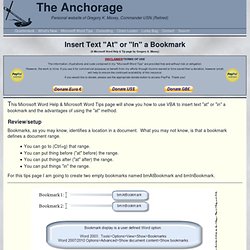
However, the work is mine. If you use it for commercial purposes or benefit from my efforts through income earned or time saved then a donation, however small, will help to ensure the continued availability of this resource. If you would like to donate, please use the appropriate donate button to access PayPal. Thank you! This Microsoft Word Help & Microsoft Word Tips page will show you how to use VBA to insert text "at" or "in" a bookmark and the advantages of using the "at" method.
Links. This list is not exhaustive by any means, but it includes many of the sites in my Favorites list.
Feel free to recommend an addition to the list. Excel sites MrExcel One of the biggest Excel sites on the Web. Combinar personalizaciones de VBA y de nivel de documento. Se aplica a: la información de este tema se aplica a los proyectos de nivel de documentos para las siguientes aplicaciones: Excel 2013 y Excel 2010; Word 2013 y Word 2010.
Para obtener más información, vea Características disponibles por aplicación y tipo de proyecto de Office. Globals.Sheet1.Application.Run("MyMacro", missing, missing, missing, missing, missing, missing, missing, missing, missing, missing, missing, missing, missing, missing, missing, missing, missing, missing, missing, missing, missing, missing, missing, missing, missing, missing, missing, missing, missing, missing); Utilizar la propiedad CallVSTOAssembly en un proyecto de Visual Basic Sub MyMacro() Sheet1.CallVSTOAssembly.MyVSTOMethod() End Sub Property Get CallVSTOAssembly() As ExcelWorkbook1.Sheet1 Set CallVSTOAssembly = GetManagedClass(Me) End Property Utilizar el método GetManagedClass.
Creación de Informes. Abrir el Administrador de IIS (IIS 7) Excel's color palette explained. VBA Tips: A Pop-up Calendar for Excel. Suitable for: Excel 2007, 2010 Click here for Excel 97, 2000, 2003 One of the biggest problems in maintaining "good" data is the entry of dates.
People seem to get confused about entering dates. Should they enter dd/mm/yy or mm/dd/yy? Do they enter slashes or dashes or dots? And what was the date of the third Thursday in September last year anyway? NOTE: When I first wrote this tutorial I made use of the Microsoft Calendar Control, an ActiveX control that was installed along with Microsoft Office Professional (i.e. the version that included Microsoft Access). The tutorial shows you how to create a pop-up calendar using the Microsoft MonthView control that is installed with Excel. What Will the Calendar Do? The MonthView control has a number of useful features. Where Does the Code Go? The pop-up calendar is created entirely with code and is generated when you need it. Find a set of amounts that match a target value. There are instances when one wants to figure out which elements of a set of numbers (amounts) total to a target value.
One instance where this may be necessary is for a company that receives a check for outstanding accounts receivable (A/R) bills but doesn't have matching documentation indicating what bills are being paid. Excel template using Solver. How To Sum Tree Structure In Excel Freeware Downloads: How To Recover VBA Password Downloader, How To Read SQL Database, How To View SQL Database.
Instead of queries, use the Access 2007 PivotTable view. Access 2007 lets you create pivot tables without building a query.
See how this feature can simplify your data analysis. With Access 2007, you no longer need to build a query to create a pivot table. You can create one straight from a table by using PivotTable view. For example, suppose you want to know how many orders were shipped each quarter by country. Follow these steps: Open the table, go to the Views group, click the arrow, and select Pivot table.Click the Field List button, if the field list is not visible (Figure A).Click and drag the ShipCountry field to the row area (Figure B).Click Order Data By Month in the field list and then click and drag Quarters to the row area (Figure C).
Using PIVOT and UNPIVOT. A common scenario where PIVOT can be useful is when you want to generate cross-tabulation reports to summarize data.
For example, suppose you want to query the PurchaseOrderHeader table in the AdventureWorks2008R2 sample database to determine the number of purchase orders placed by certain employees. The following query provides this report, ordered by vendor. USE AdventureWorks2008R2; GO SELECT VendorID, [250] AS Emp1, [251] AS Emp2, [256] AS Emp3, [257] AS Emp4, [260] AS Emp5 FROM (SELECT PurchaseOrderID, EmployeeID, VendorID FROM Purchasing.PurchaseOrderHeader) p PIVOT ( COUNT (PurchaseOrderID) FOR EmployeeID IN ( [250], [251], [256], [257], [260] ) ) AS pvt ORDER BY pvt.VendorID; Here is a partial result set.
VendorID Emp1 Emp2 Emp3 Emp4 Emp5. Name the MrExcel Logo - Answer to Challenge of the Month. Our August 2002 Challenge is inspired by a recent posting on the MS boards.
Thanks to Harlan, Tim, and Tushar for a lively discussion around this problem. Here is the specific problem. Simtools and Formlist add-ins for Excel. VBA.and.Macros.microsoft.excel. Introducción a Excel 2010. En este artículo se incluye una introducción rápida de Microsoft Excel 2010 y se proporcionan vínculos a artículos más detallados sobre determinadas tareas y características.
Si está familiarizado con Excel y desea obtener información sobre los cambios de la última versión, pruebe con los recursos de la tabla siguiente. Si nunca usó Excel o si se considera un usuario inexperto, puede que la siguiente información sea de utilidad. ¿Qué es Excel? Conditional Formatting Excel Duplicates. Conditional Formatting Excel Duplicates-Validation. ShareThis | | Information Helpful? Why Not Donate. Handy Hints For Excel Duplicates.
Creación de clases en Visual basic. Sección de tutoriales y manuales vb 1 - Creación de sus propias clases Volver al índice Tutorial realizado por JOEL ALEJANDRO. Visual Basic - Manipulating Dates In Visual Basic Tutorials. [Previous] [TOC] [Next] These functions can be found in the VBA.Strings module. All these functions are aware of the current system locale settings. Any strings returned will be in the language and style of this locale. FREE Excel Dynamic Chart Template - Download - Dynamic chart shows values based on user selection. Posted on August 31st, 2010 in Charts and Graphs , Featured - 134 comments Dynamic charts are like my favorite food, Mangoes.
They tempt, tease and taste awesomely. Curso de Excel 2007. Paso a Paso Crear formato condicional. Excel VBA: Download files from the Internet. There is no built-in function in Microsoft Excel which allows you to download contents from the Internet on the fly. To accomplish this task we need to use the API for WinInet. The use and explanation of API in VBA is for advanced users which have prior experience from either Visual Basic 6.0 or .NET. Pitfalls It is very important that all open Internet connections are closed as soon as the task is completed.
WinInet only allows 2 concurrent connections to a given host. If you forget to shut down the connection after use, you will experience timeouts and misleading error messages. Adjust maximum concurrent connectionsHowto The source code below should be pasted in a "Class Module" in Excel. Dim objClient As New WebClient Call objClient.DownloadFile(" "c:\test.html") Automate Word Mail Merge From Access - Microsoft: Access Modules (VBA Coding) FAQ. One of the most common needs of business database users is to create form letters, labels, envelopes, name tags, or other standard documents with data entered in the database. While all the latest versions of Word offer the option of using an Access Query or Table as the recordsource for mail merge documents, users frequently report problems learning to use the mail merge interface. Common troubles are finding the correct query in Access, setting the query for specific criteria, forgetting to merge the template with the records before performing edits or saving, and conflicts when more than one user wants to use a template at a given time.The following code will perform the basic function of setting the criteria in the bound query based on criteria found in a form, and opening the template in Word.
Optional lines to fully automate the Word Mail Merge process from Access are available at the end of the code. Excel y visual basic - Enlaces. Macro para ejecutar un sql desde una hoja de excel. Delete Duplicated Entries In Cells. Combine All Data From All Worksheets in All Workbooks in a Specified Directory. Connect to Access 2007 from Excel 2007 VBA. How to Connect SQL Express 2005 from VBA. Sample Excel Spreadsheets - Excel Templates. Sql - Excel 2003 How to feed two sheets into pivot table. Using ADO with Excel Data Sources - frice's WebLog. ADO is used for performing client/server data access between a data consumer and a data provider. ADO is a good choice, in many instances, for working with Excel data because it eliminates the sometime lengthy process of having to open Excel. Using ADO also makes it possible to use SQL to retrieve and manipulate data.
When you use ADO to access Excel workbooks, you use the same OLE DB provider that you use to access data from Microsoft Access (tabular data sources with rows and columns). ADO can be used on both opened and closed workbooks with closed workbooks being the most common.When working with Excel data, the workbook is like the Access database and the worksheet or named data range is like a table. Cómo automatizar Word con Visual Basic para crear una combinación de correspondencia. This article discusses how to automate Word to create a mail merge for an external data source. This article also explains the code differences between accessing the data with OLEDB, ODBC, and dynamic data exchange (DDE). Data access methods To programmatically set up a data source for a Word mail merge document, you first call the OpenDataSource method of a MailMerge object.
The syntax for the OpenDataSource method is as follows: Computo Practico. Siguiente -->> Mail Merge: Part I. This article may contain URLs that were valid when originally published, but now link to sites or pages that no longer exist. To maintain the flow of the article, we've left these URLs in the text, but disabled the links. Excel VLookup Function and VLookup Example. To view the steps for creating this formula, please watch the VLOOKUP video shown below. The written instructions are below the video. In this example, the lookup table is created on a sheet named Grades.
To create the lookup table, enter the minimum score for each grade in column A. Enter the matching Grade in column B. Macros. VBA.