
Interlude - Interactive Video. Treehouse. Damage Artifact // 8-Bit Video Game Look Tutorial.
Showcasing new and unexpected forms of digital documentary storytelling. Las reglas no están escritas. HTML5 Server-Sent Events. The cross-browser WebSocket for realtime apps. What is Socket.IO?
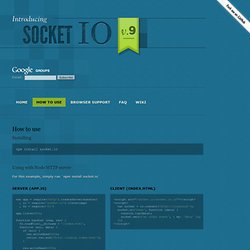
Socket.IO aims to make realtime apps possible in every browser and mobile device, blurring the differences between the different transport mechanisms. It's care-free realtime 100% in JavaScript. Server Client How to use Installing npm install socket.io Using with Node HTTP server For this example, simply run `npm install socket.io` Server (app.js) Client (index.html) Using with the Express 3 web framework Express 3 requires that you instantiate a `http.Server` to attach socket.io to first: Using with the Express web framework You can serve normal pages and AJAX requests with Express, and attach your socket.io server For this example, simply run `npm install socket.io express` Sending and receiving events. Socket.IO allows you to emit and receive custom events. Storing data associated to a client Sometimes it's necessary to store data associated with a client that's necessary for the duration of the session. Socket.IO: the cross-browser WebSocket for realtime apps.
INVADERS - Webdigi. Using the Browsers' New HTML5 Fullscreen Capabilities. Native Fullscreen JavaScript API (plus jQuery plugin) HTML5 <video> is great, but when it was first released, one of the big complaints was that it couldn’t do true FullScreen like Flash.
Thankfully, this is changing and native FullScreen support is coming to most browsers in the next few months (no word from the Internet Explorer team Update on IE below #5)) The API is still heavily in flux especially since the W3C joined in this week. I spent some time working through the differences to implement FullScreen in MediaElement.js HTML5 video player, and it’s working great in Safari 5.1+, Chrome Canary Chrome 15+, or Firefox Nightly (go to about:config and set full-screen-api.enabled= true) and scheduled for Firefox 10.
Below I’m going to try to explain how things evolved, where we are today, and then some code that you can play with. Simple Demo Video Demo A Brief History of the FullScreen API Understanding the FullScreen API Here are the most important parts of the FullScreen API with notes on how things differ among browsers. YouTube Player API Reference for <iframe> Embeds - YouTube. The IFrame player API lets you embed a YouTube video player on your website and control the player using JavaScript.
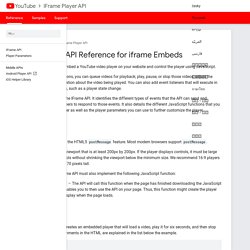
Using the API's JavaScript functions, you can queue videos for playback; play, pause, or stop those videos; adjust the player volume; or retrieve information about the video being played. You can also add event listeners that will execute in response to certain player events, such as a player state change. This guide explains how to use the IFrame API. It identifies the different types of events that the API can send and explains how to write event listeners to respond to those events.
It also details the different JavaScript functions that you can call to control the video player as well as the player parameters you can use to further customize the player. Requirements The user's browser must support the HTML5 postMessage feature. Embedded players must have a viewport that is at least 200px by 200px. Getting started. Lettering.js - A jQuery plugin for radical web typography.
FitText - A plugin for inflating web type. Jquery-tubular - a jQuery plugin for full-size YouTube video backgrounds. Demo: seanmccambridge.com/tubular Usage is straightforward and requires JavaScript on the client's browser to work. Tubular is a jQuery plugin and therefore relies on jQuery. You will need to know the YouTube ID of the video you want to use as well as the container DIV of your web page. Please note, tubular must be deployed on a web server to function. The YouTube player will not work when loaded into your browser from your machine. Widget API Playground. Adventure Game Studio. Buzz, a Javascript HTML5 Audio library. El Libro para Principiantes en Node.js» Un tutorial completo de node.js.
Sobre el Tutorial El objetivo de este documento es ayudarte a empezar con el desarrollo de aplicaciones para Node.js, enseñándote todo lo que necesites saber acerca de JavaScript "avanzado" sobre la marcha.
Este tutorial va mucho más allá del típico manual "Hola Mundo". Status Estás leyendo la versión final de este libro, es decir, las actualizaciones solo serán hechas para corregir errores o para reflejar cambiar en nuevas versiones de Node.js. MIX Online:Ai to Canvas Plug-In. Vector Social Media Icons. Popcorn.js Documentation. Video Platform - Free Trial.