
Data Session - Visual FoxPro Wiki. Datasessions provide separate data environments for form.

A form with its datasession property set to 2 gets its own private datasession. Service Pack 3 added a datasession base class (Session) to the VFP class collection. This would be a good place to discuss uses for that. Rules VFP follows for assigning objects to a Data Session a) An object always belongs to the datasession that was active when CREATEOBJECT(), NEWOBJECT(), AddObject(), NewObject() or DO FORM are executed or it's created automatically as part of another object.
Doesn't this beg the question, what comes first the chicken or the egg? C) All objects that are aggregated (i.e., containership) always share the same datasession (e.g., all controls on a form). -Obscure, but can a container have multiple Session objects in it? D) _SCREEN is an exception to rule b). E) Changing the datasession with SET DATASESSION changes the datasession for an object permanently.
_screen seems to be an exception to this rule. Category Data. Visual FoxPro driver does not appear in Windows 7. The Product That Wont Die - Visual FoxPro Wiki. The problem is not new * Excerpts from "The Product That Won't Die", by Tom Spitzer (February 1997): "Everything that happened between 1992 and the end of 1995 promoted Microsoft's core database and tools strategy and increasingly marginalized Visual FoxPro, which was released late and was not promoted outside of the FoxPro community.
" "After the initial release of Visual FoxPro, application developers complained about the product's performance and stability, as well as about Microsoft's unwillingness to recommend it as a serious solution at general developer conferences and in corporate marketing presentations. A simmering situation reached the boiling point in early 1996 with the publication of several articles that indicated that Microsoft would withdraw the product entirely. I believe that Microsoft would have loved to eliminate the product right then and there and leaked the news of its impending demise as a trial balloon. The problem is recurring Before you go any further. Visual FoxPro Roadmap. Visual FoxPro 9.0 provides the tools you need to create and manage high-performance, 32-bit database applications and components.
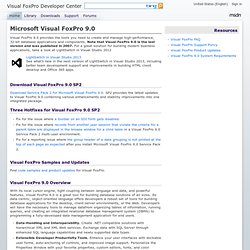
Note that Visual FoxPro 9.0 is the last version and was published in 2007. For a great solution for building modern business applications, take a look at LightSwitch in Visual Studio 2012 Download Visual FoxPro 9.0 SP2 Download Service Pack 2 for Microsoft Visual FoxPro 9.0. SP2 provides the latest updates to Visual FoxPro 9.0 combining various enhancements and stability improvements into one integrated package. Three Hotfixes for Visual FoxPro 9.0 SP2 Visual FoxPro Samples and Updates Find code samples and product updates for Visual FoxPro.
Visual FoxPro 9.0 Overview With its local cursor engine, tight coupling between language and data, and powerful features, Visual FoxPro 9.0 is a great tool for building database solutions of all sizes. Data-Handling and Interoperability.
Drivers. THE VISUAL FOXPRO REPORT WRITER - www.foxite.com - The Home Of The Visual FoxPro Experts. Purpose for this ArticleDuring the past several years I have written many applications in Visual FoxPro and as you all know the application is not finished until you get those darn reports for the client completed.
There are times mentioned on the forum, that some wish the VFP report writer was more flexible. I can tell you there have not been too many times I have had to resort to using another report writer. This article deals with common every day issues that arise when using the Visual FoxPro report writer. Many of these questions have been asked on the forum and answered, but thought an article on the report writer would help. For the most part, the information contained in this article is information I had obtained from other sources and retained for my own use with reports. Can I Provide the User Access to the Report Writer at Runtime? - Launch Visual FoxPro. From now on, the user will be able to move the toolbars around, dock and undock them, and even close them.
Article Index - www.foxite.com - The Home Of The Visual FoxPro Experts.