
How to Become a Freelance Web Developer. Have you ever wanted to be a freelance web developer?
Whether you're working for the man or developing as a hobby, there are some tried and tested tips you can use to ease yourself into the life of a freelance web developer - even if you only do it part-time. By working with many and varied clients, your web dev and business skills will grow at a rapid pace. If everything goes right, you should be able to make a good living doing something you love. So today we're going to go over how to actually become a freelance web developer, and all that goes with it. Just Starting Out Starting is an incredibly hard thing to do for many web developers who don't have any clients. I've found that starting in a niche area is the best way to begin building a successful freelancing business. 100+ Resources for Web Developers.
Photo Credit: SMITHMag Update #1 – March 14, 2008 Update #2 – September 22, 2008 Translated into Italian at Geekissimo There is some amazing stuff out there on the Web–resources, tools, tricks, and tips.
Color — Method of Action. Tutorials. Learn HTML This HTML Tutorial will give you an easy, yet thorough and correct introduction on how to make websites.
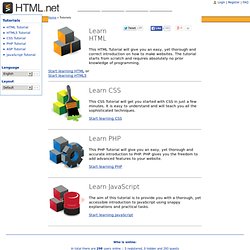
The tutorial starts from scratch and requires absolutely no prior knowledge of programming. Start learning HTML or Start learning HTML5 Learn CSS. HTML5 Rocks - A resource for open web HTML5 developers. Artisteer - web design software and joomla template maker. Browserling - interactive cross-browser testing. 15 sites web developers and designers should know. Creating a good website isn't an easy task, but there's a few tools that can definitely make your developer or designer life easier.
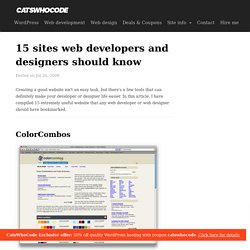
In this article, I have compiled 15 extremely useful website that any web developer or web designer should have bookmarked. ColorCombos When designing a website, one of the firsts (and most important) steps of the process is to choose a color scheme. Color Combos allow you to browse thousand of different colors combinations for getting inspired for your upcomming design.
Color schemes can be browsed by colors.Visit colorcombos.com LIpsum Who doesn’t know the extremely popular Lorem Ipsum text? What the font? You just saw a logo or website using a particular font and you enjoyed it. ConvertIcon Favicons are a must have for any website, mostly because on modern browsers as such as Firefox, it is displayed along with the site name in tabs. BgPatterns background Patterns is definitely one of the current webdesign trends. HTML Encoder Test Everything Sprite Generator. How to Create Your First Web Page. Note: If you know anything at all about HTML and CSS, don’t bother reading this, it’s a guide for the uninitiated, technophobes, luddites, computer-illiterates, anyone who is more comfortable with a pen and paper than a keyboard and mouse.
If making a web page seems like brain surgery to you, then this is the article for you. What you need to know The only prior knowledge I will assume is that you’ve used a computer before, you’re familiar with using a keyboard and a word processor, and you’ve at least seen a website. Other than that, I assume you are completely ignorant! The Basics When you visit a website (for example the one you’re reading now), you see a page in your web browser (the program you use to access the internet) , containing text, images and maybe some other things like videos, music etc. In order to display a page correctly, the web browser needs to know about the structure of the page, e.g. 45 Splendid Latest Web UI Kits Collection. Free User Interface elements are nothing less than a mine of gold for web designers.

Web UI kits prove to be of massive help to the designers. They help in finishing the task faster make your designs look really great. UI kits give that something extra to your designs. Code Snippets. Learn HTML and CSS with these free beginner and advanced guides. January 14, 2013, 2:46 PM — The Beginner's Guide to HTML & CSS and the Advanced Guide to HTML & CSS cover both the fundamentals and the latest techniques for web design and development in ten lessons each.

They're good skills to have, even if you just want to create your own personal website or landing page. Created by designer and front-end developer Shay Howe, these e-courses offer examples and descriptions of pretty much everything you need to know to get started creating web pages. The first lesson of A Beginner's Guide to HTML & CSS, for example, talks about the difference between HTML and CSS and common terms you'll likely hear. The course introduces topics like positioning elements on a page, embedding media, creating forms, and organizing data with tables. The advanced version is newer, with new lessons posted every Monday until the ten lessons are completed. The site has an elegant, simple design. Web Design Resources. W3Schools Online Web Tutorials. Web Design. Designzzz - Free Useful Resources for Designers, Developers and Photographers.
Color Hex Color Codes. CSSWARP - CSS Text to Path Generator. 12 Standard Screen Patterns. 2010 Update- 15 patterns and 80 new examples By Theresa Neil As Bill mentioned in an earlier post, we don’t want to limit this blog to just the principles and patterns found in the book.
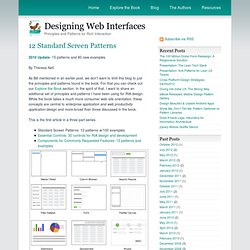
For that you can check out our Explore the Book section. In the spirit of that, I want to share an additional set of principles and patterns I have been using for RIA design. While the book takes a much more consumer web site orientation, these concepts are central to enterprise application and web productivity application design and more broad than those discussed in the book. This is the first article in a three part series. With more companies turning to RIA frameworks for enterprise software development, these screen patterns are indispensable for product managers, UX designers, information architects, interaction designers and developers. 01.
Master/Detail screen pattern can be vertical or horizontal. 02. The Browse screen pattern can be vertical or horizontal. 03. 04. 05. 06. 07. Learn to code.