Wizard - Game Guide. Wizard Belial Inferno Easy Guide/Summary - Forums. Wizard DPS Equivalence Spreadsheet - Forums. What stats do Wizards want on their gear? - Forums. Storm Mage - Skill Calculator - Diablo 3 Database (D3DB) Solo? - Skill Calculator - Diablo 3 Database (D3DB) Try this - Skill Calculator - Diablo 3 Database (D3DB) Z Warrior Ranged - Skill Calculator - Diablo 3 Database (D3DB) The Elder Scrolls V: Skyrim. For the Nords' homeland, see Skyrim.
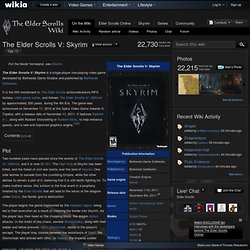
The Elder Scrolls V: Skyrim is a single-player role-playing video game developed by Bethesda Game Studios and published by Bethesda Softworks. It is the fifth installment in The Elder Scrolls action/adventure RPG fantasy video game series, and follows The Elder Scrolls IV: Oblivion by approximately 200 years, during the 4th Era. The game was announced on November 11, 2010 at the Spike Video Game Awards in Topeka, with a release date of November 11, 2011. It features Radiant A.I., along with Radiant Storytelling or Radiant Story, to help enhance quests, and a new and improved graphics engine.[1][2] Plot Narration You should have acted. Setting. Skyrim Alchemy Recipes Finder.
Skyrim Console Class 101. How To Console-Enchant ItemsIt's very simple.
Type:PlayerEnchantObject Notice there is no . after Player in this command.Items that you make this way will be added to your inventory.The object id's can be found at: enchantment id's can be found at: don't have to type anything for enchantment2 if you don't want it.Items made this way can not be disenchanted to learn their effects.You can also look through this list: Magic and Spell Effects. Some of them work, some don't. Most with "FFSelf" in the title can be used on clothing, and most with "FFContact" in the title can be used on weapons.You can not add an enchantment on an object that already has an enchantment.You can not name items you create this way.
The codes listed on that page that have a Type of "AI" or "Status" can not be changed. A Type of "unk" means Unknown, or rather the people who contribute to that site have not fully tested those yet. Console Commands. For commands in other games, see Console Commands.
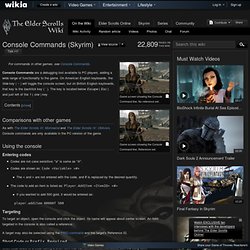
Console Commands are a debugging tool available to PC players, adding a wide range of functionality to the game. On American English keyboards, the tilde key ( ~ ) will toggle the console screen, but on British English keyboards, that key is the backtick key ( ` ). Teleport COC Cell Names, NPC IDs, Item IDs, Console Commands & More. Console Perk Codes. For commands in other games, see Console Commands.
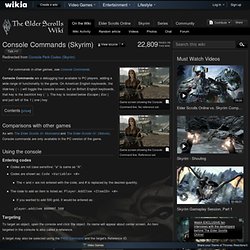
Console Commands are a debugging tool available to PC players, adding a wide range of functionality to the game. On American English keyboards, the tilde key ( ~ ) will toggle the console screen, but on British English keyboards, that key is the backtick key ( ` ). The key is located below Escape ( Esc ) and just left of the 1 ( one ) key Comparisons with other games As with The Elder Scrolls III: Morrowind and The Elder Scrolls IV: Oblivion, Console commands are only available in the PC version of the game. Renovate your House with console. Don't like the look of your house?
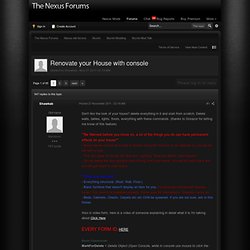
Delete everything in it and start from scratch, Delete walls, tables, lights, floors, everything with these commands. Console Item Codes. This page lists all Misc.
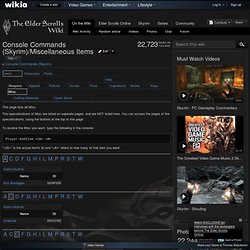
The specializations of Misc are listed on separate pages, and are NOT listed here. You can access the pages of the specializations, using the buttons at the top of this page. To receive the Misc you want, type the following in the console: Player.AddItem <ID><#> Online Dominion. Dominion Strategy. Dominion series. Promos. WorldEdit/Selection. A fundamental part of WorldEdit is working with a selection or region.
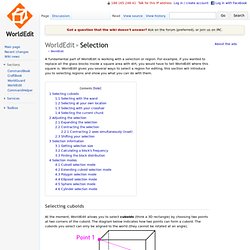
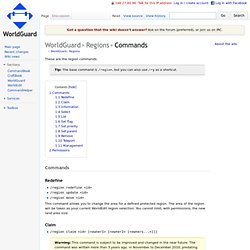
For example, if you wanted to replace all the glass blocks inside a square area with dirt, you would have to tell WorldEdit where this square is. WorldEdit gives you several ways to select a region for editing, this section will introduce you to selecting regions and show you what you can do with them. Selecting cuboids At the moment, WorldEdit allows you to select cuboids (think a 3D rectangle) by choosing two points at two corners of the cuboid. The diagram below indicates how two points can form a cuboid. There are several different ways of choosing these two points and you can mix and match. WorldGuard/Regions/Commands. These are the region commands.
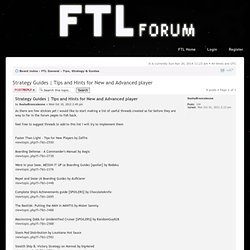
Tips and Hints for New and Advanced player. As there are few stickies yet I would like to start making a list of useful threads created so far before they are way to far in the forum pages to fish back. feel free to suggest threads to add to this list i will try to implement them Faster Than Light - Tips for New Players by Zaffreviewtopic.php?
View topic - Complete Ships Guide [SPOILERS] Figured a main post thread where everything is consolidated and explained is in order. This guide will detail how to unlock every ship, as well as have a picture of both A and B types and detail anything of note about them. I have not unlocked the Federation B Type yet, so if anyone has a picture that would be great. Likewise, I do not know the new/easier requirements to unlock ships, such as for the Mantis ship, so if anyone can provides, that would be equally great.
Optimal Crystal Cruiser Unlock Strategy (SPOILERS) View topic - [MOD] Disable Fleet (FTL file) RGB Classic Games - All games that can be played online. Eclipse Official Goodies. Sampo Sikiö FinlandEspoo It's no secret that the stars are falling from the sky / It's no secret that our world is in darkness tonight / They say the sun is sometimes Eclipsed by a moon / You know I don't see you when she walks in the room Guardians of Magellan We thought it'd be nice to provide downloads for some game materials we couldn't include in the box (plus the rules in different languages).