
Pomax/Font.js. URI.js - URLs in Javascript. URI.js is a javascript library for working with URLs.
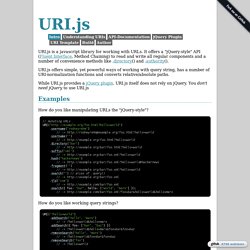
It offers a "jQuery-style" API (Fluent Interface, Method Chaining) to read and write all regular components and a number of convenience methods like .directory() and .authority(). URI.js offers simple, yet powerful ways of working with query string, has a number of URI-normalization functions and converts relative/absolute paths.
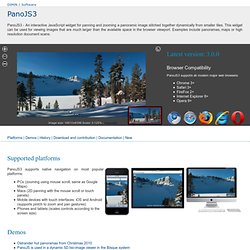
While URI.js provides a jQuery plugin. A suite of Javascript libraries and tools designed for working with HTML5. Kneath/kss - UX. Azer/functools. Osuushi/Smooth.js. Nickfargo/state. Shanebo/tzone. JerrySievert/cromagjs. Timrwood/moment. 23/resumable.js. JSARToolKit Demos. Ebidel/filer.js. Agoragames/factory-worker. Fasterize/lazyload. PanoJS3 - pure JavaScript viewer for huge images - UX. Supported platforms PanoJS3 supports native navigation on most popular platforms: PCs (zooming using mouse scroll, same as Google Maps) Macs (2D panning with the mouse scroll or touch panels) Mobile devices with touch interfaces: iOS and Android (supports pintch to zoom and pan gestures) Phones and tablets (scales controls according to the screen size) Demos.
Rainbow - Javascript Code Syntax Highlighting - UX. Gka/chroma.js.