

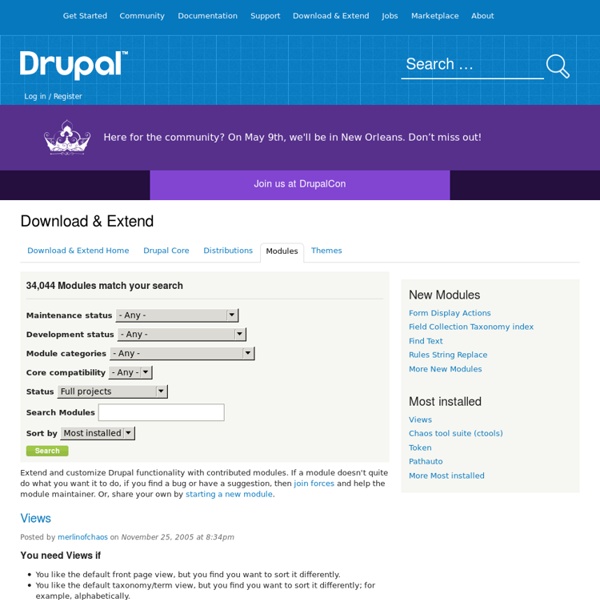
Drupal Россия | CMS Drupal в рунете Using the theme layer (Drupal 6.x) See also: Theme handbook (D6) Modules in Drupal have the capability to allow presentation to be overridden for use on individual sites; this capability is called theming. In order for the theme layer to be usable, a module must be written to take advantage of it. To do this, logic must be separated as much as possible from presentation. To accomplish this, modules do as much of the work on the data as possible, and hand that data off to the presentation layer. Ideally, your module won't produce a single line of HTML output that is not in a theme implementation. Registering theme hooks In order to utilize a theme hook, your module first has to register that this exists. Your module's hook_theme (see the hook API documentation for details on hooks) will return a list of all theme hooks that your module implements. <? This registration tells us that a theme hook named forums is implemented. $output = theme('forums', $forums, $topics, $parents, 17, 'ASC', 25); Implementing default templates
How To's | Bryght Support <meta http-equiv="refresh" content="0;url= /><center><p style="padding:1em; font-size:1.5em;">For search results please <a href=" Bryght.com Recherches associées Free Credit Report Make Money Online MP3 Music Downloads Job Listings Discount Shopping Education Degrees Work at Home Affordable Housing Find a Business Online Gaming Breaking News Cheap Laptops Hotel Reservations Finance Investments Free Ringtones Social Networking Health and Fitness Online Dictionary Weather Report Catégories populaires Politique de confidentialité
14 модулей для Drupal, о которых вы должны знать / Drupal В продолжении темы о Drupal’е хочу предоставить несколько расширенный обзор модулей. С помощью некоторых из них можно строить уже не просто standalone-блог, а сообщество с элементами социальности. Список, конечно же, не претендует на полноту и основывается лишь на личном опыте автора. Итак, вот они: 1) CCK – один из самых мощных, а также полезных модулей, который позволяет изменить так, как вам хочется (а также добавить новый) шаблон типа данных (ноду). 2) Views – так же очень полезный модуль, который позволяет изменить алгоритмы вывода информации на сайте, а также создавать свои собственные (например, вывод списка пользователей можно сделать на свое усмотрение, подтянув туда необходимые поля из профиля). 3) Update Status – очень полезный модуль, который отслеживает обновления модулей и своевременно сообщает администратору о них. 4) Tagadelic – позволяет создать всеми любимое облако тегов. 5) Click2bookmark – позволяет организовать раздел избранное для пользователей сайта (как на хабре).
Hooks | module.inc Allow modules to interact with the Drupal core. Drupal's module system is based on the concept of "hooks". A hook is a PHP function that is named foo_bar(), where "foo" is the name of the module (whose filename is thus foo.module) and "bar" is the name of the hook. Each hook has a defined set of parameters and a specified result type. To extend Drupal, a module need simply implement a hook. The available hooks to implement are explained here in the Hooks section of the developer documentation. Functions File includes/module.inc, line 379 API for loading and interacting with Drupal modules.
Модули для Drupal | ExtraScripts Google Maps для Drupal: Simple Gmap 1.6 (модуль для Drupal) Автор bodro представил обновленыю версию модуля Simple Gmap для CMS Drupal – Simple Gmap 1.6. В отличии от модулей Gmap, которые доступны на Drupal.org, этот модуль позволяет упростить процесс размещения google-карты (google maps) в ноде Drupal. Список возможностей: добавление метки на картудобавление описаний к меткамизмененение цвета метокперетаскивание метокудаление меток Скачать модуль Simple Gmap 1.6 | Download module Simple Gmap 1.6 ScriptMaster Модули и плагины для Drupal Drupal, Модули для Drupal Модуль Yandex Map 1.2 для Drupal Модуль Yandex Maps позволяет внедрять Яндекс.карты в те типы материалов, которые определены в настройках модуля. Доступны следующие функции: Установка модуля Yandex Map: Для работы этого модуля другие модули не требуются. Скачать модуль Yandex Map 1.2 | Download module Yandex Map 1.2 emfield – Embedded Media Field 5.x-1.3 (модуль для Drupal) Embedded Image FieldEmbedded Video FieldEmbedded Audio Field
About overriding themable output Last updated May 7, 2012. Created by dvessel on September 7, 2007.Edited by onefreewalk, hansrossel, add1sun, arianek. Log in to edit this page. The following only applies when the default markup needs changes. There are three aspects to overriding the themed output. Note that Drupal maintains cached theming data through the theme registry. 1. Finding the source can be difficult to track down due to the hierarchy of theming calls whose source can be spread throughout the whole system. Links to 520KB PDF. Most of the page elements are typically pulled with theme('page') and placed inside the page.tpl.php template after rendering navigation bits, the bits within the navigation bits, block regions, the blocks within the block regions, etc. Note: Theming functions and templates will now be referred to as theming hooks. Getting to the source of any specific chunk of markup can now be tracked with the theme developer module. 2. 3. Links to PDF. Overriding functions: <? Overriding templates:
Drupal & Ajax - How to dynamically update view display | Viziontech Software Solutions The following tutorial, will describe how to dynamically update your page with view results. It will be based on the Drupal & Ajax - Basic Tutorial, which breaks down the steps of implementing basic Ajax with Drupal. So if you still haven't read it, now will be a good time to do so. I will also use the code from that tutorial to extend the implementation. What I'm going to add in this tutorial is: Load an existing view.Setup view parameters for execution.Execute the view.Load the themed view to the JSON object and return it. Step 1 - Create "Product" content type Let's define a new content type. DescriptionPriceCategory Only for the simplicity of this example, go ahead and define all fields as simple text fields. Step 2 - Create content It is now time to create "Simple Product" content items, so create a list of products(at least 6 products). Step 3 - Create the view The next task you will need to complete is to create a view. That's it.
Drupal & Ajax - Basic Tutorial | Viziontech Software Solutions The following tutorial will guide you step by step how to create a quick implementation of Ajax in Drupal. We will dynamically update a page with content we will read from the server without the need to refresh the page. I tried to make it as simple as possible, just to describe the very basic blocks required to implement Ajax. I suggest you take it further and try to implement more complex implementations according to your site's needs. Let's start...... Step 1 – Create your “Data Module” In order to be able to return data to the client, we will start by creating a module that will return the data. Copy, pase & save the above code into “dynamic_products.info”. This tells Drupal to intercept all calls to “ More info about setting permissions can be found here. It is now time to create the callback function that will return the data. Our callback function, accepts a single parameter ($cat_id). We’re almost done with our dynamic_products.module file.