

52 Tips And Tricks For Google Docs In The Classroom Google Docs is such an incredible tool for college students, offering collaboration, portability, ease of use, and widespread acceptance – a must for students in online colleges for online marketing, for instance. But there are so many options, both hidden and obvious, that there’s a good chance you’re not using Google Docs to its fullest capability. We’ve discovered 52 great tips for getting the most out of Google Docs as a student, with awesome ideas and tricks for collaboration, sharing, and staying productive. 52 Tips And Tricks For Google Docs In The Classroom Access your documents from anywhere: Whether you’re in your dorm room or the school library, you can access your Google Docs. This is a cross-post from onlinecolleges.net
Don't Let Google Drive Leave Tire Marks on Your Lesson Plans As the word gets out about the many advantages of using Google docs, lots of teachers are becoming experts at creating and sharing documents in Google Drive – as well as exercising the “comments” and “see revision history” tools to provide student feedback on writing assignments (as I described in my first Google Drive article). If you’ve rolled out Google Drive in your classes, either via individual accounts or through Google Apps for Education, then you know you can effectively employ it to share and collect assignments from your students. However, to save yourself from being inundated with electronic documents, you need to be sure that part of your lesson preparation includes effective workflow planning. Otherwise, you may find some tire marks on those carefully constructed lessons as Google Drive’s powerful features careen out of control. Here are a few tips that have worked for me in the classroom. Distributing Material to Students Turning in Assignments About the author
Learning to use My Blocks This tutorial explains how to use the "My Block" feature of the NXT-G programming system by working through several examples. What is a My Block? Why Use My Blocks? Making your First My Block Creating a My Block Viewing and Editing the Contents of a My Block Inserting a My Block into a Program Creating My Blocks with Input Parameters What are Input Parameters? Creating a My Block with an Input Parameter Using a My Block with an Input Parameter Designing Your Own Input Parameter Changing the Name of a Parameter Creating a My Block with Multiple Input Parameters Making a Block Header Comment Variables, Wiring, and Editing within a My Block Using Variables to Send Data to a My Block Defining Variables in a My Block Rewriting the Contents of a My Block Sharing Wires in a Tabbed Switch Using My Block Variables from the Main Program Making a Modified Copy of a My Block Copying a My Block Changing the Icon for a My Block What is a My Block? Why Use My Blocks? Making your First My Block
38 Ideas to Use Google Drive in Class August 11, 2014 This is the third post in a series of posts aimed at helping teachers and educators make the best out of Google Drive in classrooms. This series comes in a time when teachers are getting ready to start a new school year and hopefully will provide them with the necessary know-how to help them better integrate Google Drive in their teaching pedagogy. The two previous posts featured in this series were entitled consecutively "New Google Drive Cheat Sheet" and "Teachers Visual Guide to Google Drive Sharing". Today's post covers some interesting ideas and tips on how to go about using Google Drive in your classroom. This work is created by Sean Junkins from SeansDesk. Google Docs
Teacher's Quick Guide to Google Best Services I got you another poster that you will definitely love. I am adding it to the list of posters I have created before and I am also preparing another list of awesome posters that you hang on your classroom wall.Yes, I am determined to help you make your classroom look completely different this school year. Below is a great infographic from GCF Learn Free that sumps up the services Google offers us. It would be great if you print it out and post it in your desk or in your classroom. Check out and tell us what you think
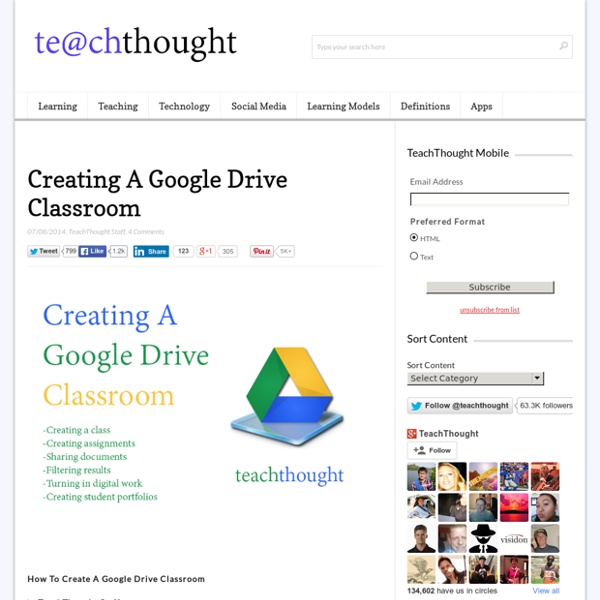
3 Steps to Leverage Google Drive in the Classroom When I am asked what tools or applications I am most fond of in education technology, the first thing I will say is Google Docs (Now termed Google Drive). Google Docs have been one of the best additions to the educational technology landscape in the past ten years. A Google Doc is an intuitive application and aligns across the K-12 content areas and Common Core. Beyond the direct impact in the classroom, Google Drive enhances and simplifies classroom organization as well. However, if your district is already using Google Apps for Education, in a sense, you already have an LMS at your disposal. Phase 1 This is where most of the grunt work is done. Phase 2 During the first day of class I would begin the class by going over the digital workflow that we’d be using. Phase 3 Once you set up your digital workflow, you can slowly integrate some other applications. And that’s it. The key component in creating a digital workflow is keep it simple.
8 Awesome Husband and Wife Love Notes The loving husband who listed all the reasons he loves his wife who is battling depression Tim Murphy, a Los Angeles-based engineer, surprised his new wife Molly with a beautiful love note. Molly, who suffers from depression, had just returned from a trip to San Francisco and was feeling particularly blue. When she flopped down on her bed, she noticed Tim has written a 15 point love note, “Reasons I Love My Wife" on their bedroom mirror: 1. She is my best friend2. The husband who left an awful note to his wife — until she found the second piece "Dear Stefanie,Dinner tasted awful... so I'm leaving you.Goodbye." It's hardly the love letter a wife expects to find from her new husband. Romanticism apart, this was one hell of a creative note. The man who asked his wife what was on her mind and got this drawn response A professor in college once said in class that the biggest challenge for a woman was to answer “nothing” when her boyfriend asks what was she thinking. The short answer?
The Best Tools for Visualization Visualization is a technique to graphically represent sets of data. When data is large or abstract, visualization can help make the data easier to read or understand. There are visualization tools for search, music, networks, online communities, and almost anything else you can think of. Whether you want a desktop application or a web-based tool, there are many specific tools are available on the web that let you visualize all kinds of data. Here are some of the best: Visualize Social Networks Last.Forward: Thanks to Last.fm's new widget gallery, you can now explore a wide selection of extras to extend your Last.fm experience. Last Forward Friends Sociomap: Friends Sociomap is another Last.fm tools that generates a map of the music compatibility between you and your Last.fm friends. Fidg't: Fidg't is a desktop application that gives you a way to view your networks tagging habits. Fidg't The Digg Tools: One more: Digg Radar. YouTube: Visualize Music Musicovery Last.fm music visual tools: Amazon
From sexual liberation to liberation from sex Young people are forever shocking their elders, and elders, however shocking they themselves may have been to their own elders once upon a time, never fail to play their generation’s perennial role of shocked onlookers to shocking youthful behavior of one sort or another. Not very long ago, well within living memory, parents found their children’s sexual behavior shocking. Sex was so open, so free, so ubiquitous, so uninhibitedly taken for granted. No hiding, no guilt, no confining it against nature within institutional straitjackets like marriage. This was the sexual revolution, brought about by the youth explosion of the 1960s and ’70s, aided and abetted by scientific advances like the birth control pill, which decoupled sex from reproduction and turned it into recreation pure and simple. Half a century later, kids are still shocking and elders still shocked, but for shockingly different reasons. The first two may go some way toward explaining the third. Parents. But they have met.
Sensory Systems that Make up the Learning Hierarchy of a Strong Academic Foundation - Integrated Learning Strategies This article contains information regarding important sensory systems and the learning hierarchy that comes from developing each one. Affiliate links are included for your convenience. Whether a child is using his or her hands to write, ears to listen, eyes to read, or their entire body to play sports, they can execute and learn best when they are active and using all of their senses to the fullest. When a child’s brain directs the body to sequence and perform motor tasks this is called motor planning. To build a strong foundation for learning, we must ensure our child’s sensory systems are developing properly for cognitive development and sensory integration. The Hierarchy of Learning The hierarchy of learning that impacts all five sensory systems used for developing a strong educational foundation are as follows: Vestibular SystemTactile SystemProprioceptive SystemVisual SystemAuditory System There are three systems that develop before further neurological building. Vestibular System
Makey Makey | Buy Direct (Official Site) A Map of Learning Theory Concepts, Theorists, Paradigms and Disciplines Learning theory is complex, and while the graphic below may initially seem to reinforce that idea, it actually makes a complicated topic very digestible. Richard Millwood is an assistant professor at Trinity College Dublin, and he also runs Core Education, a nonprofit that helps schools use technology for better learning outcomes. As part of his work for the HoTEL Project (Holistic Approach to Technology Enhanced Learning), Millwood created this guide to learning theories. On his blog, Millwood describes his motivation to collect information and resources about learning theories featured in the map: Learning theory has been a contested scientific field for most of its history, with conflicting contributions from many scientific disciplines, practice and policy positions. Check out the graphic below, and click here for the interactive version.
Why We Cry: The Science of Sobbing and Emotional Tearing by Maria Popova Why it’s easier to prevent a crying spell than to stop one already underway. The human body is an extraordinary machine, and our behavior an incessant source of fascination. Take, for instance, the science of what we call “crying,” a uniquely human capacity — a grab-bag term that consists of “vocal crying,” or sobbing, and “emotional tearing,” our quiet waterworks. As an adult, you cry much less than when young, and your crying is more often subdued, teary weeping than the demonstrative, vocal sobbing of childhood. . . To better illustrate the physiology of crying, Provine contrasts it with that of laughing, pointing out that the two are complementary behaviors and understanding one helps understand the other. Specialists may argue whether there is a typical cry or laugh, but enough is known about these vocalizations to provide vivid contrasts. One curious feature crying and laughing have in common, which any human being with a beating heart can attest to: Donating = Loving