

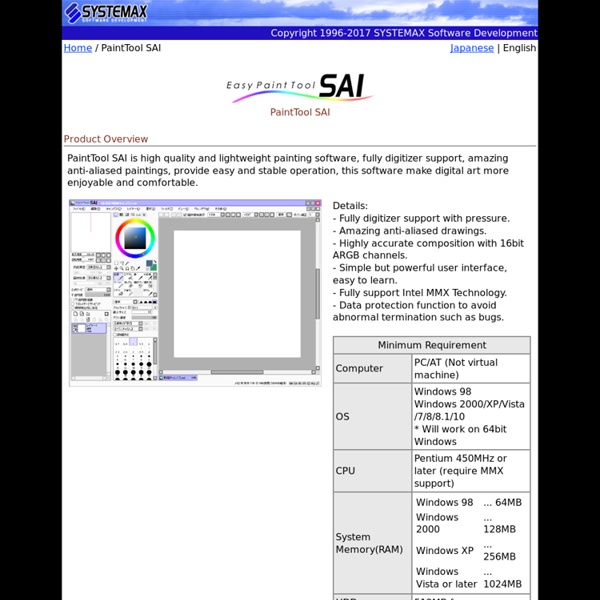
Software de arte digital – Corel Painter X3 Windows You will be downloading a 30-day, fully functional trial version of Painter X3. This trial is available in both 32-bit and 64-bit versions. If you are uncertain of whether your system is 32-bit or 64-bit, consult the documentation that was included with your computer or contact the hardware manufacturer. PLEASE NOTE: You must have a 32-bit system in order to run the 32-bit trial and a 64-bit system in order to run the 64-bit trial. Mac You will be downloading a 30-day, fully functional trial version of Painter X3. Running Mavericks? By downloading this trial product, you agree to receive marketing communications from us and/or our suppliers. Comparing Drawing Programs Full Disclosure: My comparison for all of these programs is based on me runing them on a Windows 7 PC with a Wacom Intuous tablet. Drawing programs are like asses on couches. Every person has a different couches fits different asses, it’s all about finding that perfect groove. Basically it's about comfort. So comparing different drawing programs is kind of tough. Every artist utilizes these software choices for their own specific reasons and in their own styles. A.) B.) Which means the following comparison should be taken with a tiny, miniscule grain of salt. It’s true what they say, the first girl you fall for you’ll never forget. The great thing about Photoshop is its versatility. Adobe has made huge leap with the last couple of versions of Photoshop by incorporating features like free rotate and customized layouts for painting. While Photoshop’s drawing tools are not as amazing as other competitors, they’re still pretty good. But not all is sunny in Sai land. I hate it.
AusCam Online - Making you a movie maker Adobe is barnstorming both the app and the tablet markets with tools you'd never expect to find in either, as Drew Turney learns You can lead a horse to water, as the saying goes... In the same way, you can give a photographer, video editor or creative pro a tablet, but will he or she do more than fire up Angry Birds? Adobe is betting so, giving design and A/V pros an environment completely centred around touch and Cloud services. Some of the apps in the new collection (not really a suite, which refers more correctly to the desktop product family Creative Suite) are digital versions of stuff we all do on paper now, so they have an uphill battle to overcome 2,000 years of human communication's killer app. While Adobe's Creative Cloud is now in general release, the first problem that affects the Adobe Touch Apps is the sharing environments, which are different for every component. Adobe Collage Think of this one as Paper 2.0. Adobe Debut Adobe Ideas Adobe Kuler Adobe Proto Adobe Photoshop Touch
Digital Inking 101 DIGITAL INKING 101: V 1.2v:1.1 -Thanks to Ali for the term Digital Line Enhancement. Good call. v:1.2 -Added images with stroke and texture examples. Intro: So you want to learn how to ink digitally eh? Before I begin to even tell you what materials you'll need, let's clarify a few things. You will need: - A computer - Painter 6 - A tablet You can use Painter 7, but the program is highly unstable and it tends to crash A LOT, at least on my system. Secondly, I recommend a decent computer. My current system specs: -P4 2.4 gHz -ASUS P4P800 motherboard -2gB pc2700 DDR RAM -Windows XP Pro -ATI Radeon 9000 Pro And lastly, and this is the most important part, you are going to need a tablet. Why should I use Painter over Photoshop? The single greatest function of Painter is the ROTATE tool. Where can I get penciled images? If the artist doesn't get back to you (don't blame them, they're very busy people) you can try contacting some professional inkers. Tne next step is to blue line the art.
34 Digital Painting and Drawing Tutorials Nowadays, lots of great Photoshop tutorials appear on the web each week. However, lately I’ve noticed a real decline in the amount of tutorials teaching digital painting and drawing. This is most likely because these tutorials are often more intricate and time consuming to produce. However, any great designer should at least explore the wealth of techniques involved with digital painting. Making of Jeremiah 2d Painting Create your own digital character with the help of this interesting tutorial. SAI Portrait Tutorial Make your favourite portrait in a drawing by just following these simple steps! HellBoy – Making Of Design an awesome Hellboy composition which will surely impress your friends and mates. How to Paint a Surreal Scene A surrealistic scene drawn in Photoshop and explained detailated in this great tutorial. Make Orange and Lemon It’s not real, but it looks so, doesn’t it? GUI Icons A good tutorial to learn the basics of coloring and digital art drawing. Lady Bug Making Tutorial
Learning the Craft: Inks Catching a Vision 004Learning the Craft: Inking Catching a Vision, the weekly column on Comic Related from C. Edward Sellner, Founder and Creative Director of Visionary Comics Studio, provides practical guidance on how to break into the comics industry, as well as insights into this medium we all love. With resources you can order online, interviews and debates with comic professionals, and online workshops, this is your best introduction into the wonders of creating comics! Well, as you might guess we're following a comic through its stages of production to identify each of those arenas, so first we dealt with writing, wherein a script is first created. We then went into penciling the pages of said script. The Challenges... To understand why, we need to go back into comics' history a bit and talk about technology. In that period then inking comic art was a necessary craft in order to achieve the finished product. All fine and dandy. Enter the digital age! But That Ain't All... Next...
Photoshop drawing for beginners In terms of digital drawing, layers are your best friends. They are your family, your pet, your boyfriend, your girlfriend, your everything. Your life would be a nightmare without them. I can't emphasize this enough. You may think I'm exaggerating, but believe me when I say your digital drawing experience wouldn't be the same without them. But what are they? Don't worry if you don't understand anything yet. These are the sort of layer you'll find while working: Background: Background: This is the layer by default in every new document that you create. General Layer: This is the one you'll probably use the most. Text Layer: TText Layer: This layer contains changeable text. Group: Group: Joins several layers (general and/or text) in a folder so they can be selected, moved and altered as one, while still remaining separate inside the group. Other useful elements of the Layer panel: This sets the blending mode of the layer. Makes a layer translucent. Specify if the layer is visible or not.