

Tips for Linux Explorers Linux is NOT Windows In the following article, I refer to the GNU/Linux OS and various Free & Open-Source Software (FOSS) projects under the catch-all name of "Linux". It scans better. If you've been pointed at this page, then the chances are you're a relatively new Linux user who's having some problems making the switch from Windows to Linux. This causes many problems for many people, hence this article was written. Many individual issues arise from this single problem, so the page is broken down into multiple problem areas. Problem #1: Linux isn't exactly the same as Windows. You'd be amazed how many people make this complaint. The specific reasons why people try Linux vary wildly, but the overall reason boils down to one thing: They hope Linux will be better than Windows. Therein lies the problem. It is logically impossible for any thing to be better than any other thing whilst remaining completely identical to it. No. Problem #2: Linux is too different from Windows Quite true. Problem #3: Culture shock d5w
Why Python? My first look at Python was an accident, and I didn't much like what I saw at the time. It was early 1997, and Mark Lutz's book Programming Python from O'Reilly & Associates had recently come out. O'Reilly books occasionally land on my doorstep, selected from among the new releases by some mysterious benefactor inside the organization using a random process I've given up trying to understand. One of them was Programming Python. I had already heard just enough about Python to know that it is what is nowadays called a “scripting language”, an interpretive language with its own built-in memory management and good facilities for calling and cooperating with other programs. Perl, of course, is the 800-pound gorilla of modern scripting languages. At that time, I had used Perl for a number of small projects. I immediately tripped over the first odd feature of Python that everyone notices: the fact that whitespace (indentation) is actually significant in the language syntax. Listing 1 Listing 2
How To Become A Hacker Copyright © 2001 Eric S. Raymond As editor of the Jargon File and author of a few other well-known documents of similar nature, I often get email requests from enthusiastic network newbies asking (in effect) "how can I learn to be a wizardly hacker?". Back in 1996 I noticed that there didn't seem to be any other FAQs or web documents that addressed this vital question, so I started this one. If you are reading a snapshot of this document offline, the current version lives at Note: there is a list of Frequently Asked Questions at the end of this document. Numerous translations of this document are available: ArabicBelorussianBulgarianChinese, Czech. The five-dots-in-nine-squares diagram that decorates this document is called a glider. If you find this document valuable, please support me on Patreon or SubscribeStar. The hacker mind-set is not confined to this software-hacker culture. If you want to be a hacker, keep reading. 1. 2. 3. 5. 2. 3.
The Art of Unix Programming You can browse my newest book here. If you like it, please order a paper copy. You can get it from Amazon or Barnes & Noble, or direct from Addison-Wesley. The Art of Unix Programming attempts to capture the engineering wisdom and philosophy of the Unix community as it's applied today — not merely as it has been written down in the past, but as a living "special transmission, outside the scriptures" passed from guru to guru. If you're using Opera 5, be aware that it has problems rendering some of the HTML in the browseable version linked above. Revisions for the first print edition are now closed. Instructions for reviewers are here. I have written some notes for translators. Raves: 123456789 Friendly: 12345678910 Pans: 12
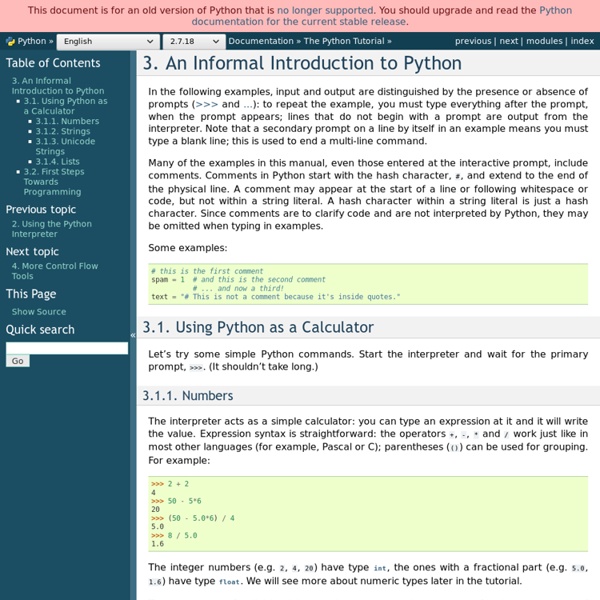
Python Introduction - Google's Python Class - Google Code Prelude Welcome to Google's Python online tutorial. It is based on the introductory Python course offered internally. If you're seeking a companion MOOC course, try the ones from Udacity and Coursera (intro to programming [beginners] or intro to Python). Language Introduction Python is a dynamic, interpreted (bytecode-compiled) language. An excellent way to see how Python code works is to run the Python interpreter and type code right into it. The two lines python prints after you type python and before the >>> prompt tells you about the version of python you're using and where it was built. As you can see above, it's easy to experiment with variables and operators. Python source code Python source files use the ".py" extension and are called "modules." Here's a very simple hello.py program (notice that blocks of code are delimited strictly using indentation rather than curly braces — more on this later!) Running this program from the command line looks like: User-defined Functions
Use Ubuntu Live CD to Backup Files from Your Dead Windows Computer If you’ve ever asked for help with your Windows computer that won’t boot anymore, you’ve probably been told to “Backup all your data and then reinstall”… but if you can’t boot, how can you get to your data? That’s the question we’ll be answering today. One of the easiest methods to access your data is to simply boot off an Ubuntu Live CD… and it’s completely free (except for the cost of a blank cd). Burn an Ubuntu Live CD If you have another computer, you can download and burn the Ubuntu Live CD using a very simple application called ImgBurn. Just open up ImgBurn, and click the icon to “Write image file to disc” Then click on the icon next to “Source”, pick the downloaded ISO file, stick a recordable CD into the drive, and click burn. Now that you have the boot cd (which you should keep in a safe place, as it’s very useful), just stick it in the drive of the computer and boot from it. Once the system has started up, the first thing you want to do is choose Places \ Computer from the menu.
4 Reasons Every Windows User Should Have An Ubuntu Live CD For this reason, I suggest every Windows user keeps a copy of Ubuntu on hand, even if they never intend to switch from Windows. Happily, Ubuntu is completely free to aquire. You can download Ubuntu and burn it yourself, but if that sounds like too much work you can request Ubuntu send you a Ubuntu Live CD for free. That’s right: you’ll get a CD in the mail, completely free of charge. Recover Data From Unbootable System When your Windows system won’t start – not even in safe mode – it’s easy to feel helpless. If you want more information on this particular use for an Ubuntu Live CD, including information on how to burn one, check out Varun’s excellent article How To Back Up Data On Your Computer That Won’t Boot. Run Memtest If your computer crashes from time to time it’s easy to suspect your problem is software related. Just start the CD, being sure to hit “Enter” when you see the keyboard icon on the screen. Find Out About Your Hard Drive Edit Partitions Conclusion What do you think?
Dual Boot Ubuntu and Windows This page describes how to set up your computer in order to dual boot Ubuntu and Windows. Although this may seem obvious, it is important to back up your files to an external backup medium before attempting a dual-boot installation (or any other hard drive manipulation), in case your hard drive becomes corrupted during the process. External hard drives, USB flash drives, and multiple DVDs or CDs are all useful for this purpose. Some computer manufacturers that pre-install Windows provide a Windows recovery/re-installation CD or DVD with the computer. However, many companies no longer ship a physical disc but instead create a hidden partition on the hard drive in which the recovery-disk information is stored. You may need to request a physical recovery/re-installation CD or DVD directly from your computer manufacturer. Once you have created a physical backup disc from a restore-image partition on the hard-drive, the restore-image partition can either be removed or left in place.