

Introductory Guide to regular expressions in JavaScript Introductory Guide to regular expressions Credits: This tutorial is written by Karen Gayda. Modified by JavaScriptKit.com for structure and added additional content/ examples. Introduction Validating user input is the bane of every software developer’s existence. Regular Expressions and Patterns Regular expressions are very powerful tools for performing pattern matches. So how are regular expressions implemented in JavaScript? 1) Using literal syntax. 2) When you need to dynamically construct the regular expression, via the RegExp() constructor. The literal syntax looks something like: var RegularExpression = /pattern/ while the RegExp() constructor method looks like var RegularExpression = new RegExp("pattern"); The RegExp() method allows you to dynamically construct the search pattern as a string, and is useful when the pattern is not known ahead of time. Lets deconstruct the regular expression used, which checks that a string contains a valid 5-digit number, and ONLY a 5-digit number:
Xournal User's manual Xournal User's Manual Version 0.4.8 Xournal is an application for notetaking, sketching, keeping a journal using a stylus. It is free software (GNU GPL) and runs on Linux (recent distributions) and other GTK+/Gnome platforms. It is similar to Microsoft Windows Journal or to other alternatives such as Jarnal and Gournal. Xournal can be downloaded at or Xournal aims to provide superior graphical quality (subpixel resolution) and overall functionality; however various advanced features have not been implemented yet. Table of contents Getting started Xournal's user interface is (hopefully) intuitive, and if you don't run into installation or tablet calibration issues, you'll probably be able to start taking notes without referring to this manual. Refer to the next few sections of this manual for more information about the various functionalities. The drawing and selection tools The pen The eraser The highlighter <? . .
Minify Javascript Online / Online JavaScript Packer The 38 best tools for data visualization It's often said that data is the new world currency, and the web is the exchange bureau through which it's traded. As consumers, we're positively swimming in data; it's everywhere from labels on food packaging design to World Health Organisation reports. As a result, for the designer it's becoming increasingly difficult to present data in a way that stands out from the mass of competing data streams. Get Adobe Creative Cloud One of the best ways to get your message across is to use a visualization to quickly draw attention to the key messages, and by presenting data visually it's also possible to uncover surprising patterns and observations that wouldn't be apparent from looking at stats alone. As author, data journalist and information designer David McCandless said in his TED talk: "By visualizing information, we turn it into a landscape that you can explore with your eyes, a sort of information map. There are many different ways of telling a story, but everything starts with an idea.
7.2. re — Regular expression operations — Python v2.7.5 documentation A regular expression (or RE) specifies a set of strings that matches it; the functions in this module let you check if a particular string matches a given regular expression (or if a given regular expression matches a particular string, which comes down to the same thing). Regular expressions can be concatenated to form new regular expressions; if A and B are both regular expressions, then AB is also a regular expression. In general, if a string p matches A and another string q matches B, the string pq will match AB. This holds unless A or B contain low precedence operations; boundary conditions between A and B; or have numbered group references. A brief explanation of the format of regular expressions follows. Regular expressions can contain both special and ordinary characters. Some characters, like '|' or '(', are special. (Dot.) (Caret.) Causes the resulting RE to match 0 or 1 repetitions of the preceding RE. ab? The '*', '+', and '?' {m} {m,n} {m,n}? (? Note that the (? (? (? (? \number \b
12 Fun Hacks for Getting More Out of YouTube There's no doubt that plain old YouTube can be tons of fun, but when you get bored of watching clips the traditional way, there are a ton of sites that can help enhance the experience. Whether you want to view a video with a far-away friend, compare two clips, or find more interesting ways of browsing and sharing, there are plenty of options out there. The web community is known for creating hacks that improve your surfing experience; now we've dug into some of those tools and hacks built around YouTube. Have a look through our 10 choices and let us know of any other YouTube mashups, hacks, or similar sites and services you've used. We'd love to hear about them in the comments below. 1. This site features a super-simple premise. 2. DragonTape allows you to remix YouTube videos into a seamless mixtape. 3. This "mashup helper" exists "because you have better things to do than work." 4. 5. Enter your choice of keywords into this site and it will create an infinite playlist based on them. 6.
Pré-chargez les pages de votre site Pré-chargez les pages de votre site Si vous voulez améliorer l'expérience utilisateur sur votre site, sachez qu'il est possible de pré-charger les pages de votre site dans le navigateur de l'internaute pour lui afficher de manière plus rapide. Cloudflare et certains plugins WordPress permettent ceci, mais il existe un code JavaScript qui devrait bien aller à tous vos projets. Ce script c'est InstantClick. Attention, il ne va pas exploser votre serveur en préchargeant les 150 pages linkées sur la page courante. Non, il va juste détecter le moment où l'internaute place le curseur de sa souris sur un lien, et commencera à charger la page à l'autre bout de ce lien, avant même que l'internaute ne clique. Ainsi, pour l'internaute, le chargement et l'affichage de la page seront quasi immédiats. Si ce script vous intéresse, sachez qu'il est téléchargeable ici. Vous avez aimé cet article ?
Tous les sites pour trouver des modèles 3D (à imprimer ou non) « Si vous cherchez des modèles 3D à utiliser dans vos créations ou à imprimer, il existe un moteur de recherche baptisé Yobi3D qui propose des milliers de modèles super cools. Les filtres du moteur sont pratiques, car ils permettent de choisir le format, la présence ou non de texture et surtout la "printability", c'est à dire la facilité avec laquelle vous pourrez imprimer un modèle en 3D. Easy,ça veut dire que ça ne demande aucune modification, Medium ça va demander un peu de boulot de réadaptation et Hard ça veut dire que vous allez en baver pour sortir un truc qui ressemble à votre modèle 3D. En tout cas, très cool ce site. Il existe aussi d'autres sites pour récupérer des modèles 3D qui sont assez connus mais que je vous remets aussi ici pour la culture générale : Vente flash -20 % Disque Dur WD My Cloud 3 To à voir chez la FNAC Rejoignez les 55656 korbenautes et réveillez le bidouilleur qui est en vous Suivez KorbenUn jour ça vous sauvera la vie..
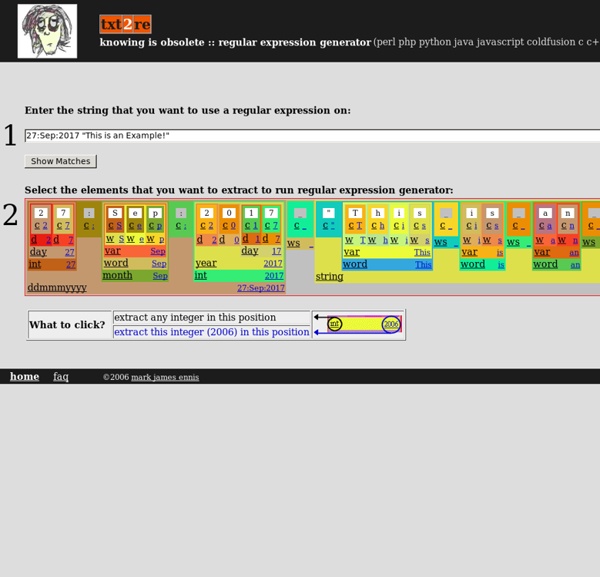
Generateur de REGEX pour PHP etc etc, l'outils indispensable ! by smallpunk Feb 21