

/ / Total 3D - page d'accueil d'artistes La CG - 2D et 3D du site de ressources graphiques / / Learn how to photoshop, design, layout, typography and everything. Tutorials Step 1: Line art I've always been fascinated by realism, and because of this it is really important to me that the base line-art sketch has got proper proportions. I usually use the old trick by putting a grid on top of a reference photo I've shot, and then I copy the same grid onto a blank canvas and start drawing grid by grid from what I see on the reference photo. Step 2: Blocking in, and grey scale shading Once I have the line art version ready, I delete the layer with the grid, and then I make another layer behind the line art drawing which I fill with one grey scale colour using a hard brush. Now I start shading with grey scale tones only by looking closely at the reference photo. Step 3: Brush usage Personally I really like using hard edged brushes as they resemble the traditional brushes in both the way of working and when it comes to the result. next page >
The InDesigner » Podcasts-Video Launch day for Adobe’s Creative Suite 5 is here, and so is my first podcast episode dedicated to the newest version of InDesign. In this episode, I take a look at a number of very cool new features in InDesign CS5. There’s a lot more (see the full list below), but I’ve focused on some of my favorites, including span/split-column paragraphs, multiple page sizes, simplified transformations, metadata captions, the new Layers panel, and animation features (hinted at in my last post). This episode is kind of a a long one, but I’ve included chapter markers so you can quickly jump to the section of the episode (there are five demo segments) you want to see.
Information Architecture as an Extension of Web Design The web professional's online magazine of choice. In: Columns > Information Architecture for the People By Joshua Kaufman Published on February 17, 2005 Both information architects and Web designers can be too presumptuous about what the other does. Web designers have been led to believe that they’re restricted to doing what they’ve always done and should leave the information architecture to the information architects. On one hand, many Web designers don’t understand information architecture’s role within Web design. One consequence of this misunderstanding is that information architecture and Web design are often considered mutually exclusive. While it’s true that everything in Information Architecture for the World Wide Web cannot be learned in a day, there are several information architecture techniques that Web designers can easily learn and apply to all of their projects. Navigation Let’s start with navigation, one of the most loved and hated aspects of Web design. Layout Code
Philippe Tardif - Tutorials: Photoshop, Illustrator, CorelDRAW, PSP, GIMP | Buy Photoshop brushes, Digital Stamps and Design Elements for Commercial Use Illustrator Tutorials Photoshop Tutorials CorelDraw! Other Tutorials (Paint Shop Pro, GIMP, Photoshop Elements, Paint.NET) And, while at it, you might also consider learning a few good photography tricks here -> Comments comments
The Neglected Necessities Of Design - Smashing Magazine Advertisement Right now is an exciting time to be in the Web design community. Every month we seem to stumble on a new thought-provoking way to put our expanding tool set to use for our clients and the patrons of the Web. Many designers are chomping at the bit to litter their websites with new CSS, advanced HTML and ultra-engaging JavaScript. By all means, go out and use every last declaration and element you can get your hands on. Abusing, misusing and taking advantage of everything the Web could possibly offer is the best way to learn about what we can and can’t and should and shouldn’t do in future. Whether you are excitedly exploring responsive design, diving headlong into accessibility, building a typographic masterpiece or seeing what level of interactivity you can achieve, all of your Web-based projects should have a common core. When I say solid HTML, I don’t just mean that it validates as XHTML 1.0 Transitional. More Than Just HTML, CSS And JavaScript Know Your Audience Plan Ahead
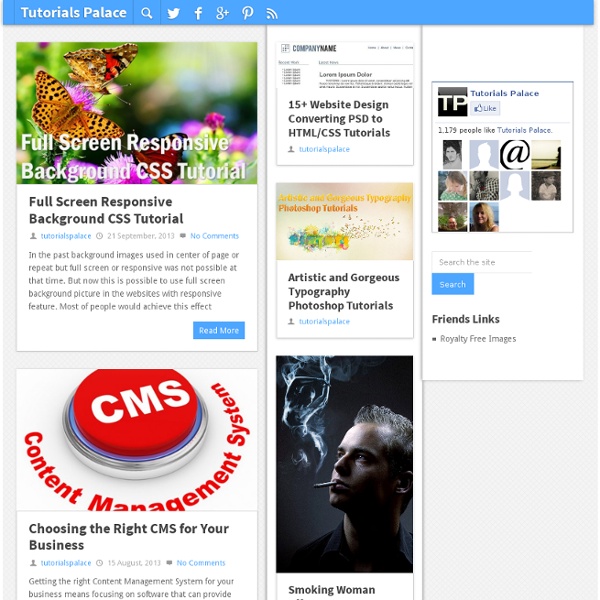
Tutorials Tutorials Upscaling: enlarge your images the right way We all have been there; sometimes a client gives us an image he wants to use for a printed material but the image is at 72 dpis for web › Continue reading Tags: image size, Quick Tip, skin retouch 20 Amazing Web Layout photoshop tutorials and free templates Sometimes we need a start point for our designs. Tags: free images, free vectors, photoshop tutorial Create a Cool Highlight portrait using levels Today we are going to create a wild highlight portrait using levels and blending modes. Tags: color correction, photoshop tutorial How to use shadow highlight to get impressive results In this tutorial we are going to learn how to use the shadow/highlght effect (it is really under adjustments, I don’t know why it is there) to create a boost in your images, intense colors, and a more sculptural look. › Continue reading Tags: color correction Create a deep sea scene in Photoshop Tags: photoshop tutorial Create a Pixel Effect using layer mask
Pantone - PANTONE COLOR MANAGER Software Changing product color... Now with 84 new PLUS SERIES Solid Colors! COLOR MANAGER Software is a robust desktop application that provides the assurance and confidence to use the latest PANTONE Colors accurately. COLOR MANAGER directly integrates values from all of the PANTONE libraries of over 11,000 colors, including the dazzling new PLUS SERIES Colors, PANTONE FASHION + HOME cotton and paper formats and the new PANTONE FASHION + HOME nylon brights into design software programs making it easy to use in your QuarkXPress®, Corel® and Adobe® Creative Suite® design programs. Learn More: Update PANTONE Libraries in Adobe and other applications with PANTONE Color ManagerRead FAQ >>