

Les propriétés CSS :nth-child et :first-child Afin de styliser en CSS une liste d’éléments, que ce soit pour la navigation de votre site web ou pour une liste dans vos contenus, vous pouvez utiliser un « ID » différent pour chacun de vos items. Cependant, cela aura comme inconvénient de vous créer plusieurs lignes de codes qui auraient pu être évitées à l’aide de différentes propriétés telles que :nth-child, :nth-of-type, :first-child et :last-child. Ces propriétés sont également très utiles lorsque vous avez une liste avec énormément d’éléments. Voici un article illustrant à merveille l’utilisation de chacune de ces propriétés CSS dans différents contextes afin d’avoir un contrôle absolu sur vos listes HTML. L’article suivant a été écrit par Chris Coyier du site web CSS-Tricks.com Sélectionner seulement le 5e élément Si vous devez sélectionner seulement le 1er élément de la liste, vous pouvez utiliser ceci li:first-child ou tout simplement li:nth-child(1). Tout sélectionner sauf les cinq premiers Sélectionner seulement les cinq premiers
QR Code Generator – create QR codes for free (Logo, T-Shirt, print, commercial usage allowed) The figure & figcaption elements In traditional printed material like books and magazines, an image, chart, or code example would be accompanied by a caption. Before now, we didn’t have a way of semantically marking up this sort of content directly in our HTML, instead resorting to CSS class names. HTML5 hopes to solve that problem by introducing the <figure> and <figcaption> elements. Let’s explore! The <figure> element The <figure> element is intended to be used in conjunction with the <figcaption> element to mark up diagrams, illustrations, photos, and code examples (among other things). The figure element represents a unit of content, optionally with a caption, that is self-contained, that is typically referenced as a single unit from the main flow of the document, and that can be moved away from the main flow of the document without affecting the document’s meaning. The <figcaption> element The <figcaption> element has been the subject of much debate. Using <figure> and <figcaption> Figure with an image The code:
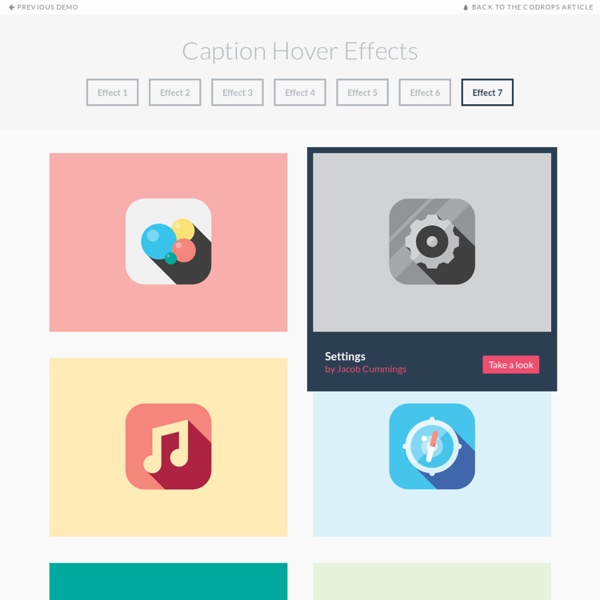
Root Path of your HTML directory for script links UI Elements - Free UI Elements from Around the Internet Caption Hover Effects - Demo 1 Previous Demo Back to the Codrops Article Introduction to CSS3 Transitions - Eternal Coding A good-looking application must provide user with visual feedback. User must always know that an order (a click, a tap or whatever) is well received and understood by the application and animations are a great tool to do so. The new HTML 5 specification (to be honest, I should say “the new CSS 3 specification”) introduces a great tool to handle simple animations: the transitions. According to “CSS Transitions Module Level 3” specification on W3C site, CSS3 Transitions allows property changes in CSS values to occur smoothly over a specified duration. The aim of this article will be to first describe the concept of transitions and then to see how CSS3 Transitions works and how we can handle browsers that don’t support the feature: In addition, I suggest you to read the “Introduction to CSS3 Animations” (by David Rousset) which is an excellent companion for this article. To launch a game, just click on “Mix it!” The code of this game is available here. Introduction Declarations Delay Events
Search Animated GIFs on the Web - Giphy 25 Best Examples of Flat UI Design Websites Flat Design is a new trend labeled by the community as an interface striking similar to Windows 8 and Microsoft’s Metro UI because it leaves behind drop shadows, subtle textures and gradients in favour of solid colours, clean layouts and sharp typography. This post showcases 25 great website designs that all exhibit popular traits of the flat design trend. Layervault Lorenzo Verzini Spelltower Invoisse Built By Buffalo Foundation Framework Futureal Bundle Oak.is Hundreds 2012 Year on Twitter Combadi Lowdi Into the Arctic Designed to Move Concrete Matter Data Driven London Build 2012 Squidee Simone Marcarino Prophets OnSite Interactive Advent Calendar Future Insights Live 2013 Fhoke Etch Allonger temps session ? Allonger temps session ? quinto: Quote from: shadown on June 08, 2010, 08:47:17 AM Je suis chez OVH en mutualisé. J'ai déjà trouvé des tutoriels sur le Web pour modifier le php.ini mais la quantité d'infos à assimiler et bien trop importante pour cette seule modification. En attendant, si tu as une solution à base de htaccess, je prends ! Merci. Bin en fait j'en ai besoin aussi car j'ai voulu faire des modifs une fois sur une page et j'ai dépassé le délais de 20 minutes, résultat j'ai perdu mes modifs... J'ai fait des tests ce matin avec MAMP (mon serveur sur MAC) et j'ai augmenté le temps de session seulement quand on se trouve dans la partie administration simplement en plaçant un fichier .htaccess dans le répertoire admin de websitebaker. Le contenu du .htaccess pour une heure correspond à ça :Code: <IfModule mod_php5.c>php_value session.cookie_lifetime "3600"php_value session.gc_maxlifetime "3600"php_value session.cache_expire "180"</IfModule> shadown: Cool ! Cool ! Navigation