

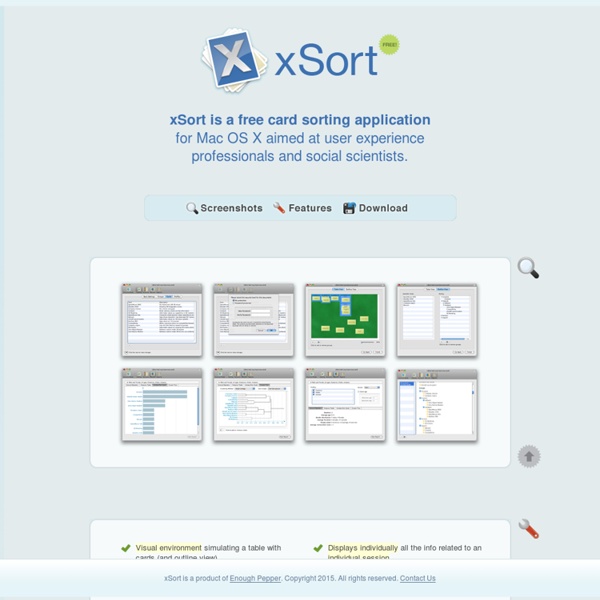
WebCAT: Información general WebCAT is a variation on traditional card sorting techniques. Its process of categorizing and analyzing information is interactive. First, the usability engineer uses the WebCat setup interface to specify the design of an experiment; she provides the names of the items, a category method, instructions for the subjects, a description of the study, and a variety of other options. The usability engineer can view the collected data at any time using a new interface which implements a clustering algorithm.
Método de test con usuarios 9 de Diciembre de 2003 Hassan Montero, Yusef Martín Fernández, Francisco J. Resumen: Explicación de qué son los tests de usuarios, e indicaciones acerca de por qué, cuándo y cómo llevarlos a cabo. Qué es Es una prueba de usabilidad que se basa en la observación y análisis de cómo un grupo de usuarios reales utiliza el sitio web, anotando los problemas de uso con los que se encuentran para poder solucionarlos posteriormente. Cuándo llevarlo a cabo "Cuanto más tarde, peor." Como toda evaluación de usabilidad, cuanto más esperamos para su realización, más costoso resultará la reparación de los errores de diseño descubiertos. Esto quiere decir que no sólo debemos realizar este tipo de pruebas sobre el sitio web una vez implementado, sino también, sobre los prototipos del sitio. "Siempre, después de una evaluación heurística" Por qué son realmente útiles "Es una demostración con hechos" "Cada sitio web es un mundo" Tipos de test Realización de un test Reclutar a los participantes Local y materiales
Usabilidad y Analítica Web Portada > Artículo N.D. - Pere Rovira Samblancat Resumen: Testeo con usuarios, card-sorting, personajes, prototipado,… son las típicas técnicas de usabilidad. Sin embargo, raramente se habla del potencial de las técnicas de analítica web para mejorar la usabilidad de un sitio web. Debate (57 comentarios) | Valoración media: 2,96 | Votos: 4063 | Lecturas: 33466 ¿Qué es la analítica web? La analítica web consiste en grabar y analizar los datos de navegación de los usuarios en un sitio web. Google Analytics Omniture SiteCatalyst XiTi Nedstat Visual Sciences WebTrends ClickTracks Clickdensity ¿Qué mide la analítica web? Las principales medidas (métricas) de cualquier herramienta de analítica web son: Páginas vistas Usuarios Únicos Visitas Tiempo de navegación Otros datos que manejan algunas herramientas de analítica web son: Analítica web y Usabilidad ClickMap A/B Testing Análisis de formularios Rutas de navegación ClickMap A/B Testing Podremos así sacar conclusiones acerca de: Análisis de formularios
Eye-Tracking en Interacción Persona-Ordenador 28 de Octubre de 2007 Hassan Montero, Yusef Herrero Solana, Víctor Resumen: Aproximación al concepto, funcionamiento y ventajas del eye-tracking como herramienta de evaluación objetiva de usabilidad. Se analizan también las problemáticas que surgen en la interpretación de los resultados, así como la evolución de su uso en la práctica profesional y la investigación científica en Interacción Persona-Ordenador. Introducción El concepto de eye-tracking hace referencia a un conjunto de tecnologías que permiten monitorizar y registrar la forma en la que una persona mira una determinada escena o imagen, en concreto en qué áreas fija su atención, durante cuánto tiempo y qué orden sigue en su exploración visual. Las técnicas de eye-tracking tienen un gran potencial de aplicación en una amplia variedad de disciplinas y áreas de estudio, desde el marketing y la publicidad hasta la investigación médica o la psicolingüística, pasando por los estudios de usabilidad. Funcionamiento Figura 1. Figura 2.
No Solo Usabilidad : Revista de Diseño Web Centrado en el Usuario Puntos de entrada y jerarquía visual en las páginas de inicio: el caso de Hotelius Portada > Artículo 06-02-2006 - Armando Fidalgo Resumen: Destacar las tareas prioritarias, con una localización espacial adecuada y con una jerarquía visual clara que dirija la mirada de los usuarios, es esencial en el diseño eficiente de las páginas de inicio de las compañías. Debate (2 comentarios) | Valoración media: 3,01 | Votos: 5323 | Lecturas: 20667 Algunos usuarios, al llegar a la página de inicio de determinados sitios web, no saben qué hacer o no saben por dónde empezar para alcanzar el objetivo por el que están allí. Los usuarios al llegar a una página de inicio, por lo general eligen la primera opción que piensan que les conducirá hacia los objetivos que desean cumplir. Para comentar estos aspectos utilizaremos dos páginas de inicio del sitio web Hotelius, la página anterior al reciente rediseño y la propuesta de rediseño realizada por Usolab, en la que se ha basado el rediseño actual. Puntos de entrada claros Reducir o eliminar el ruido visual o elementos innecesarios
Usability 101: Definition and Fundamentals - What, Why, How This is the article to give to your boss or anyone else who doesn't have much time, but needs to know the basic usability facts. What — Definition of Usability Usability is a quality attribute that assesses how easy user interfaces are to use. The word "usability" also refers to methods for improving ease-of-use during the design process. Usability is defined by 5 quality components: Learnability: How easy is it for users to accomplish basic tasks the first time they encounter the design? There are many other important quality attributes. Usability and utility are equally important and together determine whether something is useful: It matters little that something is easy if it's not what you want. Definition of Utility = whether it provides the features you need.Definition of Usability = how easy & pleasant these features are to use.Definition of Useful = usability + utility. Why Usability Is Important On the Web, usability is a necessary condition for survival. How to Improve Usability
ATAG general Quick links: ATAG at a Glance, ATAG 2.0 Candidate Recommendation, Implementing ATAG 2.0, ATAG 1.0, Authoring tools are software and services that "authors" (web developers, designers, writers, etc.) use to produce web content (static web pages, dynamic web applications, etc.). Examples of authoring tools are listed below under "Who ATAG is for". The Authoring Tool Accessibility Guidelines (ATAG) documents explain how to: make the authoring tools themselves accessible, so that people with disabilities can create web content, and help authors create more accessible web content — specifically: enable, support, and promote the production of content that conforms to Web Content Accessibility Guidelines (WCAG). ATAG is part of a series of accessibility guidelines, including the Web Content Accessibility Guidelines (WCAG) and the User Agent Accessibility Guidelines (UAAG). Who ATAG is for ATAG is primarily for developers of authoring tools, including the following types of authoring tools:
UAAG general For Browsers, Media Players, and other "User Agents" Quick links: UAAG 1.0, UAAG 2.0 Working Draft User Agent Accessibility Guidelines (UAAG) The User Agent Accessibility Guidelines (UAAG) documents explain how to make user agents accessible to people with disabilities, particularly to increase accessibility to Web content. User agents include Web browsers, media players, and assistive technologies, which are software that some people with disabilities use in interacting with computers. UAAG is part of a series of accessibility guidelines, including the Web Content Accessibility Guidelines (WCAG WG) and the Authoring Tool Accessibility Guidelines (ATAG). Who UAAG is for UAAG is primarily for developers of Web browsers, media players, assistive technologies, and other user agents. UAAG and supporting resources are also intended to meet the needs of many different audiences, including policy makers, managers, and others. What is in UAAG 1.0 Technical document format UAAG Versions: 1.0 and 2.0
Componentes esenciales de accesibilidad Web This document shows how Web accessibility depends on several components working together and how improvements in specific components could substantially improve Web accessibility. It also shows how the WAI guidelines address these components. Introduction It is essential that several different components of Web development and interaction work together in order for the Web to be accessible to people with disabilities. These components include: content - the information in a Web page or Web application, including: natural information such as text, images, and sounds code or markup that defines structure, presentation, etc. How the Components Relate Web developers usually use authoring tools and evaluation tools to create Web content. People ("users") use Web browsers, media players, assistive technologies, or other "user agents" to get and interact with the content. The Implementation Cycle When One Component is Weak W3C technical specifications (HTML, XML, CSS, SVG, SMIL, etc.)
Comprensión de conformidad | Comprendiendo las WCAG 2.0 All WCAG 2.0 Success Criteria are written as testable criteria for objectively determining if content satisfies them. Testing the Success Criteria would involve a combination of automated testing and human evaluation. The content should be tested by those who understand how people with different types of disabilities use the Web. Testing and testable in the context refer to functional testing, that is verifying that the content functions as expected, or in this case, that it satisfies the Success Criteria. Although content may satisfy all Success Criteria, the content may not always be usable by people with a wide variety of disabilities. Therefore, usability testing is recommended, in addition to the required functional testing. What does conformance mean? Conformance to a standard means that you meet or satisfy the 'requirements' of the standard. Note: This means that if there is no content to which a success criterion applies, the success criterion is satisfied. 1. 2. 3. 5.
Introducción a Comprender las WCAG 2.0 | Comprendiendo las WCAG 2.0 Understanding WCAG 2.0 is an essential guide to understanding and using "Web Content Accessibility Guidelines 2.0" [WCAG20] Although the normative definition and requirements for WCAG 2.0 can all be found in the WCAG 2.0 document itself, the concepts and provisions may be new to some people. Understanding WCAG 2.0 provides a non-normative extended commentary on each guideline and each Success Criterion to help readers better understand the intent and how the guidelines and Success Criteria work together. It also provides examples of techniques or combinations of techniques that the Working Group has identified as being sufficient to meet each Success Criterion. This is not an introductory document. Understanding WCAG 2.0 is organized by guideline. The Understanding Guidelines X.X section is then followed by a Understanding Success Criterion X.X.X section for each Success Criterion of that guideline. Understanding the Four Principles of Accessibility Layers of Guidance The Guidelines