

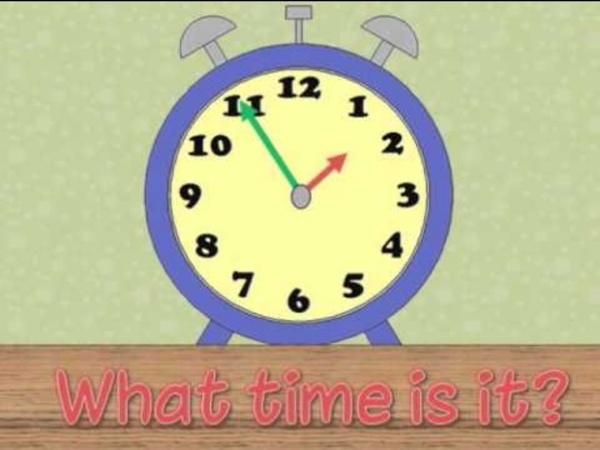
Ciao a tutti! Telling the Time in English You can set this page as a homework task for a group of students; doing so will give you a record of who has completed the task. Visit the teachers' section for more information. You can share this page by using the link below. This is a mini-game to learn and practice telling the time in English. The first screen shows an analog clock displaying a time - initially 9 o'clock - and a pane below showing the matching time phrase. On the second screen there is a mini-game. While playing the game, a cat is displayed in the bottom left of the screen, with a bridge infront of her. The target language is time phrases, specifically: Half past, quarter past, quarter to, five past/to, ten past/to, twenty past/to, twenty-five past/to. These were chosen as they are the main phrases used to tell the time. The aim of this game is to practice, or initally explore and learn, telling the time in English. Leave any comments you like below.
Sheppard Software: Fun free online learning games and activities for kids. Des idées d'appréciations pour vos bulletins scolaires (exemples) Vous n’avez pas d’idées pour remplir vos bulletins ? Vous cherchez un catalogue d'appréciations ? Cette page peut vous aider. J'ai essayé de classer les appréciations par trimestre puis par leur signification. Le but n'est pas de mettre les élèves dans des cases, mais juste de donner des idées d'appréciations selon le profil de l'élève. Pour rechercher un mot dans la page, utilisez la fonction de votre navigateur (Ctrl + F) Voici des petits liens pour vous repérer dans la page : 1er trimestre Mauvais trimestre, manque de travail X a beaucoup de difficultés dues à des lacunes mais aussi à un manque de travail qui ne permet pas de les combler. Le travail de X n'est pas assez soutenu pour qu'elle prétende à de meilleurs résultats. Un début d'année catastrophique, dû à une absence totale de travail personnel. Je me demande si X a ouvert un cahier depuis le début de l'année. Les résultats sont insuffisants et la participation quasiment inexistante. Un trimestre en dents de scie. Trimestre décevant
Video Backgrounds for Teachers (FREE Download) Who would have thought we would be in this world of managing digital learning? There are so many new skills and programs that teachers are having to navigate, learn, and utilize to provide the best possible education for students learning from home. Schools are adopting and repurposing a number of platforms for home learning, such as Microsoft Teams, Seesaw, Zoom, Google Meet, YouTube, and even Teach Starter’s very own Lesson Builder program. Make your classroom buzz! Subscribe to Teach Starter and access thousands of curriculum-aligned resources and digital learning tools. Get Started If you haven’t worked out what you’re using yet, our Lesson Builder program may be just what you’ve been searching for! Shutterstock.com / mirtmirt While recording a lesson to a computer screen with no students seems completely unnatural to teachers, it’s important to grab this as an opportunity to get creative and try some new inventive ways to teach our students. How to Record a Teaching Video in Zoom?
34 outils interactifs pour l'école Dernière mise à jour le 26 septembre 2021 Je viens de tester le logiciel « 34 outils interactifs pour l’école » réalisé par Christophe Gilger et édité par Génération 5, je vous le recommande. Il s’agit d’un logiciel multi-plate-forme Mac et PC à utiliser avec un vidéoprojecteur ou mieux encore avec un TNI pour réaliser des activités interactives avec vos élèves en école primaire ou en enseignement personnalisé. Si vous avez un tableau numérique et que vous avez des difficultés à tirer profit de son usage interactif, ce CD Logiciel est un vrai bonheur. Chaque activité est complétée par une boîte d’utilitaires (crayon, surligneur, couleurs) pour annoter les écrans. La réalisation est impeccable et plusieurs de ces 34 outils vont vite vous devenir indispensables. Du bon travail et l’on voit bien que l’auteur sait de quoi il parle. Le logiciel 34 outils interactifs pour l’école coûte 89 EUR. Lien: 34 outils interactifs pour l’école. E-Rituels pour la maternelle Lien: e-Rituels en maternelle.