

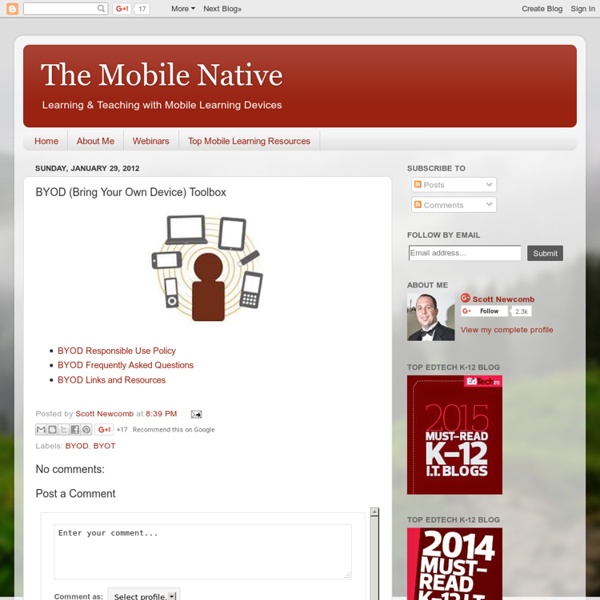
The Great Piggy Bank Adventure Financial Education Game | T. Rowe Price & Disney Teachers Quick Guide to BYOD BYOD is the catch phrase in the 2012 educational technology spheres. This acronym stands for " Bring Your Own Device ", I am pretty sure you might have heard of this new trend because wherever you turn you hear people talking about embracing it.We have already written a detailed guide on everything teachers need to know about BYOD but today we came across this awesome infographic in Cool infographics that sheds more light on this new trend. Have a look at it and share with us your suggestions. 30 Sites for Students Who Finish Early! #elemchat Web 2.0 Resources for BYOT Programs | A Teacher's Coda As my school district prepares to implement BYOT in the 2012-2013 school, I have collected Web 2.0 tools that students and faculty (grades 7-12) could use. Because of the sheer number of apps for mobile devices, I have not included any apps. Recommendations would be greatly appreciated! Leave a comment with your recommendations! Thank you!! Agriculture: “10 Best Mobile Agriculture Apps For 2012″ Art: Audio: Audacity (Audio editor and recorder)Cepstral Text to SpeechVocaroo (Online voice recording) Blogging: Business: Cloud Storage: Collaboration Tools: Collections of Resources: Communications: Cel.ly (Many uses communications, polling…) NEWCreateDebateGoSaopBoxGroupMe (Send one text message to a group)Make Beliefs Comic (Create a comic strip)Remind 101 (Send mass text messages to students)SkypeTodaysMeet (Create a temporary site to promote discussion)Voki (Create speaking Avatars) Flash Cards: Foreign Language: General Information on Education and Educational Technology: TED-Ed Lessons History: Music:
Mathsduck.co.uk - number games Factors, Multiples & primes Factors & Multiples Highest Common Factor & Lowest Common Multiple Prime numbers and Product of Prime Factors Place value etc Integers Place value Reciprocals Rounding & estimating Rounding numbers & quantities Rounding to decimal places Rounding to significant figures Rounding to decimal places & significant figures Estimating Maximum & minimum values Decimals Adding & Subtracting decimals Multiplying decimals Dividing decimals Converting between fractions & decimals Converting between recurring decimals & fractions Fractions Arranging fractions Equivalent fractions Fractions of quantities One quantity as a fraction of another Adding and subtracting fractions Dividing by fractions Negatives Adding & Subtracting negatives Multiplying and Dividing negatives Surds Simplifying surds
First 5 Lessons Learned In Our First Year Of BYOT | BYOT or Bring Your Own Technology is off to a rousing start in our District and at the high school where I serve as a Campus Technology Integration Specialist. As the year winds to an end, I thought I would share some of the first lessons that were learned. You should know that our high school is large with over 160 teachers and 2500 students. If you are beginning or about to begin your own BYOT/BYOD push, this may provide something to help in your process. Lesson 1 - Get administration on board! These folks are critical. Lesson 2 – Do Your Homework! Take some time and find out what’s already known about BYOT/BYOD! Lesson 3 – Form a campus BYOT Cadre! Invite faculty and staff from your campus to join the BYOT Cadre and build ownership in the process. Lesson 4 – Build a carefully considered BYOT Acceptable Use Policy! All stakeholders benefit from the creation of a well-designed BYOT/BYOD Acceptable Use Policy. Lesson 5 – Squash the idea that BYOT is ONLY project-based!
Flame Painter | free online paint program Flame Painter Gallery Flame Painter is a unique paint program, it belongs to my 'I am an Artist' experimental project. I think with tools which inspires you, everyone can be an artist. You can try it here, change different brush settings and paint your own flame paintings. Tools: Click here for Flame Help in German . COLOR - brush color SATURATION - brush saturation OPACITY - brush opacity C - color cycling [ on | off ] P - color per pixel [ on | off ] FADE - fade in/out [ on | off ] SIZE - brush size SOFT - brush softness CENTER - global forces FOCUS - local forces CHAOS - very chaotic parameter NOISE - crazy noise parameter ERASER - eraser tool SAVE - opens painting in a new popup window for saving (press Right Button > Save Picture As...) Keyboard Shortcuts: [ spacebar ] - clear screen [ Z ] - undo / redo last step Flame Painter Online License Agreement: Flame Painter Online is a free application, which can be used for personal, non-commercial or non-profit activities. Save Picture:
20 BYOD Resources For The 21st Century Schools by Hope Mulholland, TeachThought Intern BYOD policies–Bring Your Own Device–allow schools to bring technology into the classroom with a “bottom-up” approach. Such an approach can save money, allow students to use their own devices, and encourage a student-centered approach to learning. Recently we explained that “digital natives or not, technology dropped into the laps of students in schools isn’t always as accessible as it might be. By allowing students to bring in their own devices for learning–rather than insisting that they learn both content and device in school–there is an important opportunity to connect with not just their personal lives, but their natural way of doing things.” Below is a list of 20 resources to help you get started with BYOD in your school or classroom. Articles about BYOD 1. 2. 3. 4. 7 Tips for Establishing a Successful BYOD Policy – 5. 6. 7. 8. 10 Reasons To Consider BYOD In Education – This TeachThought article looks at 10 of the most common benefits of BYOD.
Create Something. Donate Login Remember Me Create An Account Forgot Password // Provide alternate content for browsers that do not support scripting // or for those that have scripting disabled. Join Now Hot Shiny "Do"by Misterx|43|Favorite? Free Falling (Green)by Leaflady|0|Favorite? asu (68)by Durgunsu|1|Favorite? Tom Hayden 1939-1916by Calypso rose|0|Favorite? Scatter....by Pennycandy|1|Favorite? Midnight Starby Maurie|3|Favorite? Free Fallingby Leaflady|1|Favorite? (204)by Bluegirl|2|Favorite? Strangers in Spaceby Leaflady|1|Favorite? Whoooo? About Myoats Read More Myoats is a community where people create designs using an online drawing application. New view more GRAPE-NUT LACEYby Robinrebornart HOT HEARTS ART-MEby Robinrebornart Morn. comes Early :(by Vonzeppelin PERI-WINK-LE BLUE'Sby Robinrebornart GrooveIsInTheHeart (2)by Bluegirl Electric linesby Tsm faker BLACK DIAMOND HIGHby Robinrebornart Doodlesby Rampuero (186)by Bluegirl Frost (2)by Rampuero view more How To Create Watch Tutorials Follow Us ?
Building an Effective School BYOD Plan