

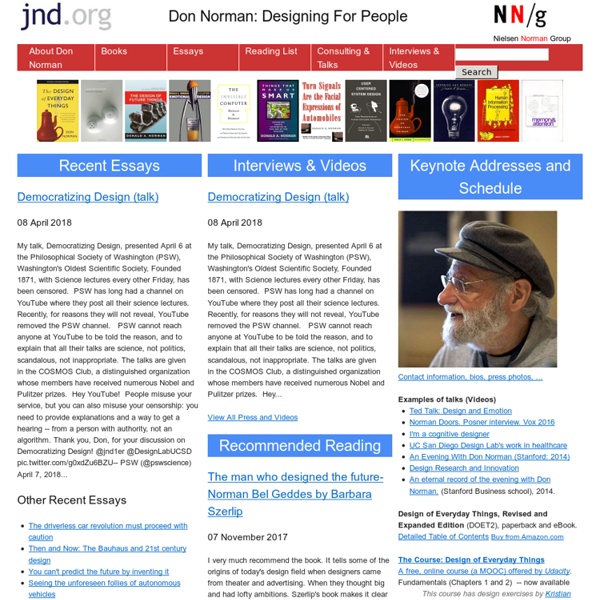
Don Norman - The Design of Everyday Things The Design of Everyday Thingsby Donald Norman Norman, D. A. (1988). The Design of Everyday Things. New York: Doubleday. A popular book that will motivate the importance of human factors in the design of everything we use. Jump To: About the author: Donald Norman wrote this book and “The Invisible Computer”. Reason for writing the book: Donald Norman wrote the book for many reasons. (top) Summary of the Book: Chapter 1: The Psychopathology of Everyday Things Chapter 2: The Psychology of Everyday Actions People feel bad, sorry, frustrated, stupid for not knowing how to operate mechanical things, especially if the task appears to be trivial The world, and everyday things, are filled with misconceptions Aristotle's naive physics - our 'naive' way of explaining the phenomenon we witness in everyday life - often very practical but incorrect. Chapter 3: Knowledge in the Head and in the World (Memory) Chapter 4: Knowing What to Do Chapter 5: To Err Is Human Chapter 6: The Design Challenge
useit.com: Jakob Nielsen on Usability and Web Design Here Are All 56 Finalists In Our 2012 Innovation By Design Awards Design isn’t the gloss applied at the end of the innovation process. Design is the innovation process itself. It begins with a keen insight into how people live and what they need; ideally, it ends with a product or service that’s so intuitive that it seems inevitable. It’s in that spirit that we present our first Innovation By Design Awards. Culling this group wasn’t easy. And as you dip into the projects that follow, we hope you’ll be as inspired as we were. Transportation The finalists range from an electric bike by Ideo to the new Ford Fusion. Consumer Products Many of the finalists suggest entirely new sorts of product ecosystems, such as the BioLite CampStove and the Nike+ Fuelband. 2-D Design Our judging panel leaned heavily away from traditional branding and 2-D design, and put a focus on disruptive innovations in data visualization. Service Design The finalists range from a clever hack that converts charity into impulse buys to the UPS package-delivery overhaul we’ve always wanted.
Web Style Guide, 2nd Edition Infographic: 50 People Shaping The Future Of Design In our design issue last year, the Co.Design 50 laid out 50 of the most influential designers in America. This year, as a sequel, we took it upon ourselves to highlight 50 people who are shaping the future of design. That sounds like a funny task. But our staff was after people pushing the boundaries of their discipline into promising new directions. Thus, you’ll find people like Jochen Zeitz, the chief sustainability officer overseeing PPR’s myriad brands, which include Puma and Gucci. You’ll find Evan Sharp, the cofounder of Pinterest, which just might be the next big paradigm in online shopping. Click to enlarge. We think that if you look at the ideas each one of these people represents, you’ll find a broad narrative about how design is changing--how businesses are using design in surprising ways, how our interactions with computers and handheld devices are evolving, and how high-tech processes are working their ways into once-static disciplines. Part 1 Part 2 Part 3 Part 4 Part 5
Boxes and Arrows: The design behind the design Research Internship - Collaborations Autodesk Research Internship Program Autodesk research has a thriving internship program and we are always looking for bright and motivated researchers to join our team. Typically interns are graduate-level university students from areas of computer science which relate to our research interests. Our internship program provides students with an incredibly valuable opportunity to apply, broaden, and strengthen their own research skills, working closely with our team of experienced computer science researchers. Please apply here if you are interested in doing exciting research at Autodesk. Selected Publications Autodesk Research prides itself on providing an open and encouraging environment for interns to participate and contribute to the research and publications from the various groups and projects. James McCrae, Michael Glueck, Tovi Grossman, Azam Khan & Karan Singh. (2010). Download PDF | Watch Video | Details Download PDF | Details Best paper award nominee Invited Paper
The Principles of Design The web professional's online magazine of choice. In: Columns > Design in Theory and Practice By Joshua David McClurg-Genevese Published on June 13, 2005 Starting with the Basics This column is about Web design—really, it is—though it may at times seem a bit distant and distracted. We can group all of the basic tenets of design into two categories: principles and elements. Web design is a relatively new profession compared to other forms of design, due to the youth of our medium. How Does Web Design Fit In? I tend to define Web design as being one of many disciplines within the larger field of design (a peer to print design, industrial design, interior design, etc.). The first three articles of this column will be dedicated to unearthing these universal gems of insight so that we may better understand our profession. The Principles of Design There are many basic concepts that underly the field of design. Let’s begin by focusing on the principles of design, the axioms of our profession. Rhythm
Image and Meaning -- How to Participate A note from organizer Felice Frankel: Below is an example of participation requirements for the next Image and Meaning workshop, now being planned. When announced, the following will be required: There will be a $150.00 fee, for all non-Harvard participants, to cover costs. Please submit the requested material below in the "Submission Requirements" section in order to be considered for attendance. In addition, it is essential to balance the groups according to scientific discipline. Please submit the following to Ruth Goodman, our Program Manager: im2[dot]xworkshops[at]gmail[dot]com. Submissions that do not include all requested materials will not be considered. Two (2) pages: in unlocked PDF format only Page dimensions: 8.5 x 11" (horizontal or vertical) PDF file size: between 400K and 2MB, for adequate screen and print resolution; use high-resolution (300 dpi) jpegs for your images Deadline: Date TBA Examples of the Page 1 portion of submission may be found here:
10 Principles Of Effective Web Design - Smashing UX Design Advertisement Usability and the utility, not the visual design, determine the success or failure of a web-site. Since the visitor of the page is the only person who clicks the mouse and therefore decides everything, user-centric design has become a standard approach for successful and profit-oriented web design. After all, if users can’t use a feature, it might as well not exist. We aren’t going to discuss the implementation details (e.g. where the search box should be placed) as it has already been done in a number of articles; instead we focus on the main principles, heuristics and approaches for effective web design — approaches which, used properly, can lead to more sophisticated design decisions and simplify the process of perceiving presented information. Please notice that you might be interested in the usability-related articles about 10 Usability Nightmares1 and 30 Usability Issues2 we’ve published before,we’ll cover more principles of effective design in our following posts. 1.
Interactive My Plate Tool- Free Interactive Nutrition Tools For Parents-USDA My Plate Healthy Messages On this page:USDA My Plate Parents- Interactive USDA My Plate Balanced Meal Messages Use your mouse to scroll over parts of My Plate. USDA My Plate Click here to launch the My Plate Some tools may take longer to load, thank you for your patience. Have your child try the chlldren's version of the talking My Plate System Requirements: A high-speed Internet connection is recommended.
Website Usability Checkliste » webhelps! Online Marketing Blog Eine Checkliste zur Website Usability bzw. Benutzerfreundlichkeit von Webseiten? Warum ist in benutzerfreundliche Webseiten zu investieren? Sie verkaufen besser! Den Besuchern werden weniger Hürden in den Weg gelegt, um zum Kauf/Lead-Abschluss zu gelangen. Alles klar? (1) Zugänglichkeit Dieser Teil der Website Usability Checkliste enthält Tipps, wie Sie die Besucher länger auf Ihrer Webpage halten können, ohne einen großen Aufwand zu betreiben. Angemessene Ladezeit Wenn es eine Ewigkeit dauert bis eine Seite geladen ist, verlassen die Nutzer die Webpage. Kontrast zwischen Text und Hintergrund Dunkelgrauer Text auf einem hellgrauen Hintergrund mag stilvoll sein, ist jedoch nur schwer zu lesen. Leichte Lesbarkeit durch Schriftgröße und Zeichenabstand Die Meinungen über die passende Schriftgröße gehen weit auseinander. Flash und Add-ons nur sparsam benutzen Egal wie gut die Seite ist, niemand wird 5 Minuten warten bis ein Plug-in geladen ist. (2) Identifizierung (3) Navigation (4) Inhalt
70 Things Every Computer Geek Should Know. The term ‘geek’, once used to label a circus freak, has morphed in meaning over the years. What was once an unusual profession transferred into a word indicating social awkwardness. As time has gone on, the word has yet again morphed to indicate a new type of individual: someone who is obsessive over one (or more) particular subjects, whether it be science, photography, electronics, computers, media, or any other field. A geek is one who isn’t satisfied knowing only the surface facts, but instead has a visceral desire to learn everything possible about a particular subject. A techie geek is usually one who knows a little about everything, and is thus the person family and friends turn to whenever they have a question. If you’re that type of person and are looking for a few extra skills to pick up, or if you’re a newbie aiming to get a handhold on the honor that is geekhood, read on to find out what skills you need to know. How to become a real computer Geek? 1. 2. 3. 4. 5. 6. 7. 8. 9.