

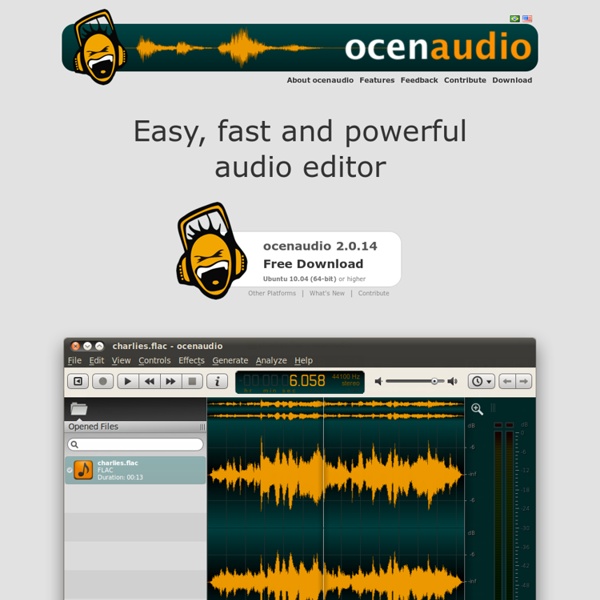
Audacity: Free Audio Editor and Recorder TodaysMeet Calm Thunder Storm 1. Choose a sound In order for nature sounds to start playing choose a sound from drop-down box for one channel and drag the volume slider up. 2. Add more sounds You can add more nature sounds to composition by choosing other sounds in other channels. 3. Pan the channel (with horizontal slider) to the left or to the right for stereo effects. 4. If you want the sound volume to fluctuate instead of playing continuously, click on a drop-down box with a green line and choose one of interrupted lines. 1. In order for nature sounds to start playing choose a sound from drop-down box for one channel and drag the volume slider up. 2. You can add more nature sounds to composition by choosing other sounds in other channels. 3. Pan the channel (with horizontal slider) to the left or to the right for stereo effects. 4. If you want the sound volume to fluctuate instead of playing continuously, click on a drop-down box with a green line and choose one of interrupted lines.
ImageBase, free images, public domain, free photos Electronic 1-20 of 39022Per Page: 01 / 02 / 03 / 04 / 05 / 06 / 07 / … / 1952 / NEXT » How to Organize Your Entire Life with Trello internetarchive 0.6.6 A python interface to archive.org. A python interface to archive.org This package installs a CLI tool named ia for using archive.org from the command-line. It also installs the internetarchive python module for programatic access to archive.org. Please report all bugs and issues on Github. Installation You can install this module via pip: pip install internetarchive Alternatively, you can install a few extra dependencies to help speed things up a bit: pip install "internetarchive[speedups]" This will install ujson for faster JSON parsing, and gevent for concurrent downloads. If you want to install this module globally on your system instead of inside a virtualenv, use sudo: sudo pip install internetarchive Configuring You can configure both the ia command-line tool and the Python interface from the command-line: $ ia configure You will be prompted to enter your Archive.org login credentials. Command-Line Usage Help is available by typing ia --help. Downloading To download the entire TripDown1905 item:
BLUE VERTIGO | Web Design Resources Links | Last update APR.05.2015 What Music Really Is, What Is It, and What It Is Not By Bo Constantinsen, author of WhatMusicReallyIs.com The “Research” section on this website [WhatMusicReallyIs.com] represents the in-the-making process of the What Music Really İs manual as an interactive presentation, book, and featured documentary. It wishes to be the scientific & mystical knowledge base on the science of music: harmonics, sound, acoustics, tuning and all else related. “What Music Really İs” is a statement. It is not a question, and not a theory. It is a fact. All the concepts presented here are not the result of historical practice, do not adhere to any philosophy, are not linked to any school of taught and do not specifically endorse any form of institutionalized, academic- or esoteric-type of content. Music, Sound and other Acoustic Phenomena are discussed and analyzed in their NUMERICAL FORM only, and visualized exactly as they are perceived through the sense of hearing. “What Music Really İs” wishes to be: The idiot’s guide to what is music.
The Ultimate Collection Of Free Vector Packs Advertisement Designers love freebies that make life easier and help them create higher-quality work. Free vectors are useful, free vector packs even more so. Many of the vectors featured here would be useful for particular styles of design and specific types of websites. Abstract Blobs and Bursts1 A pack of 10 vectors for creating abstract effects. Wavy Vector Ribbons3 A pack of 7 trendy vectors of wavy lines. Trendy Circles5 Another trendy collection, this one containing six variations. Circles7 Different types and combinations of circles are in this pack. Weird Bubbles9 If other circles don’t meet your needs, ten vectors are included in this pack. Modern Arrows11 An easy way to add a trendy style to your designs. Vector Lines, Swirls and Patterns13 This vector pack includes 20 different lines and swirls. Character Vector Pack15 T-shirt blog Teestrict offers a pack of cartoon characters. Free Vector Pack Two from Designious19 Includes another 20 vectors from Designious’ premium vector packs.
Natural Music And Where All Music Comes From By Bo Constantinsen, author of WhatMusicReallyIs.com Music Comes from the Harmonic Series The most common and widely accepted definition of music includes three main elements: rhythm (timing), timbre (nuance) and pitch (height). Secondary elements might be added, to account for various uses of music by different cultures. All of these define and govern derived and associated concepts, and if this is the first time you hear about them, you don’t need to worry about what they mean. Traditional music theory has been concerned with breaking down and analyzing these elements, giving definitions to established musical practices through them, and using them as basis for theoretical contrivances meant to standardize practice. This research goes the opposite way: it looks at the core, the source of all musical elements common to all cultures and explores what music is by tracing direct correlations to it, without layering concepts or giving circular references. Donate to Help Make a Difference
Icons DB - free custom icons This Incredible Mashup Features 348 Musicians from 64 Awesome Rock Songs Ithaca Audio put together this incredible rock mashup featuring the tracks below. I can’t even begin to imagine how long this must have taken. Hats off for an amazing effort! Elvis Presley – Jailhouse Rock The Yardbirds – For your Love The Rolling Stones – Honky Tonk Women The Rolling Stones – (I Can’t Get No) Satisfaction Cream – Sunshine of your Love Led Zeppelin – Whole Lotta Love Led Zeppelin – Good Times, Bad Times Led Zeppelin – Immigrant Song Jimi Hendrix – Hey Joe Jimi Hendrix – Purple Haze Fleetwood Mac – Oh Well (Part 1) The Kinks – You Really Got Me The Doors – Riders on the Storm Queen – Don’t Stop Me Queen – Radio Ga Ga Queen – Another One Bites the Dust Queen – A Kind of Magic The Beatles – Sgt. Paid Content:Paid Content:Paid Content:Paid Content:Paid Content:
12 best places to get free images for your site Adding a few high quality photos is a great way to improve a website, article or presentation - but be careful. A search engine like Google Images will quickly locate just about any shot you could ever want, but using them will almost certainly violate someone's copyright. What's more, search tools like TinEye mean there's a very real chance that the original photographer will find out what you've done. Fortunately there's a simple and safe alternative. 1. 2. 3. 4. 5. 6. 7. 8. 9. 10. 11. 12. Liked this? Sign up for TechRadar's free Weird Week in Tech newsletterGet the oddest tech stories of the week, plus the most popular news and reviews delivered straight to your inbox.