

Easily fix bricked Samsung Galaxy Note N7000 As you may know, there are many kernels that can damage your Samsung Galaxy Note’s emmc, so your phone will be hard bricked. Unfortunately there are many bad kernels, including official ones and many have bricked their devices, including me. But I found a fix for this and I also have a list of kernels you should stay away from in order to make sure your device is safe from bricking. While there isn’t any way of fixing the damaged emmc, you can repartition it and also used the internal SD card to move some system partitions to it in order for the device to work. Doing this is pretty easy, thanks to an XDA Developers user, who created a PIT file that can repartition your device. First, here is the list of dangerous kernels: XXLPY, XXLPF, UCLD3, SiyahKernel 3.1rc6, all Samsung Epic 4G Touch (SPH-D710) leaks, all Samsung Galaxy Note (GT-N7000) leaks. We can’t guarantee you that this method will work, but it did work for us. You might need to unzip the files you download.
Adding Links A link connects resources. In the traditional HTML framework, these resources would be things like web pages and images that have URLs. The SVG specification uses XLinks, which are more powerful but also more complicated than the original HTML links. We'll cover only the most simple use of XLinks here and refer you to the XLink specification from the W3C consortium for more details. To add a link to an object, Right-Mouse Click on the object. The attributes of an object's links can be modified through the Link attributes dialog that can be opened by selecting the Link Properties entry from the menu that pops up from a second Right-Mouse Click on the object (this time, you are clicking on the wrapper). To link an object to another web page, only the Href attribute must be supplied. The following listing shows an SVG file with a link from the blue square. <? version="1.1" width="150" height="150"><a xlink:href=" <rect Href The location of the referenced object. Target Type
LESS CSS Tutorial: Designing A Slick Menu Navigation bar Web design and development world is really evolving rapidly. We can see this in the great number of new stuff launched in the community (almost) everyday, be it Apps or new Frameworks that help make our day-to-day job as web designers or developers more effective and efficient. One that caught my attention from web design evolvement today is LESS, a programmable stylesheet language that extends the way we write CSS syntax by combining some programming concepts like Variables, Mixins, Functions and Operations. It opens new capabilities in writing CSS syntax. For instance, by applying Mixins in CSS like the way we do in a program, we can now store default styles and values that can be applied in the entire file whenever possible. With this, we won’t need to write the same styles over and over again. Well, let’s do some exercises with LESS to get better insight into what it has to offer. Designing with LESS To get started, you might want to read the following helpful resources first. 1. 2. 3.
Uploading your website with Filezilla In this lesson we're going to take a look at how you can put the site you've developed onto your web host, in this lesson on uploading your website with Filezilla. In this lesson we’re going to show you how to: Set up your FTP program so it can connect to your website Upload files from your computer to your website Make changes to content on your site What is FTP? FTP is short for File Transfer Protocol. It is a system that allows you to log in to a server and upload, download or modify content. Note that not all web hosts support FTP (some have it disabled because they may feel it is too insecure, or open to abuse with people uploading too many large files), so if you're not sure, or can't find your FTP login details in your hosting control panel, you should double-check with your hosting provider. What is FileZilla? FileZilla is a program that actually lets you transfers files over FTP. Connecting to your website Go File > Site Manager In the next box we have "Protocol". A small tip
kripken/emscripten Using This guide gives you a short overview on how to use FileZilla client. By default you don't have to configure FileZilla, so you can start directly working with the program. Connecting to an FTP server Using the Quick Connect bar To connect to an FTP server, enter the address of the server into the host field of the Quickconnect bar (e.g. example.com - see image below). Please notice that the Quick Connect is for... quick connections - so there is no way to edit the quick connections list which stores the last 10 entries. Quick Connect is good for testing the login info before making a site manager entry. Using Site Manager You can use the FileZilla Site Manager to specify specific site parameters and connect to the targeted FTP site. Special case: Servers in LAN If the server you are connecting to is in your home LAN, then there is not an address (domain name) as you may know from the Internet. To change the current remote directory: Question marks ("?") Synchronized Browsing 1. 2. 3. 4. 5.
CSS Lesson 2: How To Create Your First CSS File | LearnWebCode Today we are going to write and save our first CSS file. Let’s begin by opening a text editing program. If you are on a Microsoft Windows PC open the program named Notepad (hold down the Windows Key on your keyboard and press R, then type notepad and press enter). Let’s Write Our First Bit of CSS Let’s imagine we have a simple web page with a heading, and we want the heading to be orange and center aligned. Hopefully, you remember this code from our previous lesson. Step 1: Saving The CSS File Create a new folder on your desktop (or another location you prefer) and name it CSS-Test . Linking CSS File to an XHTML Page Our new CSS file is worthless if we don’t apply it to a web page. If you’ve read my first few XHTML Lessons , then this code is at least somewhat familiar. Linking the Two Files Together We still need to tell the web browser to load our “style.css” file when the “index.htm” page is viewed. Let’s Style Those Two Boxes Our New Fancy Boxes Yay For Style
CSS3 @font-face Rule JavaScript UI Framework - Ample SDK
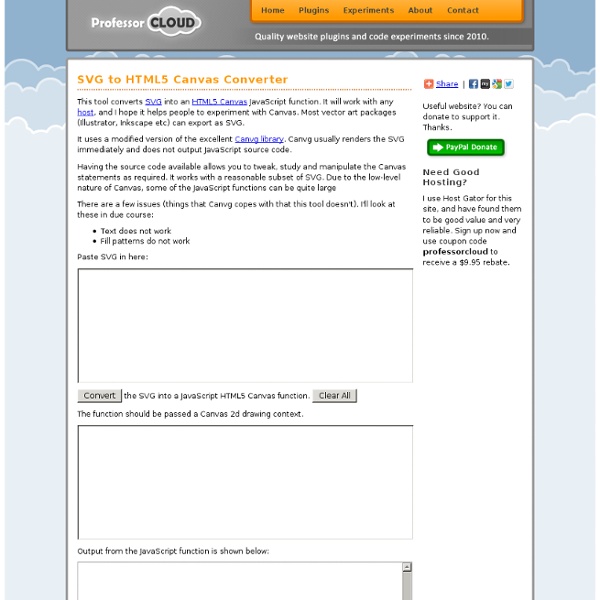
great little tool to convert svg in canvas by yeti18 Jul 26