

blueimp/Bootstrap-Image-Gallery AngularJS and SEO Turns out it is possible to have your AngularJS application indexed AngularJS and just about all JavaScript MVC frameworks modify the contents of your HTML structure which make the pre-rendered HTML invalid for search engines. Luckily there is a way to get around this and to have full SEO support for your AngularJS application by using some special URL routing and a headless browser to retrieve the HTML for you. Continue reading this article to figure out how to make this amazing framework work well with your favourite search engines. This page was first published on November 7th 2012 and was last updated on January 21st 2013. To best follow along with this article, be sure to clone the repo, yearofmoo/AngularJS-SEO-Article and look through the code and compare it to what's on the blog to get a better idea of how everything works. git clone cd . . Truly amazing!
Image Resizing on Client Side Table of Contents Intro Plupload supports manipulating images (JPEGs and PNGs) on client-side, which includes downsizing them, dropping their quality (for JPEGs only) and stripping off the meta headers (for JPEGs only as well) - all to make them smaller in size and save the bandwidth. Might be very handy, when image is uploaded only to become a tiny avatar, etc. Currently it is not suitable for generating high-quality images (see #707), because it is using a default algorithm (apparently a so called nearest neighbor interpolation) for resizing. Lets build up on the code that we wrote for [[Getting Started]]. Options resize option is a compound object with some sub-options: Enable resizing To enable resizing on the client-side we need to pass in resize option with new width and height (obviously resize is not the best name for the option, since currently we can only downsize). Plupload will take the larger side of the image and decrease it to fit the specified dimensions. as well as simply:
imgAreaSelect - image selection/cropping jQuery plugin - odyniec.net imgAreaSelect is a jQuery plugin for selecting a rectangular area of an image. It allows web developers to easily implement image cropping functionality, as well as other user interface features, such as photo notes (like those on Flickr). Plugin features: Highly configurable Customizable with CSS styling Handles scaled images Keyboard support for moving and resizing the selection Supports callback functions Provides API functions for easier integration with other application components Lightweight — the packed version is just 8KB The plugin works in all major browsers, including Firefox 2+, Opera 9.5+, Google Chrome, Safari 3+, and Internet Explorer 6+. Live Example Click and drag on the image to select an area. Selection Preview » See more examples Quick Usage Instructions Download the plugin, unzip it, and copy the JavaScript and CSS files to your website/application directory. <head> ... Then, to enable selection on an image, wrap it in a jQuery object and call the imgAreaSelect() method:
Chosen - a JavaScript plugin for jQuery and Prototype - makes select boxes better Chosen is a jQuery plugin that makes long, unwieldy select boxes much more user-friendly. Downloads Project Source Contribute Standard Select Turns This Into This Multiple Select <optgroup> Support Single Select with Groups Multiple Select with Groups Selected and Disabled Support Chosen automatically highlights selected options and removes disabled options. Single Select Multiple Select Hide Search on Single Select The disable_search_threshold option can be specified to hide the search input on single selects if there are n or fewer options. Default Text Support Chosen automatically sets the default field text ("Choose a country...") by reading the select element's data-placeholder value. Note: on single selects, the first element is assumed to be selected by the browser. No Results Text Support Setting the "No results" search text is as easy as passing an option when you create Chosen: Limit Selected Options in Multiselect You can easily limit how many options the user can select: Right-to-Left Support
A Few New Things Coming To JavaScript I believe the day-to-day practice of writing JavaScript is going to change dramatically for the better when ECMAScript.next arrives. The coming year is going to be an exciting time for developers as features proposed or finalised for the next versions of the language start to become more widely available. In this post, I will review some of the features I'm personally looking forward to landing and being used in 2013 and beyond. ES.next implementation status Be sure to look at Juriy Zaytsev's ECMAScript 6 compatibility table, Mozilla's ES6 status page as well as the bleeding edge versions of modern browsers (e.g Chrome Canary, Firefox Aurora) to find out what ES.next features are available to play with right now. In Canary, remember that to enable all of the latest JavaScript experiments you should navigate to chrome:flags and use the 'Enable Experimental JavaScript' option. Modules We're used to separating our code into manageable blocks of functionality. We can just import drive(): Maps Sets
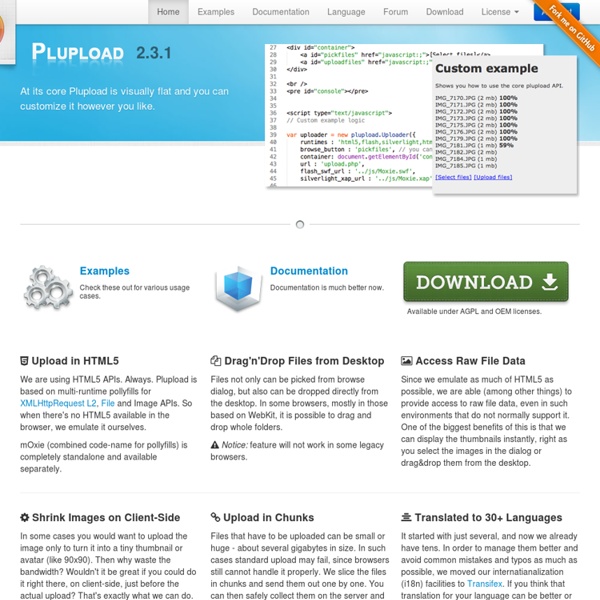
Plupload integration Provides integration between for the Plupload widget to upload multiple files and Drupal. Plupload is a GPL licensed multiple file uploading tool that can present widgets in Flash, Gears, HTML 5, Silverlight, BrowserPlus, and HTML4 depending on the capabilities of the client computer. #D8CX: I pledge that Plupload integration will have a full Drupal 8 release on the day that Drupal 8 is released. Important notice (read before posting any new issues!) This is an API module. If you enabled Plupload on your site by installing contributed modules and you're experiencing any problems you need to post issues in the module that provides Plupload integration to your site (find the list at the end of the page). Security warning In order to protect your site you should ALWAYS delete examples subfolder from Plupload library. Compatibility warning Library version v2.0.0 and later are currently unsupported. Drupal 7 version This version is actively maintained. Drupal 6 version Known problems Drupal 7
JavaScript Image Processing Library What Pixastic is an experimental library which allows you to perform a variety of operations on images using just a bit of JavaScript. The effects supported out of the box include desaturation/greyscale, invert, flipping, brightness/contrast adjustment, hue/saturation, emboss, blur, and many more. For the full list, see the documentation page. If you have any comments, bug reports or other feedback, don't hesitate to leave a comment here or shoot me an email. You can follow the development of Pixastic as well as other JavaScript experiments on my blog. How Pixastic works by utilizing the HTML5 Canvas element which provides access to raw pixel data, thereby opening up for more advanced image effects. Show me! If you want to see for yourself what Pixastic can do, you can check out the documentation where you will find small demos for all actions No, show me now! If that's not good enough, here's a quick and dirty demo of how to use Pixastic. Example code: Output (mouseover the image): Where Who
jQuery UI Bootstrap 0.2 Released Today I am happy to announce the release of jQuery UI Bootstrap 0.2. This release includes a number of bug fixes and new additions to the theme and can be downloaded from the release site now. Fixes Include Compatibility updates for IE8 and IE9Input fields no longer break Twitter Bootstrap gridsInputs of type text/password get uniformly styledFixes to the modal dialog close buttonsTabs now appear visually closer to those in Bootstrap New features A Better Bootstrap-style Wijmo Menu Thanks to Chris Bannon over at Wijmo, the theme now supports styling Wijmo menu components with the Topbar menu styles you can find in Twitter Bootstrap. Support for the Filament Group File Input plugin One of the goals of the theme is to provide a consistent look and feel for as many popular widgets and components as possible (within reason). If you haven't used File Input before, it supports customizations such as easily defining icons for the 'Browse' button as well as the positioning of the button/text field.
෴ browserver: a node.js HTTP server in your browser ෴ FileField Sources Plupload FileField Sources Plupload lets you add Plupload (a multiple files/multifile upload widget) as a source to any file field supporting FileField Sources. Plupload is a GPL licensed multiple file uploading tool that can present widgets in Flash, HTML5, Silverlight, and HTML4 depending on the capabilities of the client computer. By using FileField Sources to add Plupload as a source, multiple file uploads can be achieved on regular File and Image fields using the standard widgets as well as a range of contributed field widgets supporting FileField Sources. This includes cropping widgets, like the excellent Manual Crop. Core Features Multiple file uploading across a wide range of browsersIncreased speed using chunked file uploadsMaximum file size can be set larger than PHP limitsCompatible - does not require its own wigetClient side (as well as server side) file validationSupports transliteration of file names Requirements FileField Sources and Plupload Integration modules.
Bootstrap Form Builder Making Use of jQuery UI’s Widget Factory For a long time, the only way to write custom controls in jQuery was to extend the $.fn namespace. This works well for simple widgets, however, as you start building more stateful widgets, it quickly becomes cumbersome. To aid in the process of building widgets, the jQuery UI team introduced the Widget Factory, which removes most of the boilerplate that is typically associated with managing a widget. The widget factory, part of the jQuery UI Core, provides an object-oriented way to manage the lifecycle of a widget. Creating and destroying a widgetChanging widget options Making "super" calls in subclassed widgetsEvent notifications Let's explore this API, as we build a simple bullet chart widget. The Bullet Chart Widget Before we build this widget, let's understand some of the building blocks of the widget. The chart consists of a set of bars and markers overlaid on each other to indicate relative performance. The HTML for this chart looks like so: All of the values are in percentages.
i can't find any sign of "resumable" upload here. The chunking is to deal with the server max size reception limit ? by nhatcuong Oct 11