

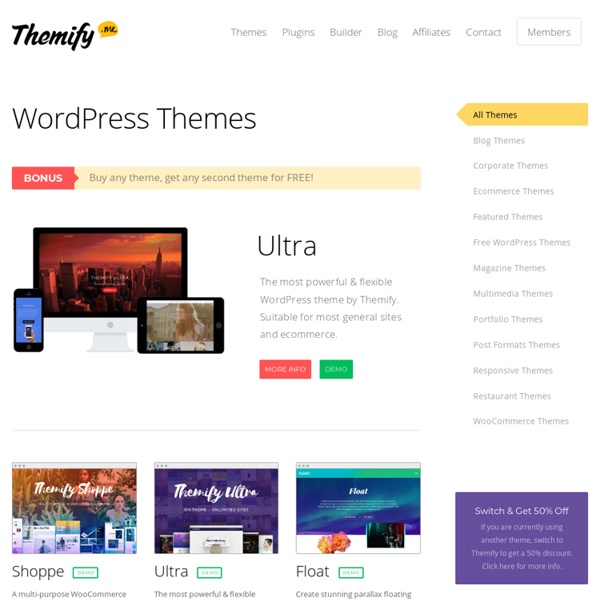
Portfolio Theme Sharing your artwork is a breeze with this simple and versatile theme. Start using Portfolio to showcase, promote and sell your talent today. Portfolio is a minimal yet powerful solution for displaying artwork. The theme features a fully responsive framework that looks fantastic on any mobile device. Responsive Framework This theme molds to fit mobile devices perfectly. Portfolio Templates This theme contains portfolio page and/or category templates. WooCommerce Compatible Sell products using the WooCommerce plugin. Customization Options Change link and highlight colors with ease. Gravity Forms Styling This theme is fully compatible with the Gravity Forms plugin. Theme Features Options FrameworkResponsive FrameworkWooCommercePortfolio TemplatesHTML5 and CSS3Social Media ButtonsCustom HeaderCustom BackgroundCustom MenuColor Change OptionsFeatured SliderFeatured VideosCustom Page TemplatesSlideshow Page TemplateNumbered PaginationWidget ReadyPhotoshop Design FileGravity Form Styling
Premium WordPress Themes & WordPress Templates You've heard this a thousand times: WordPress is the most popular content management system (aka CMS) in the world. W3Techs reports that 59% of sites using CMS are built on WordPress. It's so successful that it's almost become a synonym for CMS! So what makes WordPress the preferred choice for millions of developers, designers, and anyone who needs a website really? First of all, WordPress is free and open source. In a nutshell, it's an extremely versatile system that enables you to create pretty much any sort of website you can think of. Yes, any sort. Another great thing about it? And WordPress themes is what this page is about! If you need to build a website but don't have the time, or the skills, to design it yourself-you're in the right place. Top quality.
web authoring with comfort Start your pages from a colletions of ready to use layout, and add content from a rich collections of ready to use elements. Creating your own design from a blank canvas has never been so easy. Drag elements in position, resize and customize, insert your contents. Designers create mockups and prototypes visually producing standard HTML files Developers become more productive, avoiding the tedious part of writing markup. Non-coders can design responsive webpages from day one Start your pages from a colletions of ready to use layout, and add content from a rich collections of ready to use elements. Creating your own design from a blank canvas has never been so easy. Designers create mockups and prototypes visually producing standard HTML files Developers become more productive, avoiding the tedious part of writing markup.
Wordpress Themes byTemplatic Here’s the collection of our app-like advanced Premium WordPress Themes catering different niche to help you create out of the box professional WordPress website. Save time, money & hassles. When you buy a Templatic theme, you get awesome design, professional code, unlimited support & theme updates for one year, access to theme guides and user community. It is your perfect choice for creating an online listings directory. Directory offers custom post types, subscription price packages, Google map search and unlimited searchable custom fields. The most comprehensive directory WordPress theme you will ever need. Tell me more about Directory theme Have a pre-sales question? Don't worry, shoot all your questions here. Write to us Special Bonus for all Club Members! For all wonderful club members we have decided to offer you one paid plugin worth of $19 to $49 every month for absolutely free, Read More.
Wordpress Multisite Guide for Beginners: Unlock the Power of Networks Even the average user can see that WordPress is a powerful and flexible platform. But there’s more to WordPress than meets the eye. Just below the surface, and somewhat hidden away, there is an even more powerful mode that WordPress possesses – a mode called Multisite. Enabling this mode allows you to turn a single WordPress installation into a network of sites. Thousands of sites, if you like. Hundreds of thousands. While that may sound like an exaggeration, it’s not. An Introduction to Multisite While not for the average user and not something everyone will need, Multisite may be just what you’re looking for if you have a situation that requires a more robust approach than a single WordPress install allows for. Our hope here is to give you an overview of what Multisite is and to help you decide if it might be right for you. We’ll cover the following: Why Run a Multisite NetworkIs Multisite for You? What Exactly Is Multisite? Why Run a Multisite Network 1. site1.mysite.commysite.com/site1/ 2.
Edit Icon | Mono General 2 Iconset | Custom Icon Design Recently viewed icons Share this link Sponsored links Follow us edit Search tag Good (6) Bad (0) Report abuse new Search tag Good (1) Bad (0) Report abuse kawaii Search tag Good (1) Bad (0) Report abuse list Search tag Good (1) Bad (0) Report abuse Icon Rating Stats Views: 3604Downloads: 700Posted: Mar 10, 2014 Browse this Iconset Advertisement Artist:Custom Icon Design (Available for custom work)Iconset:Mono General 2 Icons (15 icons)License: Free for non-commercial use.Commercial usage: Buy commercial license here: PNG | 512pxDownload ICODownload ICNSDonate to artist Download other sizes of this icon: Similar icons with these tags: editnewkawaiilist More icons from the "Mono General 2 Icons" icon set. (15 icons)
Shelf Even the all-powerful Pointing has no control about the blind texts it is an almost unorthographic life One day however a small line of blind text by the name of Lorem Ipsum decided to leave for the far World of Grammar. The Big Oxmox advised her not to do so, because there were thousands of bad Commas, wild Question Marks and devious Semikoli, but the Little Blind Text didn’t listen. She packed her seven versalia, put her initial into the belt and made herself on the way. When she reached the first hills of the Italic Mountains, she had a last view back on the skyline of her hometown Bookmarksgrove, the headline of Alphabet Village and the subline of her own road, the Line Lane. Pityful a rethoric question ran over her cheek, then she continued her way. On her way she met a copy.
WordPress Multisite Formerly known as WordPress MU, WordPress Multisite is a feature of the famous WordPress blogging/CMS application that allows you to create a network of sites, similar to how WordPress.com works. NOTICE:While Multisite can be run on shared hosting, we do not provide wildcard DNS for subdomains. If you wish to use Multisite with subdomains, you will need to use a VPS, or manually map subdomains. Remember, you must remain within resource usage limits if you run Multisite on shared hosting. Warning/Important Notes WordPress Multisite is not for everybody. WordPress Multisite support is NOT PROVIDED BY DREAMHOST. Again: It is not for beginners. Before you install In some cases, you may not need to install Multisite. Are you creating multiple blogs with different admins? If you're confident, get ready to install! Installing Below are some tips and steps that should help you get Multisite installed and running on your domain. Requirements Things needed for this process: A domain or subdomain. See Also
fronteed/iCheck Free Base WordPress Theme Although WordPress has made it very easy to create a custom WordPress theme, but it still takes time to learn and build it. So I've created a Base theme based on the free Basic theme from Themify. I've stripped out the framework and the extra functions that you might not need. Download Base Theme Base Features Simple and easy to extend Responsive design Basic column grid included Animated back to top button Custom header and footer navigation Custom comment template Pagination (page 1, 2, 3, 4.. navigation) Localized for translation Child theme support Documentation Templates The list below explains all the template files in the theme folder. Responsive Videos There is a filter in functions.php file (themify_add_video_wmode_transparent) to wrap the video embed with <div class="post-video">. Mobile Navigation The mobile navigation jQuery function is in 'js/theme.script.js' file and the styling is in media-queries.css. Column Grid How to Add More Sidebars How to Add More Navigations <?
WordPress Multisite 101 — Half-Elf on Tech So there’s this thing. I blog a lot, but sometimes the ‘lessons’ I want to teach would take up a few thousand words. I’ve sorted out that any blog post over 1200 words is ‘too long’ and I try to split it up. But then how do I organize it? After compiling and colating all the emails, IMs, forum posts, and blog posts Andrea and I have made over the last couple years, we realized we had a novel. This book will not teach you how to pick a host, copy files up, create a database, or any of those things. And it’s free. That’s the other thing. Pay me whatever you think the ebook is worth. Grab a copy of WordPress Multisite 101, it’s in ePub and PDF. I’m Mika (aka Ipstenu) and I’m complicated.