

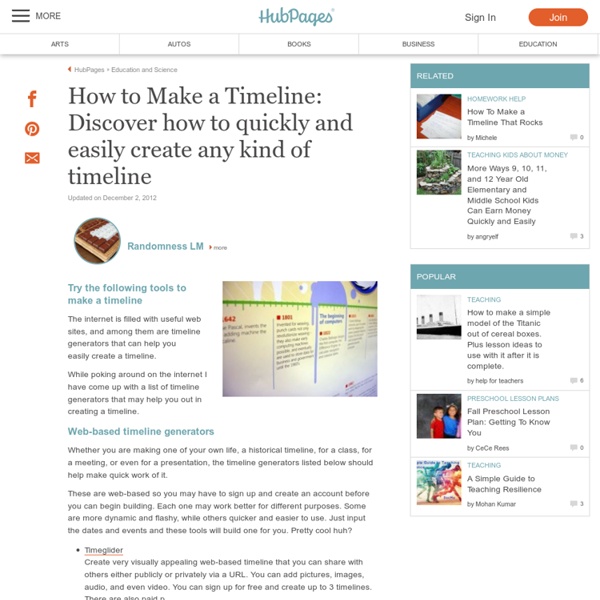
Timelines: Sources from History This British Library interactive timeline allows you to explore collection items chronologically, from medieval times to the present day. It includes a diverse combination of texts: those that allow glimpses of everyday life (handbills, posters, letters, diaries), remnants of political events (charters, speeches, campaign leaflets), and the writings of some of our best known historical and literary figures. Launch Timelines: Sources from History Timelines is a fantastic resource for learning about culture, politics, technology and everyday life through the ages. Highlights of the timeline include: Manuscripts by great figures in history, including Henry VIII, Elizabeth I, Mozart, Wordsworth, William Blake, Jane Austen, Florence Nightingale and Dickens Original records of major events in history, from the Black Death and the Great Fire to the French Revolution and the abolition of the slave trade ShareThis
» Doceri and the Flipped Classroom: Audio/video screencasting coming this Spring Freedom to Teach The popularity of the Kahn Academy educational video library has moved the concept of the flipped classroom to the forefront of educational technology discussion over the past year. The resulting paradigm shift moves direct learning from the classroom to the student’s computer – outside of class – via videos that cover the basic lesson material. This flipped classroom model frees the instructor to use class time for project-based learning and meaningful interaction about the material. While instructors in higher education as well as the K-12 level are using standard videos made available by Kahn and others, there is an increasing desire among instructors to create their own screencasts – also called vodcasts – for use by their students and shared by other faculty. Incorporating audio/video screencasting into Doceri was a natural progression. “When I create a video lesson for students to access outside of class, I want to establish where and how students will gain that access,” said Dr.
didattIcare | Didattica laboratoriale per la scuola secondaria di primo grado Digital learning resources // National Film and Sound Archive, Australia NFSA Digital Learning combines the former Screen Australia Digital Learning websites and NFSA’s online education resources. These content rich education websites feature thousands of video and audio clips available for streaming and downloading. Twelve Canoes A portrait of the history, culture and place of the Yolngu people. Ceremony The vital role of ceremony in the Yolngu culture. On the rails Interactive journey of Australian trains through time and place. Charles Darwin Darwin’s historic voyage, with interactive learning activities. Arts portal Access a wealth of performing and visual arts resources. DIY doco Engage students in the world of documentary storytelling.
Flipping the Class with Explain Everything & Google Drive - Turning Learning On Its Head Flipping the Classroom with an Explain Everything and Google Drive Today I did a workshop for Chicago Public Schools where I helped them think through how to use iPads to flip their classes. If you are considering using iPads to create flipped videos, there are many tools. One of them is Explain Everything. And since CPS is a google apps school system I developed a workflow for them to share the videos they created with Explain Everything to google drive. Feel free to share this and comment. Part 1: Setting Up Google Drive Part 2: Uploading Files (ppt,etc) to google drive to prepare for importing into Explain Everything Part 3: Using Explain Everything to Make a Simple Flipped Video Part 4: Advanced Features of Explain Everything Part 5: Adding Picture in Picture in Explain Evertyhting Like this: Like Loading...
wikispaces Editoria e tecnologie W3C: il punto di incontro | Webaccessibile.org (ISSN: 1721-4874) È ormai da qualche anno che il mondo dell’editoria è in fermento, sulla spinta dei potenti colpi inferti dall’innovazione che inevitabilmente il digitale comporta. Credo che siano noti a tutti fenomeni come Amazon o iTunes, e le loro conseguenze su quello che era il mercato. Nel caso dell’editoria, sembra che la discussione sia focalizzata su un punto a mio parere secondario, ovvero una presunta lotta fra cartaceo e digitale che comporta interminabili discussioni su quale sia il migliore, vantaggi e svantaggi dell’uno o dell’altro, e così via. Qualche volta la discussione è seria e fondata, altre volte assume i toni delle classiche discussioni da bar. Ma il focus della discussione dovrebbe essere sui contenuti: limitandosi a “carta vs. e-book” si identifica il prodotto editoriale come se questo fosse rappresentato esclusivamente dalla sua distribuzione. Certo, la distribuzione è un momento importante, ma cosa distribuisco se prima non ho creato un adeguato contenuto?
Khanacademy Suggested Animation Type Books There's an awful lot of information regarding storyboarding that needs to be understood if you want to become a storyboard artist on any type of production, whether it's just for yourself, a school project, a freelance job, a short film, a television show, commercial, music video, or a feature film. My intention here is not to try to put everything onto one page. I'm going to spread it out a bit and try to cover as much as I can. This may also sound like a "cop-out statement", but the best way to learn how to storyboard is to actually do a storyboard... lots of them. This is not to say that I'm not going to show you examples... I will. I had a course when I went to college called "Visual Language". Storyboards present the visual image of what the viewer will be looking at on screen, whether it's a television set, a movie theater screen or a computer monitor. A storyboard artist usually works with a set of pre-printed storyboard pages such as the ones shown here Two shot Three shot
usare screen.com per registrare video In this post we will explore how to provide audio feedback for students using a screencast, and look at two tools available for doing this: Jing and BB Flashback Express. In an earlier post we explained how to provide audio feedback to your students by creating an audio file that you upload to Moodle. We later explained how you can also embed shorter audio files in a Word document, that you then upload as a response file for the student. A screen cast would allow you to record what happens on your computer screen as well as what you are saying, so you could talk about different sections of a student’s assignment, for example, while displaying those sections on the screen. JISC Digital Media provide a good introduction to screencasting: JISC Digital Media: Introducing Screen Capture Software There are plenty of screencasting tools freely available online. Jing Some screencasting tools are more user-friendly than others. Russell Stannard: Jing online training videos BB Flashback Express
Categorie | Scuola Digitale – CLASSI 2.0 Progetto: From the self to the group Regione: Sicilia Progetto: CTRL ALT IMP@RO Regione: Sicilia Progetto: Hi-Tech Paideia Regione: Sicilia Progetto: CL@SSE 2.0 ALLA DON MILANI DI GENOVA Regione: Liguria Progetto: CL@SSE 2.0 GENOVA PRA Regione: Liguria Progetto: LA CLASSE CHE NAVIGA VERSO IL FUTURO Regione: Liguria Progetto: AUL@NET Regione: Liguria Progetto: CLASSE 2.0 CERVO Regione: Liguria Progetto: La didattica laboratoriale e le tecnologie digitali Regione: Friuli-Venezia Giulia Progetto: MULTI - MEDIA Regione: Friuli-Venezia Giulia Progetto: Touch & Move Regione: Veneto Progetto: Sperimentare il web 2.0 Regione: Friuli-Venezia Giulia Progetto: In cl@sse con il 2.0 Regione: Umbria Progetto: IMPARARE EMOZION@NDOSI Regione: Umbria Progetto: Una giornata a scuola Regione: Toscana Progetto: Suergiu goes social Regione: Sardegna Progetto: GeekSestu Regione: Sardegna Progetto: Azione Scuola Digitale Regione: Piemonte Progetto: [ Arcobaleno.RBVL (Real Blended Virtual Learning) ] Regione: Piemonte