Juegos de palabras, curiosidades del lenguaje y otras zarandajas
Police embracing tech that predicts crimes
New technology allows police to predict crime before it happens, but some agencies can't afford the software. Predictive analytic software PredPol anticipates future crime based upon past activity. The program was adapted from similar software meant to predict earthquake aftershocks.Many police stations still use obsolete technology due to small budgets and aversion to change.Even so, police depend heavily upon social media to solve crimes. (CNN) -- For something that predicts the future, the software is deceptively simple looking. A map of a city is marked up with small red squares, each indicating a 500-by-500-foot zone where crimes are likely to take place next. The program is called PredPol, and it calculates its forecasts based on times and locations of previous crimes, combined with sociological information about criminal behavior and patterns. PredPol's system features a map of a city marked with red squares to show zones where crimes are likely to occur.
A Framework for Teaching with Twitter
Faculty are increasingly experimenting with social media, and it’s exciting to find more and more courses incorporating Twitter, a ProfHacker favorite. Just last week on ProfHacker Ryan provided an excellent introduction to Twitter, while earlier in the summer Brian reflected on his use of Twitter in the classroom during Spring 2010. As we gear up for the Fall 2010 semester, I wanted to revisit the idea of teaching with Twitter. I’ll address my own pedagogical use of Twitter in a future ProfHacker post, but for today I want to share a general framework for Twitter adoption in the classroom, originally sketched out in late August 2009 by Rick Reo. In the process, I adapted Rick’s original matrix, re-imagining the vertical axis as a spectrum of conversation, ranging from monologic to dialogic, and redefining the horizontal axis as a measurement of student activity, ranging from passive to active. How about you?
La comunidad educativa global - Tiching
Web Search Strategies
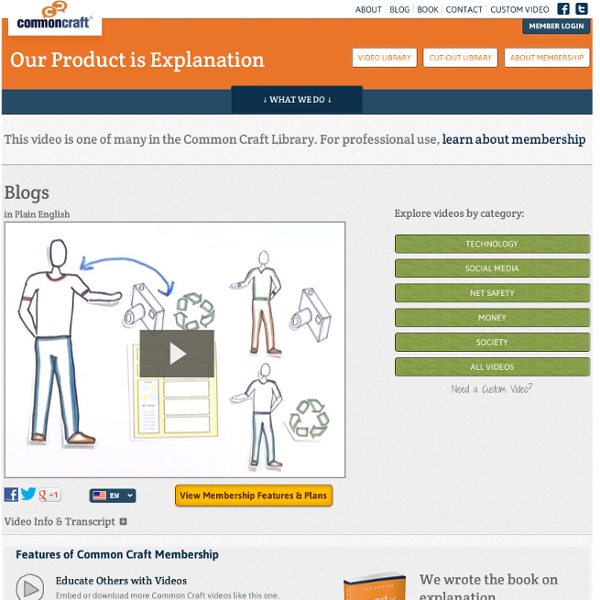
The Web may seem like a vast ocean when it comes to finding something you need. Thankfully, search engines can help turn oceans of information into small pools that make finding information easier. Before we dive in, let’s talk a bit about how search works on the Web. Search engines go out and try to account for every word on every webpage. When you search for a word, the search engine finds all the pages where the word appears, and displays them in the search results. The problem is that there are often too many results. Say you’re looking for a specific kind of fish, and these represent all the websites on the Web. Try to imagine the exact fish and describe it in the search box. But to be a smart searcher, you should know some basic shortcuts. Here’s another shortcut. To remove the results about hair, place a hyphen or minus sign just before the word you want to exclude, which means “show me the pages about mullet, but take away results relating to hair.”
The Complete Educator’s Guide to Using Skype effectively in the classroom
Increasingly, educators globally are transforming their classroom using Skype to create powerful, authentic, motivating learning experiences for their students. From connecting with classrooms in other locations to learning about each others’ culture to connecting with content experts – educators are extending learning beyond classroom walls. So how do you use Skype effectively with your class? Hopefully this will help! Here’s our educator’s guide on every thing you need to know about Skype from…… 1. A. 2. A. 3. A. Alternatively, here’s The Complete Educator’s Guide to Using Skype effectively in the classroom PDF version — for you to download and print off. About Skype Skype is a free application that allows you to call people from all over the world using the Internet. When you contact another person that uses Skype you talk or chat for free. Best of all you can tell when another user is online and what their status is so you know if they are available. Setting up your Skype account: A. 1. 4.
Taxonomía de Bloom de habilidades de pensamiento
Recomendamos consultar el siguiente artículo:TAXONOMÍA DE BLOOM PARA LA ERA DIGITAL Han pasado más de cincuenta años y la Taxonomía de Bloom continúa siendo herramienta fundamental para establecer objetivos de aprendizaje. En el 2000 fue revisada por uno de sus discípulos quien, para cada categoría, cambió tanto el uso de sustantivos por verbos, como su secuencia. Recientemente, el doctor Andrew Churches actualizó dicha revisión para ponerla a tono con las nuevas realidades de la era digital. En ella, complementó cada categoría con verbos y herramientas del mundo digital que posibilitan el desarrollo de habilidades para Recordar, Comprender, Aplicar, Analizar, Evaluar y Crear. La idea de establecer un sistema de clasificación de habilidades, comprendido dentro de un marco teórico, surgió en una reunión informal al finalizar la Convención de la Asociación Norteamericana de Psicología, reunida en Boston (USA) en 1948. Descargue las tablas en formato PDF (7 páginas, 170KB)
World Wide Web
Have you ever wondered, when you visit a website, where those words and images come from? These days, as long as we have an Internet connection, using the Web is pretty easy. We can visit billions of pages on things from pet alligators to the weather in Holland. To help figure out how it works, let’s pretend we can get really small, follow the wires and explore what makes the Web work. If we could see the connection, the information coming through it would look like little packets of code. For this, we use a web browser. It’s called a “server.” We do this with web addresses. The reason we call it a “web” is that all the servers are connected. Web pages use shortcuts or “links” – words and images we can click, that direct us to page after page. Together, this system makes up the World Wide Web. To visit a website, we type in a web address or click a link.
How to Use Google Search More Effectively [INFOGRAPHIC]
Among certain circles (my family, some of my coworkers, etc.) I'm known for my Googling skills. I can find anything, anywhere, in no time flat. My Google-fu is a helpful skill, but not one that's shrouded in too much mystery — I've just mastered some very helpful search tricks and shortcuts and learned to quickly identify the best info in a list of results. Sadly, though web searches have become and integral part of the academic research landscape, the art of the Google search is an increasingly lost one. That search process also included determining when to rely on Google and when to utilize scholarly databases, but on a fundamental level, it appears that many people just don't understand how to best find the information they seek using Google. Thanks to the folks at HackCollege, a number of my "secrets" are out. Infographic via HackCollege Image courtesy of iStockphoto, LICreate