

Google Earth Flight Simulator - Flock Related article: Traffic analysis of this post Some time last week, Google expanded Google Earth with Google Sky. As fascinating as Google Sky is, that's not the focus of this post. Along with the latest update comes a hidden feature of which I cannot seem to find any other information about. What I'm talking about is a flight simulator embedded within GE. First of all you'll have to install the latest version of GE. As you can see from the screenshot there are only two aircraft to choose from at this stage. Before going wild pressing random keys like I did, have a look at the controls. Once you have entered flight simulator mode for the first time, you can re-enter the mode by choosing Tools > Enter Flight Simulator. Moving on though, you can get a quick start by holding Page Up for a few seconds to increase to maximum thrust (thrust meter is the left bar of the lower-left meters). It can be rather tricky to get the hang of as the controls are quite sensitive. Linux:
jMapping: Usage Download the necessary dependencies and jMapping. Make sure you include the necessary scripts in your page: Make sure your HTML has a div element for the Google map, and there is a container element with some locations and their data. The data by default is expected to be on the "data-jmapping" attribute of the location (this can be configured): Then just call the jMapping function on the map element: $(document).ready(function(){ $('#map').jMapping(); }); If you need to change the markers on the map, usually for some type of pagination, this can be done by simply updating the content of the "side-bar" container to contain new location data and then calling the update function: $('#map-side-bar').load('ajax/path/file.html', nil, function(){ $('#map').jMapping('update'); }); $('#map-side-bar').load('ajax/path/file.html', nil, function(){ $('#map').data('jMapping').update(); }); Options Object API For example: $('#map').jMapping(); $('#map').data('jMapping'); // returns the jMapping API object
Google Maps Extensions - GISWiki Für MediaWiki existieren mitlerweile eine Reihe von Erweiterungen, die das Einbinden von Google Maps ermöglichen. Google Maps Extensions/GISWiki Einer der ersten Extensions war die "Google Maps Extensions", die hier im GISWiki das erste mal vorgestellt wurde. <map>Latitude|Longitude|ZoomFactor|URL|URL-Text|URL-Image|Image-Height</map> Google Maps Extensions/GMap Eine sehr interessante Weiterentwicklung stellt die "GMap"-Google Maps Extensions. <gmap lat="40.74800" long="-73.88600" zoom="5" helper="line" width="500" height="400" precision="5" type="satellite"> points: 40.763905|-73.826374|Flushing YMCA. <gmap lat="53.0419921875" long="8.85000228881836" zoom="10" width="500" height="300"> points: 53.0419921875|8.85000228881836| I live there! Weitere Google Maps Extensions Google Maps Extensions/GISWiki Google Maps Extensions/GMap
How Google is failing the launch of Google Wave | Bit Rebels - F It has been a while now since the Google team announced their heavily anticipated new addition to the ever growing Google empire. This time it was a work group related application that was supposed to take us by storm. For a brief moment it actually was as well. But then what happened? The VIP-like invites were almost as legendary as the Moonwalk was when it first hit the public. Then Google started giving more and more people the invites and we went from black market trading to friend giveaways. Third stage came and it’s here where something went horribly wrong. I myself got 16 invites and I tried over a period of 2 days to give them out to people if they wanted them Guess what, 5 days later and I still have 14 left. No, somewhere along the line Google missed the opportunity to impress us. Google Wave Fail The fact that it’s super slow after just a couple of hundred additions of text makes the application unbearable to work with and we’ve done it quite a lot here at Bit Rebels.
HTML5 This section describes the status of this document at the time of its publication. Other documents may supersede this document. A list of current W3C publications and the latest revision of this technical report can be found in the W3C technical reports index at The management and production of this document follows a relatively complex setup. This document was published by the HTML Working Group as a Working Draft. Publication as a Working Draft does not imply endorsement by the W3C Membership. This document was produced by a group operating under the 5 February 2004 W3C Patent Policy.
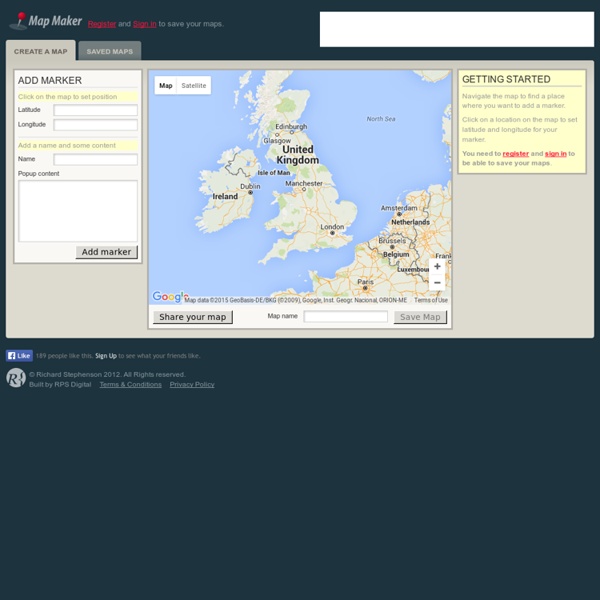
Google Maps Mania How To Create Shared Collaborative Google Maps - Flock Advertisement More than ever, the internet has enabled us to work in global and distributed teams. Whether as part of our jobs, voluntary ventures, or joint blogs, working with people around the world has become part of life for many of us. Sometimes, it is so easy that we don’t even know where the people we’re working with are located. Shared, collaborative Google Maps can help solve that issue and improve the perception of proximity by creating a visualization of all the team members’ location. For a great example of Google Maps in action, visit the MakeUseOf Team Members map. Now, let’s see how to create a shared Google Map where each of the team members can locate himself. Set up a collaborative Google map Go to Google Maps and sign in. Add the title and the description of the map, and choose whether it should be Public (shared with everyone and will be published in search results and user profiles) or Unlisted (shared only with selected people who have its URL). Share and embed
Google Maps API Version 2: 05/18/2006 Top Ten Google Sightseeing Posts 2009 - Google Sightseeing 1. Top 10 Street Views, April 2009 Following an absolutely massive launch of Street View imagery across Europe in March, one particular image attracted a lot of traffic to the site. 2. Immediately after the European Street View rollout, this post also seemed to attract a lot of traffic. 3. We’re not sure what this post says about Britain and our place-naming methodology, but a lot of people seemed to find something amusing in places called Titty Ho, Crapstone, Sluts Hole Lane, Penistone, Dick Place, Minge Lane and Butt Hole Road. Or was it just us that thought this was hysterical? Earlier this month we also posted a follow-up featuring the Top 10 Rudest Place Names in America, featuring the brilliant Climax, Michigan. src=" width="160" height="120" /> 4. Yet more Street View! 5. Yes, Street View really was popular this year… helped by comedian Dave Gorman, who quickly found himself in the new imagery. 6. 7. 8. 9. 10.