

Mr. Salsich's Class - Third Grade Explorations in Learning Blogg- ett redskap för lärande Under flera år funderade jag på att använda mig av en blogg. Många gjorde det och jag var lite nyfiken men tyvärr helt okunnig om hur man gjorde. Det var en av de bidragande orsakerna till att jag inte startade någon blogg. Den andra anledningen var att jag inte ville använda bloggen som en informationskanal, det var det enda jag var helt klar över. Jag ville använda en blogg som en mötesplats, till ett redskap för lärande där man också kunde lära tillsammans. Bloggen Att lära tillsammans startade jag som helt novis tillsammans med en klass i år 6. Det som är så spännande att jobba med bloggen som ett lärande redskap är att det efter hand växer fram nya möjligheter. I veckan har vi återigen använt den till att avsluta ett tema. Nu har jag hittat ännu ett sätt att använda bloggen. Ett lärande redskap, ett lärande redskap som vi använder på många olika sätt; Skriva text till verkliga mottagare och då anpassa text efter syfte och mottagareInspirera varandra om hur man kan skriva text.
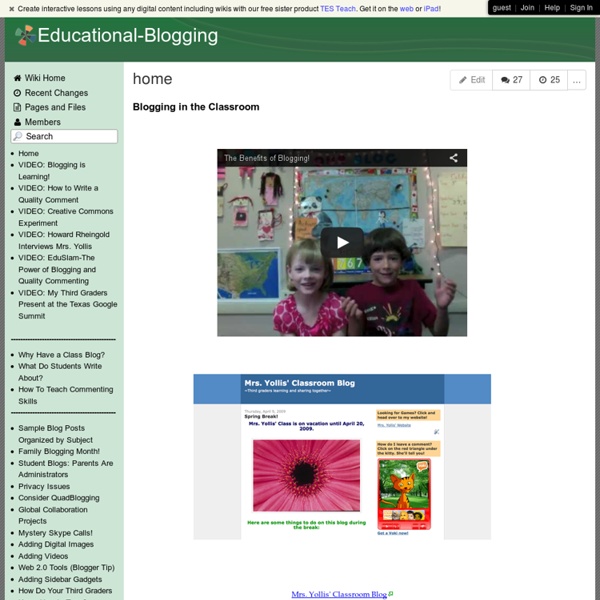
Rewards of teaching young children to blog SmartBlogs I have been an elementary-school teacher for more than 25 years and I am always on the lookout for meaningful ways to engage and motivate my young students. I started Mrs. Yollis’ Classroom Blog in 2008 with the idea of sharing class activities with parents. Develop quality literacy skills When I first started blogging, I thought the posts would be the primary focus of the blog. My students are highly motivated by their authentic global audience and take great pride in producing top-notch writing for their readers. What has been even more exciting for me is the student participation from home. Include parents in the learning Parental involvement has strengthened and expanded the learning opportunities for my class. Many parents work but would love to volunteer in some way. Integrate curriculum in creative ways With classroom time at a premium, I look for meaningful ways to integrate curriculum; the blog has been the perfect venue. Build a digital footprint Connect with other learners
Using E-Portfolios in the Classroom For decades, students have been completing assignments in school. Often, these were seen only by the teacher, graded and returned to the student. Sometimes, the work was posted on a classroom wall or in a school hallway. With more and more schools going paperless or migrating to the "cloud" (storing files on the Internet), student work has become more easily shareable, accessible by many, and more easily organized. However, with so many options for collecting and sharing student work, it's hard to know which method or tool to use. Defining Your Needs Here are some guiding questions to consider before you commit to a tool or platform: Can student work be made public or is it housed inside a "walled garden?" While some of these questions may not apply to your situation, it is important to do your research before committing to a tool. Some Options Below is a list of tools that can be used to collect, organize and share student work. Project Foundry Google Sites* Wikispaces and PBwiki* Dropbox*
Blogging With Students Skip to content Blogging With Students This series guides you step by step through the process of class and student blogging. Each step includes links to class blogs being used by educators so you can check out how other educators use their blogs. Many of the examples are from primary grades but the same principles apply regardless of student age including adult learner. The activities can be completed at your own pace and in any order! This series consists of: Sign Up For Free Powered by WordPress | Hosted by Edublogs | Protected by CloudFlare AddThis Sharing Hide Show AddThis FollowShare Toggle Dock Share Close AddThisPrivacy
What are the limits on my Blogger account? - Blogger Help We try to give you a lot of room to play here on Blogger, so you'll see that a lot of the important "limits" here aren't really very limiting. But just in case you were wondering, here is some information about what a single Blogger account will hold. Number of Blogs: You can have up to 100 blogs per account. Number of Posts: There is no limit on the number of posts you can have on one blog. Size of Posts: Individual posts do not have a specific size limit, but very large posts may run you up against the page size limit. Size of Pages: Individual pages (the main page of your blog, or your archive pages) are limited to 1 MB in size. Number of Comments: A post can have any number of comments. Number of Pictures: Up to 1 GB of total storage, shared with Picasa Web. Size of Pictures: If you are posting pictures through Blogger Mobile there is a limit of 250K per picture. Team Members: There is a limit of 100 members per blog. Number of Labels: Up to 2000 unique labels per blog and 20 per post.
Tools for Educators - free worksheet templates, printable game templates, 100% customizable worksheet makers with images! Milton Area School District Blogs » Blogging Guidelines Milton Area School District Blogging Guidelines for Staff and Students This is a set of general guidelines for the use of blogs at Milton Area School District. Blogs are considered an extension of the classroom and therefore are subject to these guidelines as well as the rules and regulations and the network/internet Acceptable Use Policy at MASD. These guidelines, although extensive, do not cover every contingency. Safe and Responsible Blogging Blogging is an extension of your classroom. Blogs are used as learning tools, as extensions of classroom conversations and activities, thinking and learning outside of regular class time, and as the basis for beginning new classroom discussions or activities.
The power of digital student portfolios SmartBlogs This past spring, I was asked to substitute teach in one of our first-grade classrooms. There were no guest teachers available that day so, as the elementary principal, I was it. Being a former fifth- and sixth-grade teacher, I was a bit out of my comfort zone. During the literacy block, I found moments to capture learning with my iPad. Why digital portfolios are important for students With the spreading use of computers and mobile technology in schools, going digital with student portfolios has become more popular. Students and teachers can use digital tools to document current understandings, make revisions as thinking changes, share student products both locally and globally and celebrate successes with peers and parents. Become a digital citizen The access that technology provides gives learners a lot of freedom. Use technology with purpose Find a global audience Redefine student data When we think of the term “data,” what comes to mind? Improve instructional decision-making
Movenote 30 cortometrajes para educar en valores El cine ha llevado a la gran pantalla muchas películas en las que se tratan temas relacionados con el mundo de la educación. Continuamos ampliado esta entrada con vuestras propuestas hasta alcanzar los 30 cortometrajes para educar en valores. Con ellos, el alumnado reflexionará sobre la amistad, la solidaridad, el trabajo en equipo, el respeto a las personas… 1. 2. 3. 4.El viaje de Said: Coke Riobóo dirigió en 2006 este cortometraje musical de animación hecho con plastilina. 5.Pipas: Avalada por diferentes premios y conocimientos, Pipas refleja la importancia de aprender y muestra el fracaso escolar de la sociedad a través de la mirada de dos chicas jóvenes. 6.La flor más grande del mundo: El cortometraje ‘La flor más grande del mundo’ está basado en un cuento escrito por el Premio Nobel de Literatura José Saramago. 7. 8. 9. 10. 11. 12. 13. 14. Este corto de la factoría Pixar relata la vida de un niño de corta edad que tiene que empezar a madurar antes de lo que cree. 15. 16. 17. 18.