

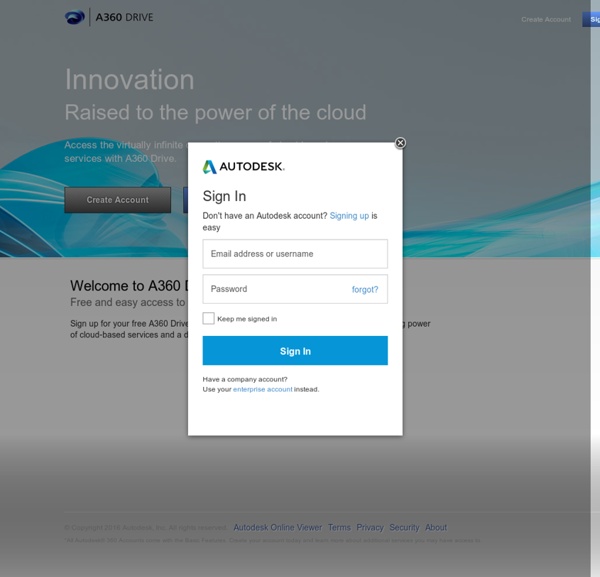
Sketchup 4 Architect Autodesk 360, Part 1: What Is It and How Does It Work? | CADspeed I was fortunate to attend the Autodesk Media Summit in March this year and discover the company’s new cloud initiative, Autodesk 360. What Is Autodesk 360? Autodesk 360 is the customer-centric cloud computing solution with a difference. So How Does It All Work? Getting on to Autodesk 360 is very easy. The Autodesk 360 front page. Once logged in, you can utilize the Autodesk 360 services whatever mobile device you are using: laptop, tablet, phone. The Autodesk 360 front page once logged in. The major benefit of Autodesk 360 is that you can access it anywhere you have a connection. I can see Autodesk 360 being a great hit with CAD and project managers who want to “manage” their CAD function. For the mobile CAD user, laptops are getting smaller and more compact, so full CAD apps can be used in conjunction with Autodesk 360 and with the provision of “heavy” services in the cloud, such as rendering and analysis, it could bring the requirement of a “brick” like laptop to an end! Like this:
3D Model Websites 3D printers have immensely revolutionized the art and manufacturing industry. With advancements in the 3D printer technology, it is now not very difficult to own one, even in your home or office. Moreover, you don’t have to be an AutoCAD engineer to design a 3D model for your needs, as this job is taken up by numerous 3D model websites. So, either you want to create 3D furniture, a mechanical component, or even human or animal figurines, here are 50 of the best free 3D model websites to cover up all your needs. Take a look. 10 Cheap and Affordable 3D Printers to Buy 10 Cheap and Affordable 3D Printers to Buy There was a time when 3D printers were a novelty - but not anymore. Pikbest Pikbest offers thousands of 3D models that are presented under various categories like decoration, wedding, appliances, bathroom, kitchen, furniture. GrabCAD GrabCAD Community Library offers 2.8+ million designs and models including CADs, thanks to its largest community of designers, engineers, and students. Cults
Autodesk 360, Part 2: What Can You Do With It? | CADspeed In Part 1 of this series, I introduced you to the new cloud-based collaboration tool from Autodesk, called Autodesk 360. In Part 2, I am going to show some of the functionality of Autodesk 360. Once You’re Logged In, What’s Next? Once you’re set up with your Autodesk ID and you’re logged in, what exactly can you do? What services are available? Well, if I went in to detail, I could write blogs about a mile long that would take you a week to read, so let’s go with something simple. Autodesk 2013 Product Range All of the Autodesk 2013 product range now include an Autodesk 360 tab on the ribbon interface. Click on the Online tab on the AutoCAD 2013 ribbon interface. The AutoCAD 360 Online ribbon tab. You will see a group of ribbon panels that are grouped and incorporate relevant icons to work with Autodesk 360 from the AutoCAD 2013 application. A typical example of this goes back to my previous blog series about AutoCAD WS, which features heavily in Autodesk 360 right now. Refresh List
Building a Super Robust Robot Hand German researchers have built an anthropomorphic robot hand that can endure collisions with hard objects and even strikes from a hammer without breaking into pieces. In designing the new hand system, researchers at the Institute of Robotics and Mechatronics, part of the German Aerospace Center (DLR), focused on robustness. They may have just built the toughest robot hand yet. The DLR hand has the shape and size of a human hand, with five articulated fingers powered by a web of 38 tendons, each connected to an individual motor on the forearm. The main capability that makes the DLR hand different from other robot hands is that it can control its stiffness. The video below shows the fingers moving and the hand getting hit by a hammer and a metal bar: The DLR team didn’t want to build an anatomically correct copy of a human hand, as other teams have. Another key element in the DLR design is a spring mechanism connected to each tendon. Why build such a super strong hand? More photos: Images: DLR
Autodesk 360, Part 3: Collaboration Between Fixed and Mobile Locations | CADspeed In Part 2 of this series, I showed you some of the functionality of Autodesk 360. We are now going to look at how we collaborate using Autodesk 360, using a fixed location (PC on a network) and a mobile location (iPad on a remote site with Wi-Fi). Your Documents Are Synced, What Happens Now? You’re logged in with your Autodesk ID and you have synced your documents from your fixed location (PC on the network) to the cloud (Autodesk 360). Logged into Autodesk 360. Using AutoCAD 2013 In A Fixed Location As mentioned in Part 2 of the series, all of the Autodesk 2013 product range now include an Autodesk 360 tab on the ribbon interface. The Online ribbon tab, after log in. So, right now, you will have your Autodesk 360 browser window open (it works best in Microsoft IE9) and your AutoCAD 2013 is done and uploaded to Autodesk 360 ready to go. Using Autodesk 360 In A Mobile Location So now we need to think about the mobile location. Autodesk 360 (logged in) with sub-menu highlighted. Like this:
20 Most Amazing Microscope Shots These microscope pictures are taken from the book ‘ Microcosmos’, created by Brandon Brill . This book includes many scanning electron microscope (SEM) images of insects, human body parts and household items. These are the most amazing images of what is too small to see with the naked eye. 01 – A wood or heathland Ant, Formica fusca, holding a microchip 02 – The surface of an Erasable Programmable Read-Only Memory silicon microchip 03 – Eyelash hairs growing from the surface of human skin 04 – The surface of a strawberry 05 – Bacteria on the surface of a human tongue 06 – Human sperm (spermatozoa), the male sex cells 07 – The nylon hooks and loops of velcro 08 – Household dust which includes long hairs such as cat fur, twisted synthetic and woolen fibers, serrated insect scales, a pollen grain, plant and insect remains 09 -The weave of a nylon stocking 10 – The end of the tongue (proboscis) of a hummingbird hawkmoth 11 – The head of a mosquito 12 – A human head louse clinging to a hair
Autodesk 360, Part 4: Synchronization With Autodesk 360 | CADspeed In Part 3 of this series, I showed you some of the collaboration functionality of Autodesk 360. We are now going to look at how we can synchronize our documents and drawings using Autodesk 360, using a fixed location (PC on a network) and a mobile location (iPad on a remote site with Wi-Fi), like in Part 3. Your Documents Are Ready To Go, What Happens Now? In Part 3 of this series, I mentioned that your documents were already synced. The synchronization tools you get with Autodesk 360, either in your fixed location or your mobile location, give you great flexibility. So like in Part 3, you’re logged in with your Autodesk ID and you have synced your existing documents from your fixed location (PC on the network) to the cloud (Autodesk 360). Autodesk 360, logged in, with MS Word docs highlighted. Making And Syncing Changes In A Fixed Location I have selected one of the Word docs I have uploaded, which are the three previous parts of this series. Actions sub-menu showing Versions function.
Macro Photography Inspiration by Bill Jones 34inShare I love the amazing details you can find in these shots. We would love for you to share your macro photography with our flickr group. Jimmy Hoffman Igor Siwanowicz Mikesi Robert Seber Alliec2007 Maculatus CathS Stavros Markopoulos Justin Dotson Peet13 Steve Wall Yavuz Sariyildiz Yvan Barbier William Houston Gudrun Ruf Robert Serber Onixa Martin Amm Mascha MeLissa Stolte Brian Valentine lordv Glynn McDonald Kristoffer Jonsson Alain Dejeaifve jciv Healzo Juza Marta Grzesiak Konaboy Ursula I Abresch Leon Baas LordV B. my-shots Krzysztof Dabrowski goldenorfe stocks photography Gecko_gr