

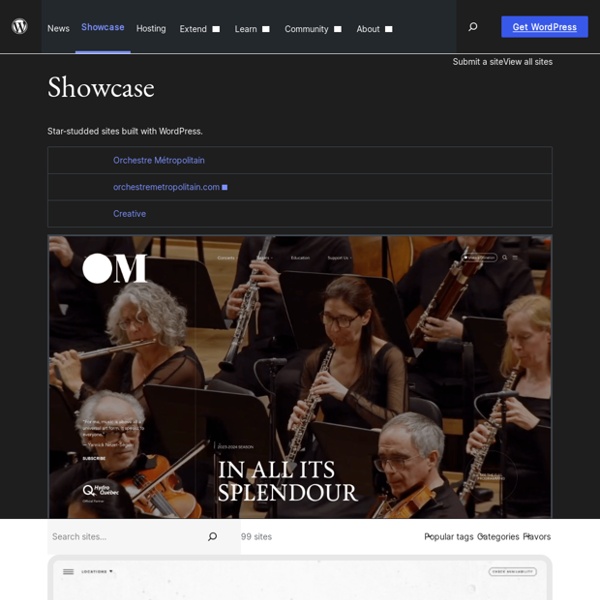
Can I Use WordPress to Create Websites And Not Just Blogs? by Daniel Scocco This post is part of the Friday Q&A section. Just use the contact form if you want to submit a question. Malini asks: I am in the process of building two websites – one about dance and one about music. WordPress was born as a blogging platform, but today it is much more than that. In fact if you visit the official WordPress showcase you will find all sorts of websites that are running on WordPress, from corporate and governmental websites to magazines and online communities. The first part of your question should be answered. Well, I would say it is as easy as creating a blog with WordPress. The installation process is the same. Finally, depending on the type of website you are building, you might need to load some special plugins (e.g., a shopping cart plugin or a membership management one). What about you guys, have you used WordPress to power websites and not just blogs? Wanna make money with your own website?
Using the Support Forums Using the Support Forums Languages: English • Português do Brasil • 日本語 • Español • ไทย • 中文(简体) • (Add your language) The WordPress Support Forums are a fantastic resource with a ton of information, but sometimes people have trouble getting help there and they don't know why. This is usually the result of a communication gap. Read the welcome message A potted user guide (at a glance, if you will) can be found on the Forum Welcome Codex Page. Search First Before you do anything, it's usually a good idea to type your query into Google to see if there's anything (on wordpress.org or elsewhere) that addresses your problem. To search the WordPress Support Forum, you can use the Search Box or To search the WordPress site using Google, enter your query in google like this: site:wordpress.org keyword1 keyword2 More details about Finding WordPress Help using search engines is available too. If this doesn't give you the answer, search the Codex. Still can't find an answer?
FAQ Languages: English • 日本語 • 한국어 • ไทย • 中文(简体) • 中文(繁體) • Türkçe • (Add your language) If you have a question and answer that is not asked and answered on these pages, please add that to the appropriate FAQ or visit FAQ Work Page. Codex Volunteers will merge your contribution into the appropriate area. If you have a question that is not answered, please visit the WordPress Support Forum for assistance from the experts. FAQ About WordPress Information and resources about WordPress including history, features, semantics, glossary, and information to help you determine whether or not WordPress is the blogging tool for you. FAQ New To WordPress Answers to questions frequently asked by new WordPress users, helping you get started with your WordPress site. FAQ Installation Answers to questions involving installation, advanced installation, using FTP, MySQL, PHP, importing from other blog software, and upgrading WordPress FAQ Troubleshooting FAQ Security FAQ Working with WordPress FAQ Layout and Design
Main Page Web development Web development is a broad term for the work involved in developing a web site for the Internet (World Wide Web) or an intranet (a private network). Web development can range from developing the simplest static single page of plain text to the most complex web-based internet applications, electronic businesses, and social network services. A more comprehensive list of tasks to which web development commonly refers, may include web design, web content development, client liaison, client-side/server-side scripting, web server and network security configuration, and e-commerce development. For larger organizations and businesses, web development teams can consist of hundreds of people (web developers). Web development as an industry[edit] Since the commercialization of the web, web development has been a growing industry. An ever growing set of tools and technologies have helped developers build more dynamic and interactive websites. Typical areas[edit] Client side coding[edit] Basic[edit]
Learn WordPress.com How To Make WordPress Look Like a Website So you’ve installed WordPress and plan to use it for your small business website. Now what? The first step to making your website look like a website for your business instead of a blog is to create a static front page and configure WordPress to use this as your home page. Normally, when someone visits your WordPress website they will see a list of your latest blog posts. Luckily, this is easy to change. Create a Static Home Page in WordPress – Step By Step: After you log into your WordPress Admin, create two WordPress pages. 1) Go to Pages -> Add New. I also like to turn off Comments and Pings in the settings at the bottom of this page before publishing it. 2) Go to Pages -> Add New one more time. 3) Now go to Settings -> Reading in your WordPress Admin panel. 4) Change the “Front page displays:” settings to look like this: A Video Walkthrough Here is a short video from WordPress.org that walks through these steps: The End Result – More Like a Website Than a Blog That’s all there is to it!
Installing WordPress on your own Windows computer We generally become WordPress users to create a blog for everyone to see. This can involve the purchasing of a domain name and web hosting. These we treat as black boxes on which the WordPress software is installed, and everything magically works. This is exactly how it should be. Although WordPress provides a comprehensive management interface, there are times when it would be better to have our own local copy, running on our own machine. There are several reasons we would want to do this: A working backup of our online siteA development site to develop plugins and themes without affecting our online siteA testing area to try out hacks and new versions of WordPress without fear of corrupting the live siteA staging area to create and verify posts, before releasing them live Just like in a commercial environment, it helps separate our blog into two parts: production and development, or live and test. Installing the server software WordPress requires several pieces of software: