
Artik: Developer Portal. Cylon.js - JavaScript framework for robotics, physical computing, and the Internet of Things using Node.js. jC_Omega Projets. FreeLSS: The Free 3D Printable Laser Scanning System For the Raspberry Pi - Mozilla FireFox for eBuro. Spark Core - Créez vos objets connectés #IOT. Le Spark core, un petit micro-contrôleur sur-équipé, doté d’un module WiFi et de mémoire est dans ma ToDoList d’articles depuis plusieurs mois.
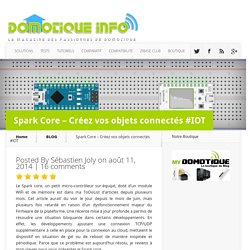
Cet article aurait du voir le jour depuis le mois de juin, mais plusieurs fois retardé en raison d’un dysfonctionnement majeur du Firmware de la plateforme. Une récente mise à jour profonde a permis de résoudre une situation bloquante dans certains développements. En effet, les développements ajoutant une connexion TCP/UDP supplémentaire à celle en place pour la connexion au cloud, mettaient le dispositif en situation de gel ou de reboot de manière inopinée et périodique. Parce que ce problème est aujourd’hui résolu, je reviens à mon clavier pour vous présenter le Spark core. Après plus de 2 mois d’utilisation, je vous propose un article découverte du Spark core. Hardkernel - Mozilla FireFox for eBuro.
Arietta G25 - Low cost Linux embedded module. Documentation Terms of Use Acme Systems provides this documentation "as is" without warranty or guarantees of any kind.
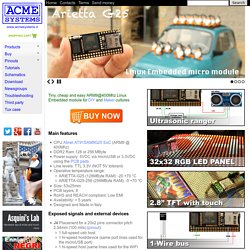
We not provide any direct support for the Open Source preinstalled software but, through these pages and forum posts, all of the information required to obtain the sources, install, use and update the Open Source software that can be run on the Acme boards. Wyliodrin - Mozilla FireFox for eBuro. Multi-tasking the Arduino - Part 1. Bigger and Better Projects Once you have mastered the basic blinking leds, simple sensors and sweeping servos, it’s time to move on to bigger and better projects.
That usually involves combining bits and pieces of simpler sketches and trying to make them work together. The first thing you will discover is that some of those sketches that ran perfectly by themselves, just don’t play well with others. The Arduino is a very simple processor with no operating system and can only run one program at a time. Extreme Range LoRa 868 / 915MHz SX1272 - Module for Arduino, Raspberry Pi and Intel Galileo. Extended wireless connectivity. Long range module.
<div class="noscript"><div class="noscript-inner"><p><strong>JavaScript seem to be disabled in your browser.
</strong></p><p>You must have JavaScript enabled in your browser to utilize the functionality of this website. </p></div></div> The page you requested was not found, and we have a fine guess why. If you typed the URL directly, please make sure the spelling is correct.If you clicked on a link to get here, the link is outdated.
What can you do? Internet of things with Arduino Yun and Yaler. Development kits. Is this an Arduino, or an Arduino Shield?
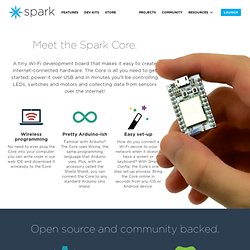
Neither, although it's more like an Arduino than like a Shield. The Spark Core is a fully stand-alone alternative to an Arduino that uses the same programming language, Wiring. Same experience, different microcontroller. The Core works just like an Arduino, except with a wireless connection on board, and a more powerful processor. Acheter vos robots domestiques, robots jouets, robots éducatifs avec Robot-Advance!
Kits arduino. L’achat d’un kit Arduino pour débuter avec l’arduino est un bon choix.
Il permet de débuter un projet sans devoir acheter les pièces les plus basiques (del, câbles…) ou faire de petites constructions simples. Il existe des milliers de kits Arduino, je vais vous aider à choisir Si vous achetez une carte Arduino seule, vous pourrez certes apprendre la programmation en C (enfin le langage spécifique qui en dérive), et avec la majorité des versions même faire clignoter une led. Mais le but de cette carte est de pouvoir connecter des composants électroniques sur ses entrées et sorties, soit des capteurs, soit des actionneurs, ou même des systèmes complexes (GPS, lecteur mp3, etc…) et il faut donc s’équiper.
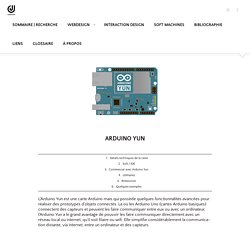
Le site PoBot déclare même « Avec plus de sept années d’utilisation de micro-contrôleurs en amateurs, nous vous conseillons de choisir un kit pour bien débuter, tout en économisant l’achat de composants en grand nombre » Arduino. Arduino Yun. Interaction Design tags : arduino • hardware.
New to littleBits? See how we make electronics prototyping easy - Mozilla FireFox for eBuro. Adafruit Learning System - Mozilla FireFox for eBuro. Have you heard about small Linux-based development boards like the Raspberry Pi or Beaglebone Black, but been confused about which one is best for you?
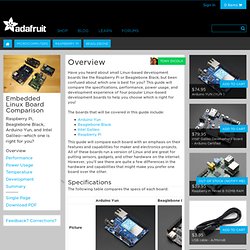
This guide will compare the specifications, performance, power usage, and development experience of four popular Linux-based development boards to help you choose which is right for you! Présentation de l'Arduino Yún - ekito peopleekito people. Pour faire simple, une carte Arduino est une carte de développement / prototypage architecturée autour d’un micro-contrôleur Atmel ATmega.
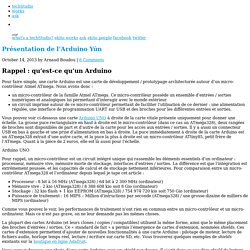
Nous avons donc : Documentation - Home - Mozilla FireFox for eBuro. Lakka is a linux distribution aimed to transform a small computer into a retro emulation console.
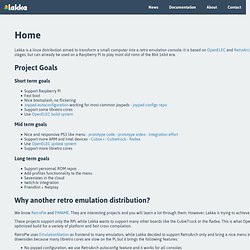
It is based on OpenELEC and RetroArch. The project is in its early stages, but can already be used on a Raspberry Pi to play most old roms of the 8bit 16bit era. Project Goals Short term goals Support Raspberry Pi Fast boot Nice bootsplash, no flickering Joypad autoconfiguration working for most common joypads - joypad configs repo Support some libretro cores Use OpenELEC build system Mid term goals. Wiki - CMUcam5 Pixy - CMUcam: Open Source Programmable Embedded Color Vision Sensors - Mozilla FireFox for eBuro. How to Create an Arduino Compatible Bluetooth 4.0 Module - Mozilla FireFox for eBuro. BLE Mini — RedBearLab - Mozilla FireFox for eBuro. Arduino Tutorial: Integrating Bluetooth LE and iOS. If you're new here, you may want to subscribe to my RSS feed or follow me on Twitter. Thanks for visiting! Creating machines that interact with the physical world is an incredibly satisfying thing.
Controlling them via Bluetooth with your iOS device is just plain awesome! Create an Arduino Bluetooth accessory! EZO pH - Mozilla FireFox for eBuro. There are many different brands of pH meters on the market today. From high-end bench top models, to low cost handheld meters. Some come with custom probes and others can use any off-the-shelf probe. The precision, accuracy and resolution of these different brands varies as wildly as their price. Shop DIY Electronics: Kits, Arduino, Synth, Cloud. DIY Lab - Mozilla FireFox for eBuro. TinkerBots. Fun, educational, absorbing and unique. Tinkerbots is the most innovative robotic building set available today - Arduino compatible and App controlled. zur deutschen Version scrollen Fun, educational, absorbing and unique. Introducing Bluefruit EZ-Key. This page will show you how to pair your Bluefruit EZ-Key to a Mac OS X computer. S electronics hobby side - hardware based TV Ambilight Scimo - project status.
Project Status 10. April 2012 - finished schematic and PCB design, order PCB prototyp 29. April 2012 - received PCB, finished assembling (hand soldered) 19. Juli 2012 - finished some hardware tests (voltage regulators, analog backend of video interface, digital backend of video interface: ITU-R BT.656 - DCMI, I2C, LED Interface: DMX512, JTAG, SWD, LED) 03. November 2012 - reached a milestone: successfully sampled test image with Scimo 23. Sebastien.warin.fr. Slight – Part 1 : un système Ambilight à base de .NET Gadgeteer. 7 mai 2013 Réalisé début Avril, je suis fier de vous présenter le premier prototype de « S-light », ma solution « Ambilight » artisanale ! Il s’agit ici du 1er prototype, deux autres versions déjà en cours de développement paraitront dans les semaines/mois à venir.
Price compare 3D printers. NetIO Controller. OpenPilot.org - The Next Generation Open Source UAV Autopilot - The Next Generation Open Source UAV Autopilot. Raspberry PI France. Raspberry Pi Model B en vente en ligne avec accessoires - Kubii.fr - Kubiweb SAS. Electroencephalography.
Making and programming devices with .NET Gadgeteer. News. Thanks to reader Sowbug, who sent us this nice tidbit about how he got Pac-Man running on his Papilio Arcade via Linux. Sowbug says, Check out Sowbug’s original blog post for an in-depth look at what went in to the project, and for access to the fork he wrote for Linux. I have to say, I really like Sowbug’s photo on that post. Great composition! On the same forum thread where this was discussed, the issue was raised about using a PS/2 keyboard for joystick functionality. I just remembered that Mike Field had some code pertaining to that in his Papilio Wiki .
The specific entry, with code for using a PS/2 keyboard for joystick controls can be found here . Thanks for sharing your work with us, Sowbug! About. » GuidesBreakout. Welcome to Phoenix Arcade! ArcadeSD PCB Faq: · 2 Gigabyte SD Card capacity for hundreds of games (sold separately) · MP3 Jukebox Game (similar to Guitar Hero) plays back MP3 files from SD Card · Free periodic firmware updates · All high scores saved on SD Card and retained when game turned off · Supports both VGA and CGA monitors (CRT or LCD) · Supports standard 8-way joysticks, Happ style trackball, and Happ/Midway 49-way joystick controls. Geoff's Projects - GPS Car Computer. The GPS Car Computer can display a wide range of GPS related information. The feature list includes a speedometer with an over speed alarm, distance and time to destination, fuel economy meter, time, altitude, heading, compass and latitude/longitude.
The Internet of Things Real-Time Web Service and Applications - Pachube. Medical and Health Related Projects with Arduino. A wearable Breathalyzer that can detect alcohol levels October 14th, 2011 Matt Leggett has designed a jacket that can tells you if you’re too drunk to drive! The jacket can inform the wearer whether they’re fit to drive or not, via a built in breathalyzer. Un microphone suffirait pour créer un instrument de musique virtuel.