
Tomkuhlmann: Looking at PowerPoint hyperlinks in a different way when working on elearning courses. Tomkuhlmann: Customize the PowerPoint ribbon & toolbar for quick access to your favorite features. Tomkuhlmann: Practice your PowerPoint skills by creating this envelope icon. Tomkuhlmann: Use @clusterurl to easily manage, sort, and track Screenr tutorials. PowerPoint tips, tricks, and tutorials. Find Free Clip Art on Microsoft Office Online I really like what Microsoft’s done with the new Office Online.

Creating Custom Shapes in PowerPoint 2010. (Note: Creating and combining custom shapes is a tool introduced in PowerPoint 2010 that lots of presenters find useful. We first published this post in February 2010 and ever since then people have been looking it up so here it is again.) 15 Interesting Clip Art Styles for Your E-Learning Courses. If you’re like many of us, you don’t have a lot of money to buy stock images or hire a graphics designer.
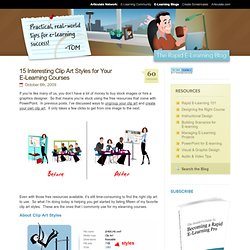
So that means you’re stuck using the free resources that come with PowerPoint. In previous posts, I’ve discussed ways to ungroup your clip art and create your own clip art. It only takes a few clicks to get from one image to the next. Even with those free resources available, it’s still time-consuming to find the right clip art to use. So what I’m doing today is helping you get started by listing fifteen of my favorite clip art styles. 3 Tutorials to Help You Get More Out of PowerPoint’s Image Editing. I know it’s hard to believe, but apparently there are many people who don’t like PowerPoint.
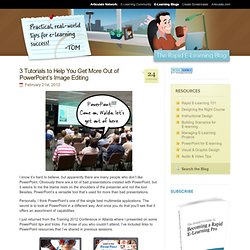
Obviously there are a lot of bad presentations created with PowerPoint, but it seems to me the blame rests on the shoulders of the presenter and not the tool. Let Others Inspire Your Interactive E-Learning. Here’s How. Many people are stuck in the world of linear, click-and-read content.
See How Easily You Can Design a Consistent Look for Your E-Learning Courses. My kids love stickers.
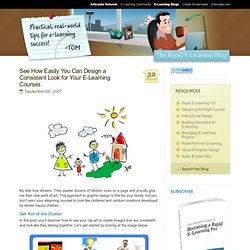
They plaster dozens of random ones on a page and proudly give me their new work of art. This approach to graphic design is fine for your family, but you don’t want your elearning courses to look like cluttered and random creations developed by sticker-happy children. Get Rid of the Clutter. The Rapid eLearning Blog. Creating great interactive learning experiences requires a few core building blocks: relevant content, pull versus push, and real-world decisions.
With those building blocks you're able to structure effective learning scenarios that are meaningful to the learner and helps meet the objectives of the course. One of those building blocks in creating relevant content or content that is placed in a meaningful context. Essentially, you want to recreate the types of scenarios that are similar to the ones the learner has in real life. This allows them to see the content in ... Read the full article After last week's post on the different drag & drop interaction examples, I had quite a few emails asking for tips on how to create drag and drop interactions for elearning. Are These the Three E-Learning Books You Would Recommend? Back in the ‘80s there was a music magazine that published a list of desert island discs.
People would write in and share the ten records they’d bring if they were stranded on an island. I used that list to find people who had similar tastes and then checked out the bands they’d recommend. Good instructional design books? Showemimo Adebare said: Great Discussion about having a degree on Instructional design or not!
Tom I have a question for you. " Is there any University that offer a degree or master in instructional design? " becuase all I know is that of Educational Technology. I love instructional design and to me because of globalization is the father of modern education. Showemimo, I can not say enough great things about my Walden University Instructional Design and Technology degree I earned from there. Now about the man that is the head of the Instructional Design department Dr. A Roadmap for Building an E-Learning Course. When we’re new and just getting started with elearning, we need templates and project plans to guide us.
On the other hand, experienced developers rely less on those resources because they have more experience and a deeper understanding of what it takes to create an elearning course. Think of it like driving around town. Let Others Inspire Your Interactive E-Learning. Here’s How. Here’s a Free PowerPoint Template & Laptop Illustration. My guess is that some of the most common screen elements in elearning courses are computer monitors.
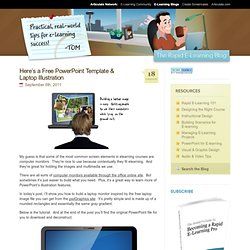
They’re nice to use because contextually they fit elearning. And they’re great for holding the images and multimedia we use. There are all sorts of computer monitors available through the office online site. Little Known Ways to Create Your Own Graphics Using PowerPoint. If you follow Sweller’s cognitive load theory, then you understand that the graphics in your elearning course are very important and play a large role in its effectiveness. However, not having the right graphics is a challenge. Create Custom Characters for Your E-Learning Scenarios. Has this happened to you?