
Contact. Cforms II. !!

Please note that v14.5+ requires WP 3.3+ !! Please see the version history for what’s new. Do you have any [cforms specific] customized files? Cforms supports a separate custom user folder to store your tailored CSS, font and image files! jQuery: working with select options. Bouts de code : Select Input. Note :Vous pouvez aussi changer de langue en tapant "E" pour lire le texte en anglais ou "F" pour le lire en français...
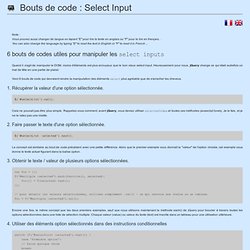
You can also change the language by typing "E" to read the text in English or "F" to read it in French ... 6 jQuery snippets you can use to manipulate select inputs 6 bouts de codes utiles pour manipuler les select inputs When it comes to manipulating the DOM, fewer elements are more tiresome than the good old select input. Fortunately for us, jQuery makes what was once a headache, a walk in the park. Quand il s'agit de manipuler le DOM, moins d'éléments est plus ennuyeux que le bon vieux select input. Listed below are 6 snippets which should make manipulating those selects more pleasant than say, pulling your own teeth. Voici 6 bouts de code qui devraient rendre la manipulation des éléments select plus agréable que de s'arracher les cheveux. Tutoriel : formulaire 100% CSS3 sans image et sans JavaScript. Je vous invite à aller lire le tutoriel complet sur le CSS que j’ai écrit.
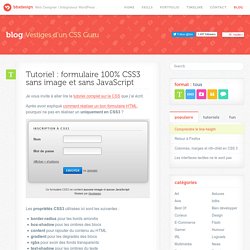
Après avoir expliqué comment réaliser un bon formulaire HTML, pourquoi ne pas en réaliser un uniquement en CSS3 ? Les propriétés CSS3 utilisées ici sont les suivantes : border-radius pour les bords arrondisbox-shadow pour les ombres des blocscontent pour rajouter du contenu au HTMLgradient pour les dégradés des blocsrgba pour avoir des fonds transparentstext-shadow pour les ombres du texte J’utilise aussi les pseudo-classes CSS3 suivantes : :after pour rajouter du texte HTML à la suite d’un élément:last-child pour sélectionner le dernier enfant d’un élément:target pour séléctionner un élément lorsqu’une #ancre est utilisée dans l’adresse Dernière fonctionnalité utilisée : le sélecteur avancé [type=text] pour sélectionner un élément selon la valeur d’un de ses attributs HTML.
Bien sûr, toutes ces nouveautés CSS3 ne marchent pas partout, mais elles fonctionnent très bien sous Firefox et Safari/Chrome (Webkit). Clean and pure CSS FORM design. Opensource - AJAX - Jqtransform - jQuery form plugin. jQuery plugin : jqTransform Author : DFC Engineering License : GPL Release version : 1.1 Released on : 2009 August Release note: - add click event on checkbox and radio - Auto resize the select field if necessary Context This plugin is a jQuery styling plugin wich allows you to skin form elements.

Here is a default form. Your browser, depending on your OS, skins the form as it wants. Then here is the same Form skinned with your own options whatever the browser you use. Pay attention to details, see how the inputs change their color both on mouse rollover and mouse click event. Usage 1- Add javascript inclusion in the header section of your web page //required <script type="text/javascript" src="js/jquery.js"></script><script type="text/javascript" src="js/jquery.jqtransform.min.js"></script> 2- Write your form <form class="jqtransform"><div class="rowElem"><label for="name">Name: </label><input type="text" name="name" /></div><div class="rowElem"><input type="submit" value="send" /><div></form>
12 Excellent jQuery Plugins for Enhancing Forms. Forms are part of almost every website.

Whether it’s a simple contact form or a complex sign-up form, filling one out is usually a mundane task. When possible, you should try to make form completion for the user easier and more enjoyable. Here are 12 jQuery plugins that can help you enhance your forms. Password Strength Password Strength shows the strength of you passwords by telling you how long time it would take to brute force them. Dropdown Check List The Dropdown Check List jQuery widget transforms a regular select html element into a dropdown checkbox list.
Autocomplete Autocomplete gives the user the ability to quickly find and select some value, leveraging searching and filtering. Ajax Fancy Capcha. Valider ses formulaires avec Javascript.