
All The Cheat Sheets That A Web Developer Needs. Code a Modern Design Studio from PSD to HTML. Today we’re going to convert the Modern Design Studio PSD Template created by Tomas Laurinavičius a few days ago to a clean and working XHTML/CSS code.
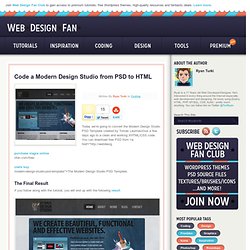
You can download free PSD from <a href=" nfan.com/free- modern-design-studio-psd-template/”>The Modern Design Studio PSD Template. The Final Result If you follow along with the tutorial, you will end up with the following result. Setting up the files Start out by creating a new folder on your computer in which we will put all of the site files. Open up your index.html file. So your code will looks like this one: <! Setting up the html structure Now we will set the structure of our html file. <! Slicing the background Our psd file includes a lot of textures and splashes so I’m going to slice the psd block by block so we will not loose these beautiful designs.
Now let’s begin with opening the psd layout in Photoshop, hide everything except the “Background” and “Background texture”. Coding the template’s body background Slicing the header Format. 10 CSS Rules Every Web Designer Should Know. Through experience as web designers we memorise all kinds of code syntax, hacks and snippets. With CSS in particular there is a number of rules and declarations that can really help transform your website designs and open up new possibilities when compared to older techniques. This post rounds up 10 declarations and tips that every web designer should have available in their CSS arsenal.
@media screen and (max-width: 960px) { } The @media rule not only allows you to specify styling for your web page when printed. These days media queries are more associated with the creation of responsive or adaptive website designs. A cool and extremely useful CSS3 property that has now gained thorough browser support is background-size. One CSS3 property that has really helped transform the web over recent years is @font-face. The clever margin: 0 auto; declaration is one of the first snippets you learn when getting to grips with CSS. How To Build Your Own Wordpress Theme. You don’t need to be a PHP whizz to be able to put together your very own custom WordPress theme.
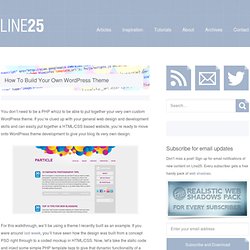
If you’re clued up with your general web design and development skills and can easily put together a HTML/CSS based website, you’re ready to move onto WordPress theme development to give your blog its very own design. For this walkthrough, we’ll be using a theme I recently built as an example. If you were around last week, you’ll have seen how the design was built from a concept PSD right through to a coded mockup in HTML/CSS. Now, let’s take the static code and inject some simple PHP template tags to give that dynamic functionality of a WordPress theme. Before getting stuck in, it’s useful to spend a few moments familiarising yourself with how WordPress themes work. Create a new folder and give it the name of your theme. In your style.css file, add the following code to the very top of your file. You might also want to add some extra CSS styling to the bottom of your stylesheet.