
KS3 ICT Subject Revision Help & Learning Links. Teach ICT KS3 Revision. Revision section - ReviseICT.co.uk - interactive revision materials to help learn GCSE ICT. Best of luck in your revision for your ICT exam - not long now!
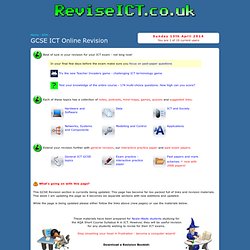
Each of these topics has a collection of notes, podcasts, mind-maps, games, quizzes and suggested links. Extend your revision further with general revision, our interactive practice paper and past exam papers. What's going on with this page? This GCSE Revision section is currently being updated. This page has become far too packed full of links and revision materials. GCSE Bitesize - ICT. ReviseICT.co.uk - interactive revision materials to help learn ICT. KS3 ICT. This section of ReviseICT.co.uk provides interactive content to help teach KS3 ICT lessons.
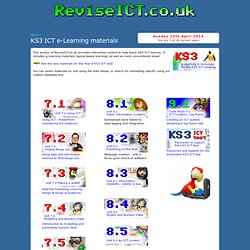
It includes g-Learning materials (game-based learning) as well as more conventional ideas! See the new materials for the Year 9 KS3 ICT test! You can select materials by unit using the links below, or search for something specific using our custom database tool. Interactive ICT revision games - Penalty Shootout, Fling the Teacher, Walk the Plank, HoopShoot, En Garde, Teacher Invaders & more - Interactive diagrams - Interactive ICT games and quizzes.
Website creation guide - online guide to creating websites using Word, PowerPoint, Publisher and Dreamweaver. This section of the ReviseICT.co.uk website provides clear guidance and ideas to help you create a website.
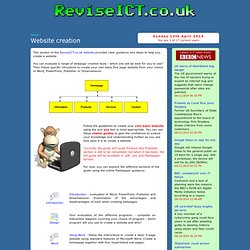
You can evaluate a range of webpage creation tools - which one will be best for you to use? Then follow specific intructions to create your own basic five page website from your choice of Word, PowerPoint, Publisher or Dreamweaver. Follow the guidelines to create your own basic website using the tool you feel is most appropriate. You can use these starter guides to gain the confidence to extend your knowledge and understanding further as you see how easy it is to create a website. Currently the guide isn't quite finished (the Publisher section is still to be completed) but when it has been, the full guide will be available in .pdf, .doc and Flashpaper format. Macromedia Flash - beginners' resources and learning materials. Ict games. Teach ICT - Tons of Free Teaching Materials and ICT Revision.