
MEAL%20Plan. HandoutMEALPlan2006. SourceEvaluationWorksheet. APA References List Examples - APA_FLCC.pdf. Infographic: Get More Out Of Google. Info Literacy 10. Evaluating Information Sources. Website Evaluation. Evaluating Web Pages Tutorial. BibMe: Fast & Easy Bibliography Maker - MLA, APA, Chicago, Turabian - Free. Five criteria for evaluating Web pages. Critically Analyzing Information Sources. A.
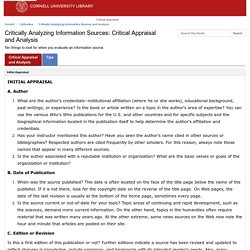
Author What are the author's credentials--institutional affiliation (where he or she works), educational background, past writings, or experience? Is the book or article written on a topic in the author's area of expertise? You can use the various Who's Who publications for the U.S. and other countries and for specific subjects and the biographical information located in the publication itself to help determine the author's affiliation and credentials.Has your instructor mentioned this author? Have you seen the author's name cited in other sources or bibliographies? B. When was the source published? C. Is this a first edition of this publication or not? D. Note the publisher. E. Is this a scholarly or a popular journal? Tutorials > The University of North Carolina at Greensboro (UNCG) Create a bibliography. A bibliography is a list of sources, usually placed at the end of a document, that you consulted or cited in creating the document.

In Microsoft Office Word 2007, you can automatically generate a bibliography based on the source information that you provide for the document. Each time that you create a new source, the source information is saved on your computer, so that you can find and use any source you have created. What do you want to do? Add a new citation and source to a document When you add a new citation to a document, you also create a new source that will appear in the bibliography. On the References tab, in the Citations & Bibliography group, click the arrow next to Style. Click the style that you want to use for the citation and source. For example, social sciences documents usually use the MLA or APA styles for citations and sources. Click at the end of the sentence or phrase that you want to cite. Do one of the following: To add the source information, click Add New Source. APA Formatting and Style Guide. Note: This page reflects the latest version of the APA Publication Manual (i.e., APA 7), which released in October 2019.
The equivalent resource for the older APA 6 style can be found here. Please use the example at the bottom of this page to cite the Purdue OWL in APA. You can also watch our APA vidcast series on the Purdue OWL YouTube Channel. General APA Guidelines Your essay should be typed and double-spaced on standard-sized paper (8.5" x 11"), with 1" margins on all sides. Font The 7th edition of the APA Publication Manual requires that the chosen font be accessible (i.e., legible) to all readers and that it be used consistently throughout the paper.
While the APA Manual does not specify a single font or set of fonts for professional writing, it does recommend a few fonts that are widely available. Major Paper Sections Your essay should include four major sections: the Title Page, Abstract, Main Body, and References. Title Page. Son of Citation Machine. Evaluating Web Pages: Techniques to Apply & Questions to Ask. 1.
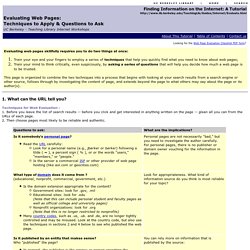
What can the URL tell you? Techniques for Web Evaluation : 1. Before you leave the list of search results -- before you click and get interested in anything written on the page -- glean all you can from the URLs of each page. 2. 2. 1. INSTRUCTIONS for Truncating back a URL: In the top Location Box, delete the end characters of the URL stopping just before each / (leave the slash). Continue this process, one slash (/) at a time, until you reach the first single / which is preceded by the domain name portion.